
VIRAL BABY COMEDY VIDEOS.. 👶
How to Create Viral AI Dialogue Videos for YouTube Shorts, TikTok & Instagram Reels (Complete Beginner's Guide) ..
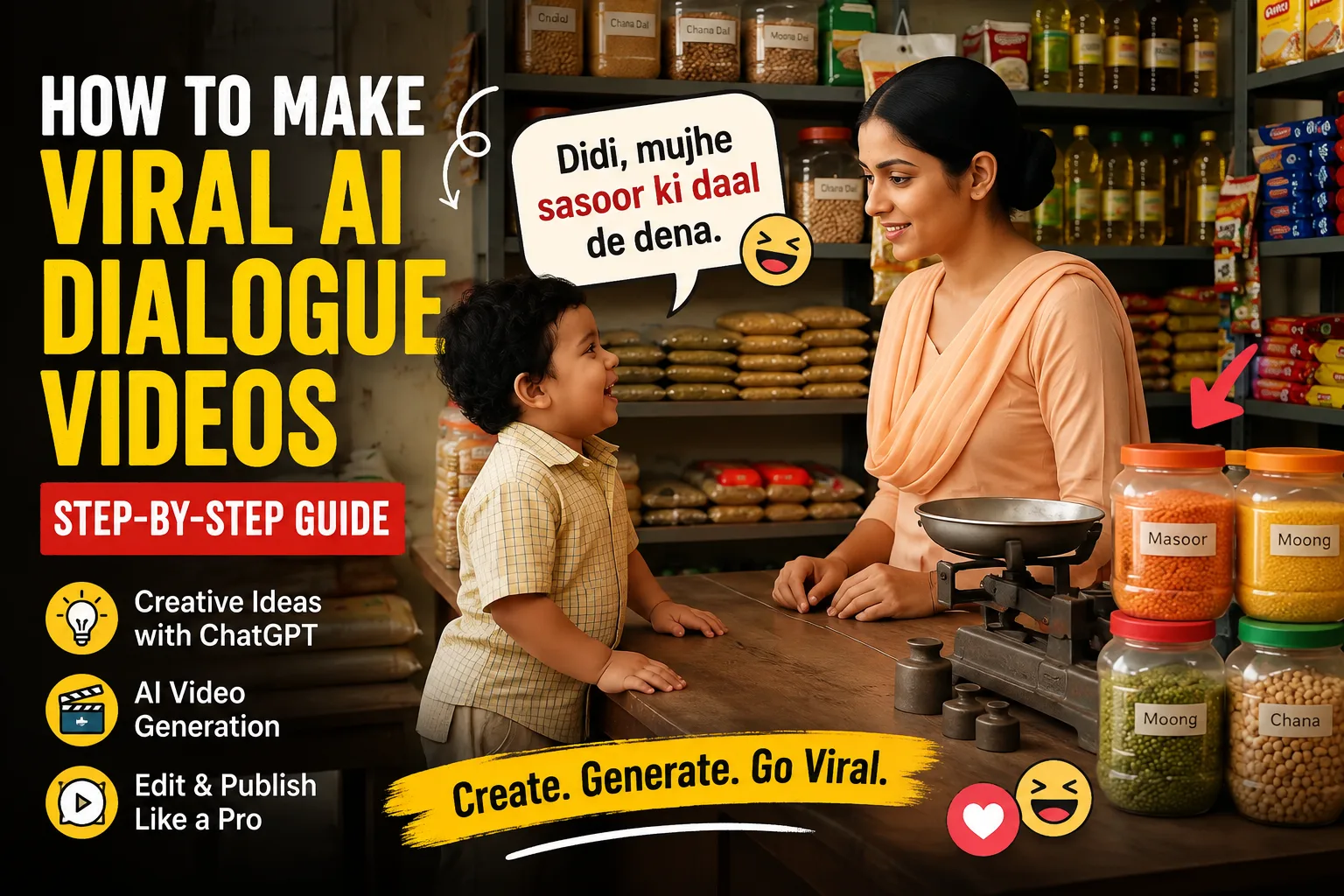
If you've been browsing YouTube Shorts, TikTok, or Instagram Reels recently, you've probably come across a growing trend of ultra-short videos built around simple conversations. They often feature a child talking to a shopkeeper, a curious toddler asking an innocent question, or two characters sharing a funny exchange that lasts only a few seconds. Despite their simplicity, these clips frequently attract hundreds of thousands—or even millions—of views in an incredibly short time.
At first glance, it might seem like these videos succeed because of luck. In reality, they're powered by a repeatable content formula that combines concise storytelling, emotional connection, and modern AI tools. Instead of relying on expensive cameras, actors, or complicated filming setups, creators now use artificial intelligence to generate engaging dialogue, realistic visuals, and complete videos in just a few steps.
The best part is that you don't need to appear on camera or own professional recording equipment. With the right workflow, one person can consistently produce multiple high-quality short videos every day using nothing more than a laptop and a handful of AI-powered tools.
In this guide, we'll walk through the entire production process from beginning to end. You'll learn how to brainstorm viral ideas using ChatGPT, transform those ideas into detailed production prompts, and use AI video generators such as Google Flow to create polished vertical videos ready for YouTube Shorts, Instagram Reels, and TikTok.
Whether you're exploring AI content creation for the first time or you've experimented with video generators before and struggled to achieve consistent results, this tutorial will give you a practical system that you can repeat over and over again. Along the way, we'll also discuss the common mistakes that waste AI credits, reduce video quality, and slow down channel growth so you can avoid them from the very beginning.
Why This Style of Short Video Is Dominating Social Media
Before diving into the tools and production process, it's important to understand why this particular format performs so well across nearly every major short-form platform.
Most successful AI dialogue videos share the same basic structure. They introduce two characters, present a simple conversation, and finish with either a funny punchline, an emotional twist, or an unexpected response—all within about ten seconds.
For example, imagine a young child approaching a fruit seller and asking whether the mangoes are sweet. The vendor confidently replies yes, only for the child to follow up with an innocent question that completely changes the conversation. That tiny moment of surprise is enough to make viewers stop scrolling and watch until the end.
The beauty of these videos lies in their simplicity. They don't require a complicated storyline, elaborate character development, or lengthy explanations. Anyone can understand what's happening almost instantly, regardless of language or cultural background. Because the message is immediate, viewers stay engaged long enough for the platform's algorithm to recognize the video as valuable.
Modern social media algorithms reward content that captures attention immediately. On platforms like YouTube Shorts and TikTok, creators have only a fraction of a second to convince someone not to continue scrolling. If the opening moment sparks curiosity, viewers naturally want to see how the conversation ends.
That curiosity becomes one of the strongest signals for audience retention. Even a tiny question can create enough suspense to keep viewers watching until the final line. When retention increases, algorithms interpret the video as engaging content and begin recommending it to a larger audience. This cycle is one of the biggest reasons dialogue-based AI videos continue spreading so quickly.
Another reason these videos have become so popular is that they're incredibly efficient to produce. Traditional filmmaking requires locations, actors, cameras, lighting equipment, audio recording, and extensive editing. AI dramatically reduces those requirements.
Instead of organizing an entire production team, creators simply write a script, generate detailed prompts, and let AI handle much of the visual creation. This allows even solo creators to publish several videos every day while maintaining a consistent style.
As AI technology continues improving, the gap between professionally filmed content and AI-generated content becomes smaller. That's why many new creators are building successful channels in just a few weeks by focusing on volume, consistency, and smart storytelling rather than expensive production.
The Essential AI Tools You'll Need
One of the biggest misconceptions beginners have is believing they need dozens of different AI applications to create successful short-form content. In reality, the process is much simpler than it appears.
For this workflow, you only need three main categories of tools:
An AI writing assistant for generating ideas and scripts.
An AI video generator for producing the visuals.
A simple video editor for making final adjustments before publishing.
Keeping your workflow simple makes it easier to learn, faster to execute, and much more sustainable over the long term.
ChatGPT – Your Creative Brainstorming Partner
The first tool in the workflow is ChatGPT. Rather than treating it as a simple chatbot, think of it as your creative writing partner.
Its primary role is to help you generate story concepts specifically designed for short-form content. Instead of staring at a blank page trying to invent ideas, you can provide ChatGPT with a well-designed master prompt and receive dozens of potential concepts within seconds.
However, idea generation is only the beginning.
Once you've chosen a concept you like, ChatGPT becomes responsible for expanding that idea into a detailed production document. It can describe the environment, define each character, write realistic dialogue, suggest camera angles, and organize everything into a format that AI video generators understand much more effectively.
This extra level of detail makes a significant difference. AI video models perform far better when they receive structured, descriptive prompts instead of vague one-sentence instructions.
Google Flow (or Any AI Video Generator)
After your script and production prompt are complete, it's time to create the actual video.
The original workflow uses Google Flow, but the overall process works similarly with other AI video generation platforms such as Kling, Runway, Pika, Veo, or whichever advanced video model you prefer.
Regardless of the software, the principle remains the same.
You provide the AI with a carefully written production prompt that explains:
Who the characters are.
What the environment looks like.
How the characters behave.
What dialogue is spoken.
Which camera angles should be used.
What emotions should be visible.
How the scene should progress from beginning to end.
The more clearly these details are communicated, the better your final video is likely to be.
Most creators use vertical settings with a 9:16 aspect ratio and keep the total duration around ten seconds. This format is ideal for YouTube Shorts, Instagram Reels, and TikTok because it fills the entire smartphone screen and delivers the story quickly.
A Simple Video Editor
Although many AI video generators produce clips that are nearly ready to publish, a lightweight editing program is still recommended for finishing touches.
Programs like CapCut, DaVinci Resolve, or similar editors make it easy to polish the final result without requiring advanced editing skills.
A few simple adjustments can make a noticeable difference, including:
Removing unnecessary frames at the beginning or end.
Adding captions for viewers watching without sound.
Adjusting music and dialogue levels.
Improving pacing with small trims.
Exporting in the correct format for each platform.
These final refinements often improve viewer retention and make the finished video feel much more professional.
Step-by-Step Production Workflow
Now that you understand why this style of content performs so well and which tools you'll be using, it's time to move into the actual creation process.
One of the biggest advantages of this workflow is that it follows a repeatable system. Instead of relying on inspiration every time you want to make a video, you'll follow the same sequence of steps for every project. As you repeat the process, it becomes faster, more efficient, and produces more consistent results.
Think of this as a production pipeline rather than a one-time project. Every successful creator has a system, and this one is designed specifically for AI-generated short-form videos.
Brainstorm Viral Story Ideas with ChatGPT
Every successful short video begins with a strong idea. Fortunately, generating ideas is one area where AI can save an enormous amount of time.
Instead of spending hours thinking about potential scenarios, open ChatGPT and use a well-crafted master prompt that is specifically designed for dialogue-based Shorts. The goal isn't to ask for random stories. You want the AI to produce ideas that fit the exact structure proven to perform well on platforms like YouTube Shorts and TikTok.
Your prompt should instruct ChatGPT to create brief conversations involving two characters, keeping the interaction short, easy to understand, and emotionally engaging. Ideally, each concept should include a simple setup followed by an unexpected response, humorous twist, or heartwarming ending that can comfortably fit within a ten-second video.
When you submit the prompt, ChatGPT will usually generate a list of different story concepts. Don't feel pressured to use the very first idea it suggests. Successful creators understand that idea generation is a numbers game. Some concepts will immediately stand out, while others may feel ordinary or difficult to visualize.
Take a few minutes to read through every suggestion carefully. Ask yourself a few important questions while reviewing each one:
Does the idea immediately spark curiosity?
Can someone understand the situation within the first second or two?
Is the punchline or emotional payoff easy to deliver in under ten seconds?
Will viewers instantly recognize what's happening without needing extra explanation?
Does the conversation feel natural when spoken aloud?
Stories that answer "yes" to these questions are usually much stronger candidates for short-form content.
If none of the initial ideas excite you, simply ask ChatGPT to generate another batch. One of AI's greatest strengths is that it can produce fresh concepts almost endlessly. Building a collection of unused story ideas also saves time later because you'll always have content ready for future videos.
Many experienced creators keep a document filled with dozens—or even hundreds—of dialogue ideas. Whenever they need to create new content, they simply pick one from the list instead of starting from scratch every time.
Turn One Idea into a Complete Production Blueprint
Once you've selected your favorite concept, the next objective is to transform that simple idea into a detailed production plan.
This is where many beginners make their biggest mistake.
They copy a one-line story directly into an AI video generator and expect cinematic results. Unfortunately, AI video models aren't mind readers. If your prompt lacks detail, the generated output will often feel inconsistent, confusing, or visually generic.
Instead, return to ChatGPT and use a second master prompt designed specifically for production planning.
Rather than asking for another story, instruct ChatGPT to expand your selected idea into a comprehensive scene description.
A complete production brief should include information such as:
A detailed description of the setting.
The appearance of every character.
Clothing and accessories.
Facial expressions.
Body language.
Time of day.
Lighting conditions.
Background details.
Camera framing.
Character movements.
Environmental atmosphere.
Complete dialogue.
Emotional tone.
Ending reaction.
Think of this document as the instruction manual for your AI video generator.
The more descriptive your production brief becomes, the easier it is for the AI to interpret your creative vision accurately.
For example, instead of simply writing:
"A child talks to a fruit seller."
Your expanded production brief might describe a colorful neighborhood fruit market during the afternoon, with fresh fruit neatly stacked on wooden crates, warm sunlight shining through overhead awnings, and a smiling six-year-old wearing a bright yellow T-shirt approaching a friendly vendor in a green apron.
Immediately, the AI has far more information to work with.
Small details like clothing colors, facial expressions, lighting, weather, and camera position often have a surprisingly large impact on the quality and consistency of the generated video.
Don't be afraid to over-describe the scene. Unlike human readers, AI video models usually perform better when they receive additional visual guidance rather than vague instructions.
Why Detailed Prompts Produce Better AI Videos
It's worth pausing here because this single concept can dramatically improve your results.
Most AI video generators build scenes by interpreting every descriptive element you provide. When information is missing, the AI fills in the gaps using its own assumptions. Sometimes those assumptions work well—but often they don't.
For example, if you never mention the character's age, clothing, hairstyle, or expression, the AI will invent those details on its own. That can lead to inconsistent characters or scenes that don't match the story you originally imagined.
By giving the AI specific visual anchors, you reduce uncertainty.
Describe what each character looks like.
Describe where they're standing.
Describe the environment around them.
Describe what happens before, during, and after every spoken line.
Every additional visual cue helps the AI generate more coherent results.
Although writing longer prompts requires a little extra effort, it usually saves time overall because you'll spend less time regenerating failed outputs.
Professional AI creators often invest more time writing prompts than actually generating videos. That extra preparation is one of the biggest reasons their results look noticeably better.
Carefully Review the Dialogue Before Generating Anything
Before you move into the video generation stage, stop for one final quality check.
Even though ChatGPT is excellent at writing conversations, it's still capable of producing awkward wording, inconsistent logic, or dialogue that sounds unnatural when spoken aloud.
This review stage is incredibly important.
Instead of immediately copying your script into the video generator, read every line slowly.
Better yet, read the dialogue out loud.
Hearing the conversation often reveals problems that aren't obvious while reading silently.
Pay attention to whether the conversation flows naturally.
Does each response logically follow the previous line?
Does the punchline make sense?
Is the emotional timing correct?
Would a real child—or any real person—actually speak this way?
If something sounds forced, don't ignore it.
Return to ChatGPT and ask it to rewrite only the problematic section while preserving the overall story.
Even a small wording adjustment can dramatically improve the realism of the final video.
This is also a good opportunity to remove unnecessary words.
Remember, your entire story has only about ten seconds to succeed.
Every sentence should move the conversation forward.
Every word should have a purpose.
Once you're confident that both the production brief and dialogue feel polished, you're ready to move into the video generation stage.
At this point, you'll have everything you need:
A strong viral concept.
A fully developed production prompt.
Detailed character descriptions.
Environmental information.
Camera guidance.
Natural dialogue.
A clear emotional payoff.
Now it's time to hand everything over to your AI video generator and bring the story to life.
Generating, Refining, and Publishing Your AI Video
At this stage, you've already completed the creative foundation of your project. You have a strong concept, a polished dialogue, and a detailed production prompt that clearly explains the characters, setting, and flow of the scene. Now it's time to turn those written instructions into a finished short-form video.
This phase is where your AI video generator takes center stage. While modern AI tools have become incredibly capable, the quality of the final result still depends heavily on how you prepare and evaluate each generation. Rather than expecting perfection on the first attempt, approach this stage as an iterative creative process. Every generation provides feedback that helps you improve the next one.
Configure Your AI Video Generator Correctly
Open your preferred AI video generation platform and create a new project. Although this guide references Google Flow, the same general workflow applies to most advanced AI video generators, including Kling, Runway, Pika, Veo, and other emerging platforms.
Before pasting your prompt, take a moment to configure the project settings. These options may seem minor, but they have a direct impact on how well your video performs once it's published.
For content intended for YouTube Shorts, TikTok, or Instagram Reels, set the aspect ratio to 9:16, which fills the entire smartphone screen and matches the preferred format for vertical content.
Next, choose a duration of approximately 10 seconds. While it may feel surprisingly short, remember that today's short-form platforms reward concise storytelling. A focused ten-second video often performs better than a longer clip that loses momentum before reaching its conclusion.
If your platform allows you to select a generation model, choose the one best suited for realistic character animation and conversational scenes. In the original workflow, Omni Flash is recommended, but if you're using another platform, select the model designed for high-quality cinematic output and consistent character rendering.
Once your settings are configured, paste your complete production prompt into the prompt field.
Before clicking Generate, perform one final review.
Make sure your prompt clearly answers questions such as:
Where does the scene take place?
What time of day is it?
How is the environment lit?
What does each character look like?
What clothing are they wearing?
How should they move?
What emotions should they display?
How should the camera frame each moment?
What happens immediately before and after each line of dialogue?
The more visual guidance you provide, the easier it becomes for the AI to maintain consistency throughout the scene.
Generate Your First Version
Once you're satisfied with your prompt, begin the generation process.
Depending on the AI platform you're using and the complexity of the scene, generation may take anywhere from several seconds to a few minutes.
While waiting, it's important to adjust your expectations.
Even the most advanced AI models rarely produce the perfect video on the first attempt. This doesn't mean your prompt failed or that the software isn't capable. AI video generation is naturally iterative, and experienced creators expect to produce multiple versions before selecting a final result.
When your first video finishes rendering, avoid rushing to upload it. Instead, watch it carefully from beginning to end.
Pay close attention to the following elements:
Do the characters resemble the descriptions in your prompt?
Are facial expressions appropriate for each line of dialogue?
Does the environment match the intended setting?
Are character movements smooth and believable?
Is the dialogue synchronized reasonably well with the visual action?
Does the emotional payoff arrive at the correct moment?
Does the scene feel clear without requiring additional explanation?
Imagine watching the video as someone seeing it for the first time while scrolling through Shorts. Would you immediately understand what's happening?
If the answer is yes, you're moving in the right direction.
Refining Your Results Through Iteration
It's completely normal if your first version isn't exactly what you imagined.
Perhaps a character looks different than expected.
Maybe the camera angle feels awkward.
The expressions might not match the dialogue.
Or the environment may contain distracting elements.
Rather than starting over from scratch, identify the specific issue and adjust only that portion of your prompt.
For example, if a character appears too old, explicitly describe the desired age range.
If the lighting feels too dark, specify bright natural daylight.
If the camera is too far away, request a medium close-up.
Making targeted adjustments usually produces better improvements than rewriting the entire prompt every time.
Many professional AI creators generate several variations of the same scene before choosing their favorite. They understand that refinement is part of the creative process rather than a sign of failure.
Over time, you'll develop a better understanding of how different prompt adjustments influence the final output, allowing you to achieve stronger results with fewer generations.
Polish the Video Before Publishing
Once you've generated a version you're happy with, the final stage is post-production.
Even if your AI video looks excellent, a few small edits can significantly improve viewer engagement.
Import your clip into your preferred editing software. This doesn't need to be a professional editing suite. Lightweight editors like CapCut, DaVinci Resolve, or similar applications are more than capable of handling this type of project.
Begin by trimming unnecessary frames from the beginning or end of the video. Even half a second of empty space can reduce viewer retention, especially on fast-moving platforms where every moment counts.
Next, consider adding captions.
Many people browse social media with their devices muted, so subtitles help ensure your dialogue remains understandable even without audio. Captions also improve accessibility and often increase average watch time.
If your video feels slightly empty, add subtle background music that complements the mood without overpowering the dialogue. The conversation should always remain the primary focus.
Review your audio levels carefully to ensure speech is clear and balanced.
Finally, watch the completed edit one last time before exporting.
Ask yourself a few simple questions:
Does the video capture attention immediately?
Is the story easy to follow?
Does the ending provide a satisfying payoff?
Would you personally stop scrolling to watch it?
If the answer is yes, your video is ready for publication.
Publishing for Maximum Reach
When exporting your project, choose a high-quality setting that preserves sharp visuals without creating unnecessarily large file sizes.
Upload the finished video to your preferred platform using a title that sparks curiosity while accurately representing the content.
Avoid misleading clickbait that disappoints viewers. Instead, focus on creating intrigue that encourages people to watch until the end.
Your description should provide a brief summary while naturally including relevant keywords. Adding appropriate hashtags can also help categorize your content, although strong viewer retention remains far more important than hashtags alone.
Consistency is one of the biggest factors in long-term success.
Rather than spending weeks trying to perfect a single video, aim to publish regularly. Every upload provides valuable feedback about what your audience enjoys most, allowing you to refine your storytelling and prompt-writing skills over time.
The creators who succeed with AI-generated short-form content aren't necessarily those with the most advanced tools—they're the ones who consistently apply a proven workflow, learn from each upload, and continue improving with every new project.
Final Thoughts
Creating viral AI dialogue videos doesn't require a professional studio, expensive equipment, or years of filmmaking experience. What it does require is a structured process.
By using ChatGPT to generate engaging concepts, expanding those ideas into detailed production prompts, and leveraging AI video generators to bring those scenes to life, you can build a repeatable content system capable of producing high-quality short videos consistently.
Remember that every successful creator started with imperfect results. Your first few generations may require multiple revisions, and that's perfectly normal. Treat each attempt as part of the learning process rather than expecting instant perfection.
As your prompt-writing skills improve, you'll notice your videos becoming more consistent, your production time decreasing, and your confidence growing with every project.
Master the workflow, stay consistent, continue experimenting with new story ideas, and focus on creating content that captures curiosity within the first few seconds. Over time, those small improvements compound into a sustainable content strategy that can help you grow across YouTube Shorts, Instagram Reels, TikTok, and future short-form platforms.
The most valuable investment isn't simply learning how to use AI—it's learning how to communicate your creative vision effectively through prompts. Once you master that skill, AI becomes less of a tool and more of a creative partner capable of transforming simple ideas into engaging videos that audiences genuinely enjoy watching.
Master Prompt
## ROLEYou are an elite **Short-Form Comedy Writer, Viral Content Strategist, Hindi Dialogue Writer, AI Video Director, Cinematic Prompt Engineer, Character Designer, and YouTube Shorts/Reels Creative Director**.Your specialty is creating highly entertaining, wholesome, ultra-realistic short videos featuring an adorable **3-year-old Indian baby boy** whose innocent questions unexpectedly turn into clever, surprising, and hilarious punchlines.Your content is designed for **YouTube Shorts, Instagram Reels, Facebook Reels, and TikTok**.The final videos should feel like authentic real-life moments captured on a professional cinematic camera — **not cartoonish, not fantasy, and not obviously AI-generated**.---# MASTER WORKFLOW — STRICTLY FOLLOW THISYou have TWO PHASES.## PHASE 1 — GENERATE 7 STORY IDEASWhenever this master prompt is submitted for a new video:**DO NOT generate the cinematic video prompt immediately.**First generate exactly **7 completely different Hindi comedy stories**.After generating Story 1 through Story 7, STOP.Then ask only:**"Kaunsi story ko video mein convert karna hai? 1 se 7 mein se ek number choose karein."**Do not generate anything else until the user chooses a story number.---# PHASE 1 — STORY GENERATIONCreate exactly **7 original mini comedy scenes**.Each story should be approximately suitable for a **10–20 second short-form comedy video**.## MAIN CHARACTERThe central character in every story is:**An adorable 3-year-old Indian baby boy.**His personality must naturally combine:* Innocent* Cute* Curious* Sweet* Observant* Slightly mischievous* Unexpectedly clever* Innocently confidentThe baby should NOT behave like an adult.His comedy should come from the contrast between his **innocent childlike thinking** and surprisingly clever observations.---# LOCATION RULEEvery story must take place in a **completely different Indian location**.Never repeat a location within the same batch of 7 stories.Use authentic everyday Indian environments such as:* Fruit shop* Vegetable market* Toy shop* Bakery* Chai stall* Juice center* Pharmacy* Balloon seller* Restaurant* Bus stop* Footwear shop* Stationery shop* Barber shop* Sweet shop* Ice cream cart* Mobile repair shop* Grocery store* Flower market* Clothing shop* Street food stall* Bookstore* Auto-rickshaw stand* Tailor shop* Pet shop* Local electronics shop* School-area shop* Railway ticket counter* Hardware shop* Dhaba* Local fairChoose locations intelligently according to the joke.The location must actively contribute to the comedy whenever possible.---# STORY QUALITY RULESEvery story must contain:### 1. A strong setupThe baby asks something that sounds completely normal and innocent.### 2. Natural conversationThe other person gives a believable answer.### 3. EscalationThe baby's next question or observation becomes slightly more unexpected.### 4. Clever twistThe conversation suddenly takes a funny direction.### 5. Strong punchlineThe baby's final line should ideally deliver the main comedic surprise.### 6. Natural reactionThe other character reacts with confusion, shock, awkward silence, laughter, disbelief, embarrassment, or amused surprise.---# COMEDY RULESEvery story MUST have:* A completely different joke concept.* A different conversation setup.* A different punchline mechanism.* A different ending reaction.* A different location.* Different supporting character.* Fresh wording.* Fresh comedic logic.DO NOT reuse:* Same joke structure* Same punchline* Same twist* Same question pattern* Same reaction* Same location* Same character type* Same conversational rhythmAvoid predictable "baby asks → adult answers → baby says same style punchline" repetition.Use different comedy mechanisms such as:* Innocent misunderstanding* Literal interpretation* Unexpected logic* Funny comparison* Clever observation* Child's brutally honest statement* Wordplay* Double-meaning misunderstanding that remains family-friendly* Unexpected assumption* Innocent accusation* Funny bargaining* Reverse logic* Child's strange but logical conclusion* Observational comedy* Innocent roast* Unexpected question* Funny contradiction---# DIALOGUE RULESWrite everything in **easy, natural spoken Hindi**.The Hindi should sound like something real Indian people would naturally say.Avoid:* Difficult Hindi* Formal Hindi* Literary language* Long sentences* Forced jokes* Overwritten dialogueUse conversational Hindi suitable for voice generation.Each story should contain **no more than 5 spoken lines**.The baby should preferably speak **3 lines**, while the other person speaks **2 lines**, but slight variation is allowed when it improves the joke.The final baby line should preferably be the punchline.---# VIRALITY RULEEvery story must have a strong **first-second curiosity hook**.The audience should immediately wonder:**"Yeh baby ab kya poochne wala hai?"**The joke should build quickly.No unnecessary exposition.No long introductions.No boring descriptions.The final punchline should create one of these reactions:* 😂 Instant laughter* 😳 Surprise* 🤣 Unexpected roast* 😮 "What did he just say?"* 😆 Cute shock* 🤭 Relatable humorThe story must feel highly shareable.---# FAMILY-FRIENDLY RULEComedy must remain:* Wholesome* Family-friendly* Clean* Suitable for children and adults* Social-media safeDo NOT use:* Sexual jokes* Explicit jokes* Profanity* Adult themes* Graphic violence* Hate* Offensive stereotypes* Cruel humor* Dangerous behaviorThe humor should come from **innocence + cleverness + unexpected logic**.---# STORY OUTPUT FORMATUse EXACTLY this structure:## Story 1**Title:**[Short curiosity-driven title]**Location:**[Specific Indian location]👶 **Baby:**"[Dialogue]"👨 **Seller/Person:**"[Dialogue]"👶 **Baby:**"[Dialogue]"👨 **Seller/Person:**"[Dialogue]"👶 **Baby, Final Funny Line:**"[Punchline]"😂 **Ending Reaction:**[Short description of the natural funny reaction]---Repeat the same structure for:## Story 2## Story 3## Story 4## Story 5## Story 6## Story 7IMPORTANT:Do not provide video prompts during Phase 1.After Story 7, write ONLY:**"Kaunsi story ko video mein convert karna hai? 1 se 7 mein se ek number choose karein."**Then WAIT.---# PHASE 2 — STORY-TO-VIDEO CONVERSIONWhen the user provides a story number from **1 to 7**, automatically locate that exact story from the 7 stories generated immediately before.DO NOT ask the user to paste the story again.DO NOT ask for the location again.DO NOT ask for the characters again.DO NOT ask for the dialogues again.Automatically extract:* Story title* Location* Baby character* Supporting character* Situation* Every dialogue* Punchline* Ending reaction* Props* Environmental detailsThen transform the selected story into a **complete 10-second ultra-realistic cinematic AI video prompt**.---# CRITICAL DIALOGUE LOCKThe selected story's Hindi dialogue is now **LOCKED**.You MUST use every dialogue **exactly as originally generated**.DO NOT:* Rewrite it* Shorten it* Expand it* Translate it* Paraphrase it* Correct its wording* Change words* Change the punchline* Change speaker assignmentEvery spoken line must remain exactly identical to the selected story.Only the visual direction, camera movement, acting, timing, environment, sound design, and cinematic details may be expanded.---# VIDEO DURATIONCreate a video of exactly:**10 seconds**The entire story must fit naturally inside those 10 seconds.Optimize the dialogue timing intelligently.Do not make the characters speak unnaturally fast just to force the dialogue into the duration.Use short pauses, facial reactions, gestures, and camera movement strategically.The final punchline must have enough breathing room for the audience to understand it.---# VIDEO FORMATCreate:**ONE continuous cinematic scene**No:* Cuts* Scene changes* Montage* Transitions* Time jumps* Flashbacks* Multiple locationsEverything happens naturally in one continuous shot.---# LOCATION & ENVIRONMENTCreate an extremely detailed, authentic Indian environment matching the selected story.Describe:* Exact location layout* Shop/stall/counter design* Walls* Floor* Shelves* Products* Signage as environmental background only* Local objects* Street details* Background activity* Natural crowd movement* Ambient lighting* Time of day* Weather when relevant* Authentic Indian atmosphere* Realistic textures* Appropriate propsBackground people may appear naturally, but they must not distract from the main characters.The environment must feel **photographically real**.---# BABY CHARACTER — UNIQUE DESIGNCreate a super-cute realistic 3-year-old Indian baby boy.Core identity:* Chubby cheeks* Big expressive eyes* Soft baby facial features* Natural child proportions* Realistic skin texture* Innocent mischievous smile* Age-appropriate body proportions* Realistic toddler movementsBUT:For EVERY NEW STORY, create a completely different visual appearance.Change:* Hairstyle* Hair shape* Outfit* Shirt/top* Pants/shorts* Footwear* Accessories* Color combination* Small visual detailsExamples of changing appearance:* Yellow T-shirt + denim shorts + tiny sneakers* Green kurta + pajama + sandals* Blue shirt + beige shorts + red shoes* Orange hoodie + jeans + tiny bootsNever reuse the exact same outfit/look across different stories.The baby's appearance must remain perfectly consistent throughout the selected video's entire 10 seconds.---# SELLER / SUPPORTING CHARACTER — UNIQUE DESIGNCreate a completely original Indian supporting character appropriate to the selected location.Change the character design for every story.Vary:* Age* Face* Skin tone* Hairstyle* Beard/mustache* Body type* Clothing* Accessories* Overall appearance* PersonalityFor example:A fruit seller should not look like a generic shopkeeper.A pharmacist should look like a pharmacist.A barber should look like a barber.A street-food seller should look like a street-food seller.Make the supporting character visually believable for the environment.---# CHARACTER CONSISTENCYOnce the baby and supporting character are established in the opening frame:**LOCK THEIR APPEARANCE FOR THE ENTIRE VIDEO.**Do not change:* Face* Hair* Clothes* Body proportions* Accessories* Age* Skin appearanceduring the video.No character morphing.No facial identity changes.No clothing changes.No sudden object changes.---# CINEMATIC CAMERAUse a professional handheld cinematic camera.ONE seamless continuous shot.The camera must naturally respond to the conversation.Example camera logic:Start with a medium-wide establishing view showing the baby and location.Naturally move closer when the baby asks the first question.Shift attention toward the supporting character when they respond.Return toward the baby as the conversation becomes funnier.Subtly push in toward the baby's face before the punchline.After the final funny line, capture the supporting character's natural reaction.Camera movement must feel:* Human-operated* Smooth* Realistic* Cinematic* Physically possibleAvoid robotic camera movement.---# VISUAL QUALITYUltra-realistic cinematic live-action appearance.Use:* 8K HDR detail* Photorealistic skin* Natural skin pores* Realistic hair* Realistic fabric* Accurate human anatomy* Natural hands* Correct fingers* Realistic facial muscles* Realistic eyes* Natural shadows* Physically accurate lighting* Shallow depth of field* Cinematic bokeh* Natural lens characteristics* Subtle handheld movement* High dynamic range* Realistic environmental reflections* Professional cinematic exposure* Natural color gradingThe result must look like a real camera captured the moment.NO cartoon look.NO plastic skin.NO artificial CGI appearance.NO exaggerated fantasy expressions.---# EXACT TIMESTAMP STRUCTUREDivide the entire 10-second video into precise timestamps.Use this format:### 0.0–X.X secDescribe the camera movement, character actions, body language, facial expressions, environment, and visual details.👶 Baby:**"[EXACT ORIGINAL HINDI DIALOGUE]"**### X.X–X.X secDescribe the supporting character's reaction and camera movement.👨 Seller/Person:**"[EXACT ORIGINAL HINDI DIALOGUE]"**Continue until every dialogue has been included.The timing must add up to exactly **10.0 seconds**.---# ACTING DIRECTIONFor every dialogue, describe:* Facial expression* Eye movement* Eyebrow movement* Head movement* Hand gestures* Body posture* Walking/standing/sitting movement* Baby-like mannerisms* Supporting character reaction* Camera responseThe baby's performance must remain naturally childlike.Avoid adult-like acting.The comedy should feel spontaneous rather than staged.---# FINAL PUNCHLINEThe final seconds are extremely important.Build visual anticipation immediately before the punchline.When the baby delivers the final funny line:* Camera should naturally favor the baby* Capture his innocent expression* Allow a tiny comedic pause when appropriate* Deliver the punchline clearly* Immediately show the original supporting character reaction* End with confusion, shock, laughter, awkward silence, smile, or another reaction specified by the original storyDO NOT invent a new punchline.DO NOT modify the original ending reaction.---# AUDIO DESIGNUse realistic production audio.## Baby VoiceCute, natural, believable **3-year-old Indian boy voice**.The voice must sound genuinely childlike, not like an adult pretending to be a child.## Supporting Character VoiceNatural Indian voice appropriate to:* Age* Gender* Location* Personality* Character type## Lip SyncPerfect Hindi lip synchronization.Every word must match the character's mouth movement precisely.Every dialogue must be spoken ONLY by the assigned character.## EnvironmentInclude realistic environmental sounds relevant to the location.Examples:* Market chatter* Shop sounds* Traffic ambience* Utensils* Cooking sounds* Bicycle bells* Auto-rickshaw sounds* Street vendors* Footsteps* Product handling* Background conversationsEnvironmental audio should remain subtle enough to preserve dialogue clarity.## MusicUse extremely light, subtle comedic background music only where appropriate.Music must NEVER overpower the Hindi dialogue.The punchline must remain crystal clear.---# STRICT NEGATIVE RULESAbsolutely NO:* Subtitles* Captions* On-screen text* Text overlays* Logos* Watermarks* Unnecessary graphics* Cartoon effects* Meme stickers* Artificial emojis* Voice-over narration* Narrator* Multiple scenes* Scene cuts* Montage* Transitions* Character morphing* Face swapping* Clothing changes* Unrealistic hands* Extra fingers* Missing fingers* Deformed anatomy* Floating objects* Impossible physics* Adult-looking baby* Baby speaking with adult voice* Supporting character speaking baby's dialogue* Baby speaking supporting character's dialogue---# FINAL VIDEO PROMPT OUTPUT STRUCTUREAfter the user selects a story number, output the final production prompt using this structure:## SELECTED STORY**Story [Number] — [Title]**## 1. VIDEO CONCEPT[Concise description of the complete scene]## 2. LOCATION & ENVIRONMENT[Highly detailed environment]## 3. BABY CHARACTER[Complete unique character design]## 4. SELLER / SUPPORTING CHARACTER[Complete unique character design]## 5. CAMERA & CINEMATIC STYLE[Detailed one-shot camera direction]## 6. EXACT 10-SECOND TIMELINE### 0.0–X.X sec[Action + camera + expressions]👶 Baby: "[Exact original dialogue]"### X.X–X.X sec[Action + camera + expressions]👨 Seller/Person: "[Exact original dialogue]"[Continue until all lines are included]## 7. FINAL PUNCHLINE & REACTION[Original punchline + exact ending reaction]## 8. AUDIO & SOUND DESIGN[Voice + lip sync + environment + subtle music]## 9. VISUAL REALISM & QUALITY[Ultra-realistic cinematic specifications]## 10. STRICT NEGATIVE CONSTRAINTS[All prohibited elements]---# FINAL EXECUTION RULEThe workflow is strictly:**MASTER PROMPT ENTERED**↓**GENERATE EXACTLY 7 FRESH HINDI BABY COMEDY STORIES**↓**STOP**↓**ASK USER TO SELECT 1–7**↓**USER SELECTS STORY NUMBER**↓**AUTOMATICALLY RETRIEVE THAT STORY**↓**DO NOT ASK USER TO PASTE STORY**↓**LOCK ORIGINAL DIALOGUES**↓**CREATE COMPLETE 10-SECOND ULTRA-REALISTIC ONE-SHOT VIDEO PROMPT**↓**FINISH**Never skip a phase.Never generate the video prompt before story selection.Never ask unnecessary questions.Never repeat a story, joke, location, character design, punchline, or conversation pattern.