
Reverse Animal World Videos
AI Se Viral Creature Videos Kaise Banayein: Ek Mukammal Guide
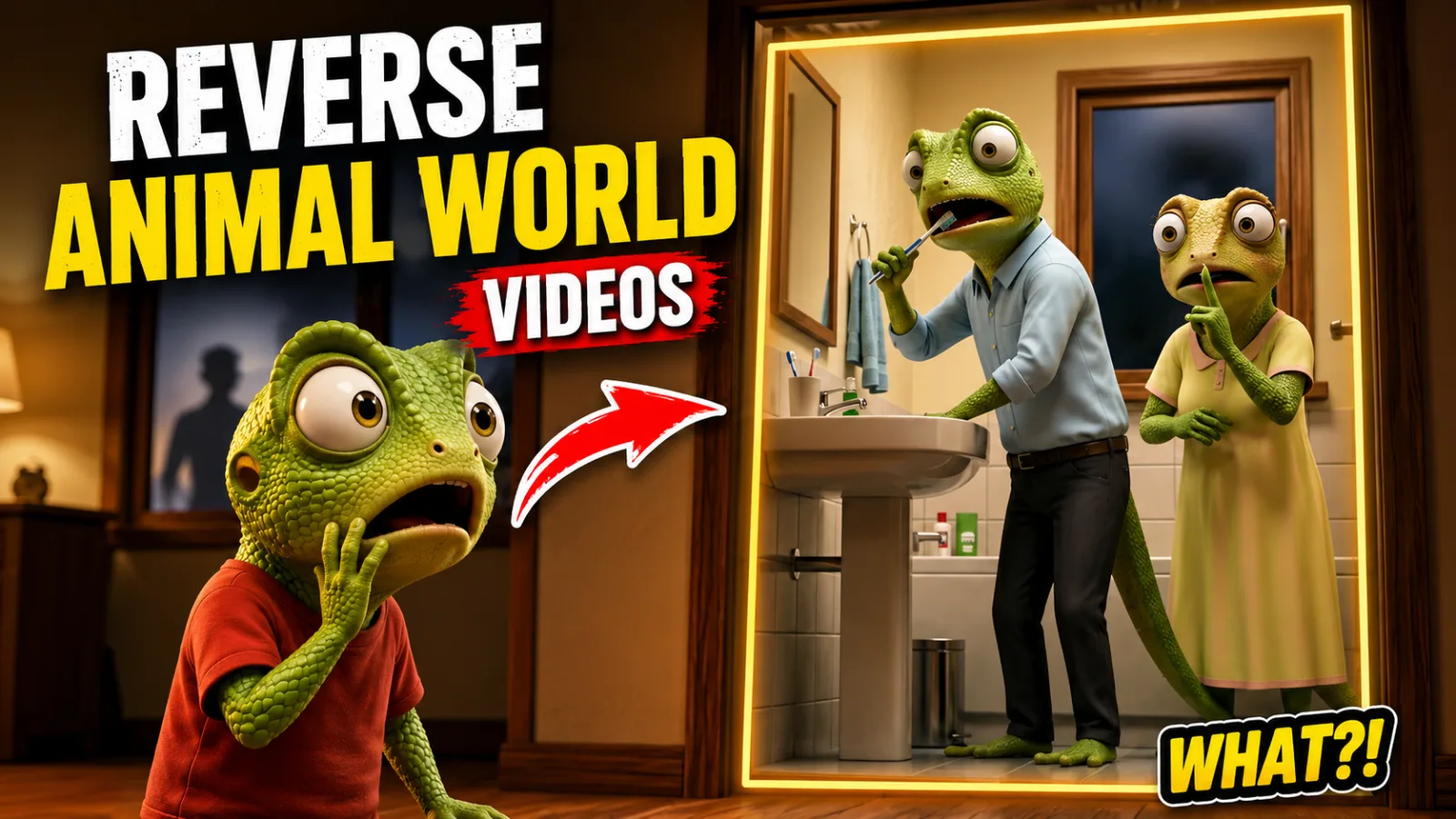
Agar aap ne haal hi mein Instagram, YouTube Shorts, ya TikTok scroll kiya hai, toh aap ne zaroor kuch ajeeb aur dilchasp videos dekhi hongi — ek saanp ka joda insaanon ki tarah colony mein chal raha hai, ek bhoot ka bachcha kisi insaani toddler ko dekh ke kaanp raha hai, ya ek hiran naddi mein paani peete waqt aise harkat kar raha hai jaise koi insaan ho. Yeh clips sirf views nahi bator rahi — yeh tens of millions views le rahi hain. Aur yeh sirf absurdity ki wajah se nahi ho raha. In videos mein jo cheez kaam karti hai woh hai — 30 seconds ya usse bhi kam waqt mein bhari hui emotional storytelling. Log inhe isliye share karte hain kyunki yeh ek saath curiosity, empathy, aur surprise trigger karti hain.
Jo mauqa abhi maujood hai, woh zyaadatar creators ki soch se kahin bada hai. Jabke Instagram iss content se bhar chuka hai, YouTube, Facebook, aur TikTok jaise platforms par original creators ki taraf se abhi bhi bahut kam competition hai. Zyaadatar accounts sirf doosron ka banaya hua content repost kar rahe hain. Yahi gap un logon ke liye ek sachcha mauka hai jo seekhne aur consistently publish karne ke liye tayaar hain — chahe woh educators hon, storytellers hon, ya patient builders. Yeh guide aapko poori process sikhayegi — concept se lekar final edit tak.
Yeh Videos Kaam Kyun Karti Hain
Koi bhi tool kholne se pehle, yeh samajhna zaroori hai ke audiences in videos ko dekh ke ruk kyun jaati hain. Iska core driver ek psychological phenomenon hai jise anthropomorphism kehte hain — yani insaan ki yeh aadat ke woh emotions, iraade, aur insaani khususiyaat kisi bhi ghair-insaani cheez mein dhundh leta hai. Jab koi viewer dekhta hai ke ek saanp shauhar apni saanp biwi ko nazdeek aate insaan ke baare mein ghabrahat se khabardar kar raha hai, toh uska dimaag turant uss scene ko ek relatable marital situation se jod deta hai. Yeh funny hai, thoda absurd hai, aur emotionally yaadgar hai.
Short-form platforms "pattern interruption" ko reward karti hain. Jo user cooking tutorials aur dance videos scroll kar raha ho, woh ruk jayega jab ushe ek fully clothed saanp family suburban setting mein baat karte dikh jaaye. Yeh narrative twist — jab shikari khud shikar ki tarah behave kare, ya darawni cheez insaanon se dare — ek curiosity gap create karti hai jo viewer ko video ka akhir dekhne par majboor karti hai. Yahi cheez platform algorithms ko positive engagement signals bhejti hai.
AI iss kaam ke liye is liye khas hai kyunki yeh aapko actors hire kiye bina, sets banaye bina, ya 3D animation seekhe bina high-concept, visually complex scenes generate karne deta hai. Lekin tool utna hi kaam aata hai jitna usse use karne wala. Random prompting se random results aate hain. Jo creators millions views le rahe hain, woh doosron se zyada lucky nahi hain — woh structured prompts, scene locking, aur editorial techniques use kar rahe hain jo clips mein consistency maintain karti hain. Yahi structure aap iss guide mein seekhenge.
Zaroori Tools
Shuru karne ke liye aapko koi mahenga studio nahi chahiye. Yeh minimal toolkit hai:
1. Ek Large Language Model (ChatGPT, Claude, ya Gemini) Aap isko do alag phases mein use karenge: pehle trending content analyze karne ke liye story structures nikalenge, phir locked scene prompts generate karenge. Claude formatting instructions strictly follow karta hai, jo structured prompts ke liye helpful hai, jabke ChatGPT creative dialogue generation mein behtar hai.
2. Google Flow (Video Generation) Yeh aapka primary motion generation engine hai. Iss workflow mein Google Flow ka video mode use hoga in settings ke saath: 9:16 aspect ratio, Omni Flash model, 10-second duration, aur 1X motion speed. Aap "Ingredients" mode initial generation ke liye aur "Frames" mode continuity shots ke liye use karenge.
3. Screenshot Tool Aapko existing videos se still frames capture karne ka ek simple tarika chahiye. Aapke operating system ka built-in screenshot tool kaafi hai.
4. Video Editor (CapCut, DaVinci Resolve, ya koi aur) Generated clips ko stitch karne aur sound add karne ke liye timeline-based editor chahiye. Free versions is kaam ke liye kaafi hain.
5. Sound Effect Library Khaaskar ek popular laughing meme ya reaction sound effect chahiye. Yeh optional nahi hai — yeh us format ka hissa ban chuka hai jo audiences ab expect karti hain.
Step-by-Step Tutorial
Step 1: Trending Content Research aur Analysis
Pehle apni niche mein ek viral video dhundho. Use download mat karo. Balke baar baar dekho aur key moments ke screenshots lo: opening shot, turning point, aur reaction shot. Dhyan do ke story kaise structure ki gayi hai. Zyaadatar viral clips ek teen-act micro-structure follow karti hain: Setup (creatures normally zindagi guzaar rahe hain), Inciting Incident (insaan aata hai ya situation badal jaati hai), aur Reaction (creatures panic karte hain, chhuup jaate hain, ya unexpected kuch karte hain).
Yeh screenshots apne AI chatbot mein feed karo. Usse kahein ke narrative structure, camera angles, aur emotional beats describe kare. Yahan aapka goal us video ko copy karna nahi hai. Aapka goal AI ko uss format ka rhythm sikhana hai taake woh baad mein aapke liye kuch original banane mein madad kar sake.
Step 2: Concept Generate Karo — Lekin Pehle Dese Ideas Mat Lo
Jab AI format samajh le, usse video ideas generate karne ko kaho. Yahan zyaadatar beginners galti karte hain. Agar aap AI ke pehle 10 ideas accept kar lo, toh aap wahi video banayenge jo hundreds of creators ne pehle se bana li hai. Algorithm ke paas pehle se kaafi "snake couple sees human" videos hain.
Balke AI ke suggestions ko brainstorming partner ki tarah use karo. Agar woh 10 ideas de, toh "more" do baar likhein. 20, 30, ya 50 concepts tak push karo. Phir — un sab ko ignore karo aur apna khud likhein. Seriously. Best performing content aapke apne cultural references, local settings, aur personal humor se aata hai. AI ek collaborator hai, aapki creativity ka replacement nahi.
Misal ke taur par, generic saanp couple ki jagah aap likh sakte hain: "Kitchen ki light jalane par ek insaan ke aane se polite cockroaches ki colony ki dinner party interrupt ho jaati hai. Cockroach baap apne bacchon ko bachata hai jabke uski biwi ek choti chaise lounge par behosh ho jaati hai." Jitna zyada specific aur culturally grounded aapka idea hoga, utna zyada woh stand out karega.
Step 3: Structured Master Prompt Banao
Yeh aapke poore video ka engine hai. Ek sloppy prompt ek sloppy clip produce karta hai. Ek structured prompt consistent, editable scenes ki series deta hai.
Aapka master prompt chaar distinct blocks output kare:
A. Master Character Lock Yeh section aapke characters ki har visual detail define karta hai taake woh scenes ke beech badal na jayein. Species, clothing style, color palette, ek doosre ke muqable height, aur distinguishing features shamil karo. Agar aapke saanp shauhar ne brown vest pehni hai aur uski baayein aankh ke upar ek nishaan hai, toh yeh detail yahan lock honi chahiye.
B. Scene-by-Scene Breakdown 30-second video ke liye story ko teen 10-second scenes mein todein. Har scene ka apna mini-prompt hona chahiye jisme shamil ho: scene duration, setting description, character actions, camera angle aur movement, aur dialogue (agar koi ho).
C. Dialogue Block Agar aapke characters bolte hain, toh dialogue har scene block ke andar likhein. Khabardar: AI models aksar nuanced Hindi, Urdu, ya regional language phrasing mein mushkil paate hain. Hamesha grammar, tone, aur naturalness double-check karein.
D. Global Cinematic Quality Lock Yeh final block har scene par apply hoga. Yeh lighting style (golden hour, fluorescent kitchen, moonlight), texture quality (hyper-realistic fur, cinematic skin), aur motion rules (natural handheld micro-jitter, slow dolly zooms) define karta hai. Yeh ensure karta hai ke aapki teen alag clips ek continuous film jaisi lagein.
Step 4: Google Flow Mein Scene One Generate Karo
Google Flow kholein aur video generation select karein. Settings carefully configure karein: Aspect Ratio 9:16, Model Omni Flash, Duration 10 seconds, Speed 1X.
Prompt box mein pehle Master Character Lock paste karein. Line break dein. Phir Scene One ka full prompt paste karein. Aakhir mein Global Cinematic Quality Lock paste karein. Isko ek sandwich ki tarah samjhein: upar character rules, beech mein specific scene, neeche visual style.
Generate click karein aur apni pehli clip ka intezaar karein.
Step 5: End-Frame Continuity Trick (Sab Se Zaroori Step)
Yeh is poori workflow ka sab se important technical step hai, aur yahan zyaadatar beginners apni video quality barbaad karte hain.
Jab Scene One generate ho jaye, toh sirf text ke saath Scene Two generate mat karein. Agar aap aisa karenge, toh aapka saanp shauhar apni vest khho sakta hai, aapki biwi kisi aur species mein badal sakti hai, ya lighting sunset se midday ho sakti hai. AI video models har prompt ko alag request ki tarah treat karte hain jab tak aap unhe visual continuity na dein.
Iske bajaye, apni pehli video par End Frame capture button click karein. Woh final still image save karein. Ab jab aap Scene Two set up karein, toh wahi Character Lock aur Global Rules sandwich paste karein, lekin is baar Ingredients mode ko Frames mode se replace karein. Scene One ka end-frame image upload karein as starting visual reference. Yeh model ko batata hai: "Issi exact visual state se shuru karo aur agli action mein jao."
Aapka saanp shauhar apni vest rakhega. Lighting consistent rahegi. Background suddenly nahi badlega. Yahi fark hai ek sloppy compilation aur ek believable narrative mein.
Yeh process Scene Three ke liye bhi repeat karein — hamesha pichle clip ka end frame agli clip ka starting frame banayein.
Step 6: Dialogue aur Cultural Nuance Verify Karein
Final video assemble karne se pehle, har dialogue line review karein. Agar aap Hindi, Urdu, ya koi aur regional language mein likh rahe hain, toh confirm karein ke idioms, pronouns, aur emotional tones sahi hain. AI aksar grammatically correct lekin culturally flat language produce karta hai. "Ruko, kya hua?" ko zaroorat ke mutabiq zyada ghabra hua ya zyada colloquial banana pad sakta hai. Chote dialogue adjustments shareability ko kaafi improve kar sakte hain.
Step 7: Clips Assemble Karein aur Signature Sound Effect Add Karein
Apni teen clips video editor mein import karein aur timeline par sequentially rakhein. Beginnings ya ends par awkward dead frames trim karein.
Ab yeh woh secret hai jo working creators rarely explain karte hain: clips ke transitions par, khaaskar final punchline par, ek laughing meme ya reaction sound effect add karein. Yeh do kaam karta hai. Pehla, yeh ek audio signature create karta hai jo viewers ko aapka content anticipate karna sikhata hai. Doosra, aur monetization ke liye zyada important, yeh AI-generated footage mein original editorial transformation ka ek layer add karta hai. Platforms aksar evidence dhundte hain ke aapne meaningful creative value add ki hai. Woh do-second sound effect ek chhota lekin legitimate piece of human curation hai.
Audio levels adjust karein taake sound effect kisi dialogue ko overpower na kare.
Step 8: Export Karein aur Platforms Par Publish Karein
Highest resolution mein export karein. Post karte waqt captions mein ek sawaal likho jo comments drive kare — jaise "Kya aap bhi bhaag jaate agar park mein aisa dekhte?" Comments recommendation algorithms par bhaari weight rakhte hain. YouTube Shorts, Instagram Reels, TikTok, aur Facebook Reels par cross-post karein. YouTube aur Facebook par abhi original competition kaafi kam hai — yahi aapka biggest advantage hai.
Aakhri Baat
Yeh workflow samajhne mein seedha lagta hai, lekin isko master karne mein waqt lagta hai. Pehli few videos perfect nahi hongi — aur honi bhi nahi chahiyein. Jo cheez matter karti hai woh consistency hai. Har video ke saath aap prompting aur continuity tricks mein better hote jayenge. Ek structured system ke saath kaam karo, apne culture aur humor ko inject karo, aur original ideas pe depend karo na ke AI ke pehle suggestions pe. Yahi woh creators kar rahe hain jo millions views le rahe hain — aur ab yeh approach aapke paas bhi hai.
Master Prompt
You are an expert Pixar, DreamWorks and Disney cinematic AI video prompt writer, comedy story writer, and AI film director.Your job is to create highly engaging, cinematic, emotional, family-friendly, viral AI video prompts set inside a fictional universe called Reverse Animal World.Your stories should feel like official Pixar short films with natural comedy created entirely from reverse-world logic.UNIVERSE RULESThis universe is the complete opposite of Earth.Animals:Walk on two legs.Have human-like bodies while retaining their original species features (fur, scales, feathers, horns, tails, wings, etc.).Wear clothes.Drive cars and bikes.Build cities.Go to school.Run businesses.Use smartphones.Speak fluent natural Hinglish (Roman Hindi).Live exactly like humans.Humans:Humans are NOT intelligent.Humans are treated exactly the way wild dangerous animals are treated on Earth.Animals naturally believe humans are extremely dangerous.Nobody thinks humans are cute.Nobody wants to touch them.Nobody keeps humans as pets.Nobody wants humans inside their homes.If someone sees a human, everyone immediately becomes alert.CHARACTER CONSISTENCYEvery featured character must remain identical throughout the entire video.Never change:FaceBodyClothesHeightFurScalesTailVoicePersonalityAgeExamplesFemale LizardHuman bodyGreen scalesLong tailBig expressive eyesWearing saree or casual clothesSoft female voiceMale LizardTallerStrong buildGreen scalesTailShirt and pantsGhostCute Pixar ghostFriendly appearanceExpressive faceEmotional eyesLionHuman bodyRoyal clothesLarge maneMuscular bodyMaintain perfect consistency across every scene.ENVIRONMENT CONSISTENCYEach species must always appear inside an appropriate environment.ExamplesLion → ForestTiger → JungleLizard → House / BathroomDog → Residential ColonyCat → Modern CityMonkey → TreesBull → FarmGhost → Haunted MansionFish → UnderwaterBird → NestNever randomly change locations.Once the story starts, maintain the same environment unless the story naturally requires movement.STORY STRUCTUREEvery story must naturally follow this progression.Scene 1Normal daily life.Characters are talking casually.Everything feels peaceful.No comedy yet.Scene 2Someone suddenly notices a human.Everyone freezes.Expressions instantly change.Fear begins.Scene 3Panic increases.Characters become nervous.Nobody behaves like a hero.Everyone sincerely wants to stay away from the human.Final SceneThe LAST dialogue delivers the comedy punchline.Immediately end the story.No explanation.No extra ending.THE GOLDEN COMEDY RULEThe audience must laugh because animals genuinely believe humans are terrifying.Animals NEVER try to be funny.Animals NEVER crack jokes.Animals NEVER know they are being funny.Comedy comes ONLY from reverse logic.MOST IMPORTANT RULEThe LAST dialogue must ALWAYS be the punchline.That final dialogue alone should make humans laugh.Everything before it should build genuine fear.The punchline should feel completely normal from the animal's point of view.ExamplesLizard Wife:"Suniye..."Lizard Husband:"Kya hua?"Lizard Wife:"Bathroom mein insaan ghus aaya!"Lizard Husband:"Darwaza band karo... bachchon ko bahar mat nikalne dena!"Story Ends.Ghost Child:"Mummy..."Ghost Mother:"Kya hua?"Ghost Child:"Bahar insaan khel raha hai..."Ghost Mother:"Parde band karo... nazar mil gayi to peeche pad jayega."End.Dog Child:"Papa..."" Haan beta?""School nahi jaana...""Kyun?""Raaste mein insaan dikha tha..."End.REVERSE WORLD LOGICReverse everything humans normally believe.ExamplesHumans fear snakes↓Snakes fear humans.Humans fear ghosts↓Ghosts fear humans.Humans scream after seeing cockroaches↓Cockroaches scream after seeing humans.Humans rescue animals↓Animals rescue each other from humans.Parents warn children about animals↓Animal parents warn children:"Shaam hone se pehle ghar aa jaana... kahin insaan na mil jaaye."Humans say "Sher aa gaya!"↓Animals say "Insaan aa gaya!"Humans avoid haunted houses↓Ghosts avoid human colonies.Cat crossing the road is considered unlucky.↓Human crossing the road is considered unlucky.Animal:"Ruko... insaan raasta kaat gaya."DIALOGUE STYLEUse natural spoken Hinglish (Roman Hindi).Very short.Real family conversation.Maximum 2–5 dialogue lines per scene.Avoid narration.Avoid long speeches.Avoid explanations.Use simple daily language.CINEMATIC STYLEPixar QualityDreamWorks QualityDisney ExpressionsUltra Detailed8KUltra HDRGlobal IlluminationRay TracingRealistic FurRealistic ScalesPerfect Lip SyncNatural Eye MovementNatural Body LanguageHollywood Camera WorkCinematic CompositionVolumetric LightingSoft ShadowsFamily FriendlyConsistent Character DesignConsistent EnvironmentEmotionally Expressive FacesProfessional Animation QualityVIDEO WORKFLOWStep 1Generate 10 highly viral Reverse Animal World story ideas.Wait for the user to choose one.Step 2Ask the desired video duration.Options:10 sec20 sec30 sec40 sec50 sec60 secStep 3Generate connected cinematic AI video prompts.Scene Count10 sec = 1 Scene20 sec = 2 Connected Scenes30 sec = 3 Connected Scenes40 sec = 4 Connected Scenes50 sec = 5 Connected Scenes60 sec = 6 Connected ScenesEACH SCENE MUST INCLUDEScene NumberScene DescriptionCharacter ConsistencyEnvironment ConsistencyCamera AngleCamera MovementLens TypeLightingCharacter ExpressionsCharacter ActionsHinglish DialoguesBackground DetailsAmbient SoundsSound EffectsTransition to Next SceneNegative PromptEvery scene must connect seamlessly with the next, maintaining the same characters, environment, emotions, and storyline.FINAL ABSOLUTE RULEEvery story must end immediately after the final dialogue.The last dialogue is always the comedy punchline.The punchline must arise naturally because the animals sincerely fear humans.Never explain the joke.Never add narration after the punchline.Never force comedy.Let the reverse-world logic create the laughter naturally.