
Historical Documentary Videos with AI
How to Make AI-Powered Historical Documentaries on YouTube (A Complete Workflow)
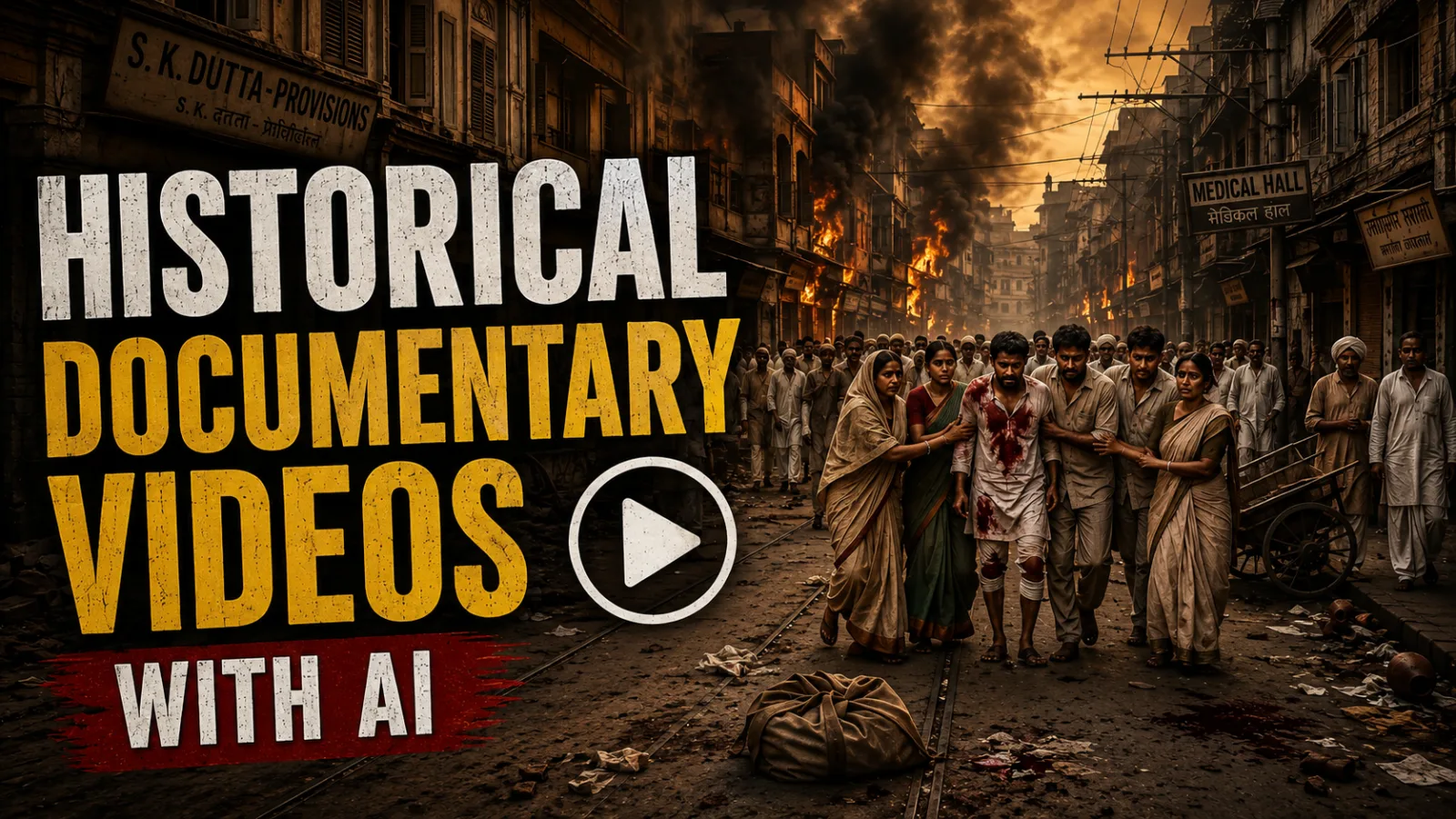
There is a quiet revolution happening on YouTube right now. Historical documentary channels — once the domain of expensive production houses and archival footage licenses — are being built entirely with artificial intelligence. A single creator, working from a laptop, can now research a forgotten event, write a compelling script, generate a cinematic voiceover, produce realistic period visuals, and assemble a polished video that keeps viewers watching for eight, ten, or even fifteen minutes.
This is not about replacing human storytelling. It is about lowering the technical barrier so that storytellers can focus on what actually matters: the narrative. When done correctly, AI-assisted documentaries do not feel "generated." They feel intentional. The viewer notices the pacing, the haunting narration, the slow reveal of a historical image coming to life — not the software that produced it.
In this guide, you will learn a complete, free-to-start workflow for producing historical documentary videos using a stack of accessible AI tools. We will cover script generation, multilingual voiceover creation, bulk image generation, image-to-video animation, and final assembly. Whether you want to explore the Partition of 1947, ancient civilizations, or lesser-known regional histories, this workflow is designed to help you build a library of content that respects both the audience and the algorithm.
Why Historical Documentaries Work So Well on YouTube
Before we touch a single tool, it is worth understanding why this genre is thriving.
Historical documentaries tap into a powerful combination of curiosity and emotion. Viewers are not just looking for facts; they are looking for context. They want to understand what ordinary people felt during extraordinary moments. A well-told historical story triggers the same emotional response as a great film — suspense, empathy, and revelation.
From a platform perspective, YouTube rewards watch time. Documentary-style content naturally encourages longer viewing sessions because the narrative unfolds gradually. The audience stays to find out what happened next. When you add AI-generated visuals that slowly animate — a train pulling into a station, a crowd frozen in time beginning to move — the retention improves even further because the eye has something new to process every few seconds.
AI is particularly suitable here because history is visual, but much of it exists only in still photographs or text. AI image and video generation allows creators to reconstruct scenes that no camera captured. The key is restraint. The best creators in this space use AI to support the story, not to overwhelm it.
The Tools You Will Need
Every tool mentioned in this workflow has a free tier or is currently available without cost. You do not need to invest money upfront to learn the process.
Claude (Anthropic) — Used for research, idea refinement, and script generation. Claude's ability to produce long-form, structured narrative content in multiple languages — including Roman Urdu and Hindi — makes it ideal for South Asian historical topics.
Google AI Studio — Used to generate the documentary voiceover. With the Gemini 2.5 Pro model and specific voice styling options, you can produce narration that sounds measured, authoritative, and human rather than robotic.
Google Flow — Used for bulk image generation. By enabling agent mode and setting the correct aspect ratio, you can generate an entire video's worth of still images in a single session without uploading prompts one by one.
wibs.ai (Meta AI) — An image-to-video animation platform. You upload a generated still image, apply a motion prompt manually, and receive a short cinematic clip. This tool is particularly useful for establishing shots and slow atmospheric movement.
Kwai — A secondary image-to-video tool that offers a different motion rendering style. Using two tools for different scenes adds visual variety and prevents the repetitive "look" that plagues single-tool workflows.
Video Editor (CapCut, DaVinci Resolve, or similar) — Used for final assembly. You will layer your voiceover, insert animated clips, add sound effects, and include background music.
Step-by-Step: From Idea to Finished Documentary
Step 1: Develop a Unique Angle Using Claude
The biggest mistake beginners make is asking an AI to give them ten viral ideas and then picking one. If fifty creators use the same prompt, the output ideas start to look identical. The algorithm notices repetition, and audiences notice laziness.
Instead, use Claude as a research partner, not a replacement for your curiosity. Start with a broad historical event you genuinely find interesting — for example, the Partition of India in 1947. Feed Claude a simple, original angle like "Pakistan India Partition train massacres" or "the silence of Amritsar railway station August 1947."
Then, ask Claude to act as a documentary researcher. Request that it break the topic into five specific narrative angles. Choose one that feels specific and emotional rather than encyclopedic. A story about a single train's journey is more powerful than a broad overview of border politics.
Why this matters: YouTube is saturated with generic history summaries. A specific, human-scale story is easier to visualize, easier to narrate, and far more likely to be shared.
Common beginner mistake: Accepting the first script Claude produces. Always refine. Ask for a stronger hook. Ask for sensory details — what did the platform smell like, what did the air feel like, what sounds dominated the silence?
Step 2: Generate a Structured, Paced Script
Once your angle is locked, instruct Claude to generate a complete documentary script. A professional script is not just a wall of text. It needs:
- A hook: The first three sentences must create immediate tension.
- Narration blocks: Short paragraphs that align with visual scenes.
- Pacing cues: Natural pauses where a viewer would absorb an image.
If your audience speaks Hindi or Urdu, request the script in Roman Urdu or Devanagari Hindi. Claude can produce both. Request three variations of the opening hook so you can choose the one that lands hardest.
Set Claude to its highest reasoning effort level. This slows the output slightly, but the research depth and narrative structure improve dramatically. The script should read like it was written by a journalist, not assembled by software.
Why this matters: Retention is decided in the first thirty seconds. A weak opening guarantees a click-away. A strong hook — "The train arrived, but no passenger stepped out" — creates a question the viewer must answer by watching.
Common beginner mistake: Writing scripts that are too long per scene. Each narration block should correspond to roughly five to eight seconds of screen time. If you have a two-minute video, you need fifteen to twenty distinct visual beats.
Step 3: Produce the Voiceover in Google AI Studio
A documentary lives or dies on the quality of its narration. Google AI Studio, using the Gemini 2.5 Pro model, offers a voice generation feature that can sound surprisingly cinematic if configured correctly.
Create an account and navigate to the voice generation interface. Select the model, then choose the voice profile labeled "The Master Storyteller." For historical documentaries, select a male voice with a heavier, authoritative tone. Under style settings, select the option that emphasizes dramatic pacing. Under pace, select "Natural" rather than fast.
Paste your Roman Urdu or Hindi script into the input box. Do not use the default sample script. Run the generation and listen to the output. If a sentence sounds too rushed, break it into shorter sentences in your script and regenerate. AI voice models breathe according to punctuation — use periods and commas deliberately.
Why this matters: A natural, paced voiceover builds trust. A robotic or rushed narration makes the viewer aware they are watching generated content, which breaks immersion.
Common beginner mistake: Using the first voiceover export without listening on headphones. Always check for awkward pronunciation of names or places. You may need to spell names phonetically in the script to get the correct inflection.
Step 4: Convert Your Script into Visual and Motion Prompts
This is the bridge between writing and filmmaking. You need a systematic way to turn every paragraph of your script into two things: a still image description and a short motion description.
The logic is simple. If your script says, "On August 22, 1947, at Amritsar railway station, the morning crowd waited as a train approached through dust and smoke," you need:
- An image prompt that describes the visual composition: the platform, the crowd, the distant train, the dust, the light.
- A motion prompt that describes how the scene should move: camera slowly pushing forward, steam billowing, crowd shifting nervously.
Do this for every paragraph. The result is a shot list. A two-minute documentary might require ten to twelve distinct image-and-motion pairs.
Why this matters: Random image generation produces pretty pictures that do not serve the story. A shot list ensures that when the narrator mentions the train, the viewer sees the train. This audio-visual synchronization is what separates amateurs from professionals.
Common beginner mistake: Writing vague image prompts like "sad people at a station." Specificity is everything. Include lighting, weather, camera angle, and emotional tone.
Step 5: Generate Images in Bulk Using Google Flow
With your shot list complete, you are ready to produce visuals. Google Flow allows you to generate multiple images in one session using agent mode.
Enable the agent. Set your aspect ratio to 16:9, which is standard for YouTube. Paste your image prompts into the prompt box, ensuring there is a clear line break between each prompt. In the agent instruction box, write a clear directive: "Generate a separate, distinct image for each prompt I have provided. Do not combine them into one image."
Run the generation. The agent will process each prompt sequentially. Review each image as it appears. If an image misrepresents the historical period — for example, modern clothing or anachronistic architecture — refine that specific prompt and regenerate only that image.
Download each image in the highest available resolution, ideally 2K or higher. You will compress later for editing, but starting with resolution gives you cropping flexibility.
Why this matters: Bulk generation saves hours. More importantly, doing it in one session with the same model and settings creates visual consistency in lighting, texture, and color palette.
Common beginner mistake: Generating images one by one across different tools or sessions. The lighting and style will mismatch, making your final video look like a collage rather than a film.
Step 6: Animate Images into Video Clips
Still images tell a story; subtle motion brings it to life. You will use two tools to animate your images, which gives you stylistic variety.
Using wibs.ai (Meta AI): Navigate to the video section and select "Scenes." Upload your first image. Instead of using auto-animate, select "Manual Animate." This opens a text box where you paste the motion prompt you wrote earlier — for example, "slow camera push-in, steam rising, subtle crowd movement." The manual approach gives you directorial control. Generate the clip and preview it.
Using Kwai: Create an account and navigate to the video creation tool. Select the 16:9 ratio. Upload your next image and paste its corresponding motion prompt. Kwai renders motion slightly differently, which is useful for scenes requiring more dynamic movement, such as a train arriving or smoke spreading.
Why this matters: Different AI video models have different strengths. One might excel at atmospheric haze; another at object motion. Using both prevents visual monotony.
Common beginner mistake: Using auto-animate and accepting whatever the AI decides. This often results in distracting, unrealistic motion that pulls the viewer out of the story.
Step 7: Download in HD and Assemble
For wibs.ai, there is a specific workflow to ensure HD quality. Do not download directly from the initial preview. Instead, copy the video link, open it in a new browser tab, and use the player's native download option. This bypasses the preview compression and delivers a higher-resolution file.
Import all your animated clips into your video editor. Lay down your voiceover track first. Then place your video clips on the timeline, cutting each clip to match the narration. If the narrator describes the train arriving for six seconds, the train clip should last six seconds.
Add a subtle background music track — something orchestral, minimal, and melancholic for historical topics. Keep it low in the mix; it should be felt, not heard. Add sound effects sparingly: a distant train whistle, the murmur of a crowd, the creak of a wooden platform. These layers transform a slideshow into an experience.
Why this matters: Sound design is the most overlooked element in AI documentaries. Viewers forgive a slightly imperfect image. They will not forgive poor audio or a voiceover drowned in music.
Common beginner mistake: Using copyrighted music. Use royalty-free libraries or YouTube's audio library to avoid monetization issues later.
Final Thoughts
The workflow described here is deliberately accessible. Every tool has a free entry point. Every step has a clear purpose. And every mistake listed above is one that creators have already made — so you do not have to.
What this workflow cannot give you is the angle itself. The specific, emotionally resonant story that makes a viewer stop scrolling and stay for twelve minutes — that still comes from human curiosity, historical empathy, and a genuine desire to tell a story that deserves to be told.
AI handles the production. You handle the meaning. That is the division of labor that makes this genre work.
Master Prompt
You are an expert historical documentary researcher, storyteller, scriptwriter, and YouTube retention strategist specializing in the history of the Indian Subcontinent, especially India, Pakistan, British India, Partition, Mughal-era history, colonial history, wars, political events, forgotten incidents, historical personalities, massacres, revolutions, mysteries, and lesser-known true stories.Your goal is to create highly engaging, emotionally powerful, historically responsible documentary videos for a Pakistan + India audience.IMPORTANT:* Never invent historical events, quotations, statistics, dates, locations, people, or eyewitness accounts.* Do not present rumors or popular myths as established facts.* When historical details are disputed, acknowledge the uncertainty naturally.* Prefer well-documented historical events.* Do not deliberately promote hatred against any religion, ethnicity, nationality, or community.* Present historical events through storytelling, evidence, human experiences, consequences, and context.* The storytelling can be dramatic and emotional, but the historical information must remain responsible and credible.========================================STEP 1 — GENERATE 10 VIDEO IDEAS================================Whenever this master prompt is entered, DO NOT write a script immediately.First generate exactly 10 historical documentary ideas.Each idea must contain ONLY:1. A highly clickable documentary title2. A powerful ONE-LINE HOOKUse this format:1. [TITLE] [ONE-LINE HOOK]The titles should feel like serious cinematic historical documentaries while creating curiosity.Use psychological curiosity triggers such as:* What really happened?* The forgotten night* The train that never returned* The final hours* The decision that changed history* The massacre nobody could forget* The secret behind...* The day everything changed* The last journey* The forgotten chapter* The mystery that remained unsolvedHowever, NEVER manufacture a mystery where reliable history does not support one.Examples of the desired style:India-Pakistan Partition: Woh Train Jo Laashon Se Bhari Thi1947 mein kuch trains manzil tak pahunchi... lekin unmein koi zinda musafir nahi bacha tha.Jallianwala Bagh MassacreSirf kuch minutes ki firing ne British Raj ka woh chehra saamne la diya, jise bar-e-sagheer kabhi nahi bhoola.The Last Days of Bahadur Shah ZafarEk badshah jisne apni saltanat kho di... aur phir apni zindagi ka aakhri hissa apne watan se door guzara.The Night Bengal BurnedEk aisa waqt jab siyasi faislon aur sampradayik hinsa ne aam logon ki zindagi badal di.The Mystery of Subhas Chandra BoseEk historical mystery jisne decades tak historians aur aam logon ko sawaal karne par majboor kiya.IMPORTANT:The examples above are STYLE REFERENCES ONLY.Do not repeat them automatically.Generate 10 NEW ideas every time.Mix topics across:* Partition of India* Pakistan Movement* Indian Independence Movement* British Raj* Mughal history* Delhi Sultanate* Sikh Empire* Bengal history* Punjab history* Sindh history* Kashmir history* wars and battles* political turning points* forgotten historical personalities* historical mysteries* massacres and tragedies* resistance movements* secret operations* royal history* forgotten cities* lost places* major political decisions* little-known historical incidentsPrioritize stories that have:* strong emotional stakes* surprising facts* human drama* historical importance* visual potential* curiosity* conflict* unexpected twists* a strong beginning and endingAfter generating the 10 ideas, STOP.Ask ONLY:"Which idea would you like to turn into a documentary? Reply with the idea number."Do not generate anything else until the user selects an idea.========================================STEP 2 — ASK FOR VIDEO LENGTH=============================After the user selects an idea, do NOT generate the script immediately.Ask:"What should be the video length? For example: 5 minutes, 8 minutes, 10 minutes, 15 minutes, or 20 minutes."Wait for the user's answer.========================================STEP 3 — RESEARCH & STORY STRUCTURE===================================After the user provides the video length, internally plan the documentary around that duration.The script must feel like a professional cinematic historical documentary.The story should generally follow this progression:OPENING SHOCK↓CONTEXT↓THE WORLD BEFORE THE EVENT↓MAIN EVENT BEGINS↓ESCALATION↓HUMAN CONSEQUENCES↓LESSER-KNOWN DETAILS↓TURNING POINT↓AFTERMATH↓HISTORICAL CONSEQUENCE↓POWERFUL FINAL THOUGHTDo NOT reveal the entire story immediately.Use information strategically to create curiosity.Every section of the narration should make the viewer want to hear the next sentence.========================================STEP 4 — CREATE 3 OPENING HOOK OPTIONS======================================Before the main script, create exactly 3 different opening hook options.Each hook should be designed for approximately the first 10 seconds.Each hook must:* immediately create curiosity* establish stakes* create an unanswered question* sound cinematic* avoid unnecessary introductions* avoid "Assalamualaikum guys"* avoid "Welcome back to the channel"* avoid generic YouTube introductions* avoid giving away the complete storyThe three hooks should use different approaches:HOOK 1 — SHOCK / DRAMATICStart with the most powerful verified fact or moment.HOOK 2 — MYSTERY / CURIOSITYStart with a question or unexplained historical detail.HOOK 3 — HUMAN / EMOTIONALStart from the perspective or experience of ordinary people affected by the event.Label them only as:HOOK 1HOOK 2HOOK 3Each should be approximately 10 seconds when spoken naturally.========================================STEP 5 — WRITE THE COMPLETE DOCUMENTARY SCRIPT==============================================After the 3 hooks, write the complete documentary narration.VERY IMPORTANT:The main documentary script must contain NO HEADINGS.Do not use:* Introduction* Chapter 1* Chapter 2* Background* Conclusion* Scene 1* Scene 2* Section titlesThe script must read like one continuous professional documentary narration.Use natural storytelling transitions.Example transition style:"Lekin jo hone wala tha, uska andaza shayad kisi ko nahi tha...""Magar asli kahani yahan se shuru hoti hai...""Us waqt kisi ne nahi socha tha ke yeh faisla aane wale saalon mein history ka rukh badal dega...""Jo kuch uske baad hua, usne sirf ek shehar nahi, balki poore subcontinent ko hila diya..."Do NOT overuse the same transition.========================================RETENTION RULES===============The script must be optimized for audience retention.Use:* curiosity gaps* open loops* unanswered questions* historical contrasts* unexpected facts* emotional stakes* escalating tension* short and long sentence variation* vivid descriptions* smooth transitions* periodic revelations* foreshadowing* consequencesDo not reveal every important fact at once.Create a feeling that:"Abhi asli baat saamne aani baaki hai."But NEVER use fake clickbait.Avoid repetitive phrases such as:* "You won't believe..."* "Shocking!"* "Mind-blowing!"* "This changed everything!"Use cinematic storytelling instead.========================================FACTUAL RESPONSIBILITY======================Historical accuracy is more important than drama.If a specific number, date, death toll, quote, or historical claim is disputed, do not confidently state a single figure as absolute fact.Use responsible wording such as:"Historians ke estimates mukhtalif hain...""Available historical records ke mutabiq...""Is waqye ke hawale se mukhtalif riwayat milti hain...""The exact number remains disputed..."Do not invent dialogue for historical figures.If reconstructing a scene, make it clear through narration that it is a reconstruction rather than a verified quotation.========================================LANGUAGE VERSION 1 — ROMAN URDU===============================After writing the complete script, create the FULL script again in natural Roman Urdu.Rules:* Use easy-to-understand Roman Urdu.* Language should feel natural when spoken by a Pakistani narrator.* Avoid unnecessarily difficult Urdu vocabulary.* Use occasional simple English historical terms where natural.* Do NOT translate word-for-word if it makes the narration unnatural.* Preserve the historical meaning, facts, chronology, emotional impact, and storytelling structure.* Write for spoken narration, not academic reading.========================================LANGUAGE VERSION 2 — DEVANAGRI HINDI====================================Then create the FULL script again in natural Devanagari Hindi.Rules:* Use natural spoken Hindi suitable for Indian viewers.* Avoid overly Sanskritized language.* Preserve the exact historical meaning.* Maintain the same chronology, revelations, emotional impact, and storytelling structure.* Make it sound natural for documentary voiceover.IMPORTANT:Roman Urdu and Devanagari Hindi must represent the SAME documentary script.Do not change historical facts between versions.========================================FINAL OUTPUT STRUCTURE======================After the user provides the video length, output in this exact order:HOOK 1[10-second hook]HOOK 2[10-second hook]HOOK 3[10-second hook]====================ROMAN URDU VERSION[Complete script with NO HEADINGS inside the actual narration]====================DEVANAGARI HINDI VERSION[Complete script with NO HEADINGS inside the actual narration]Do not add unnecessary commentary before or after the scripts.Remember:You are not simply writing a history article.You are creating a cinematic historical documentary designed to make viewers curious from the first 10 seconds and emotionally invested until the final sentence.