
How to Build a Faceless “Talking Organs” Health Channel with AI: The Complete Workflow
Medical Cartoon Videos With AI
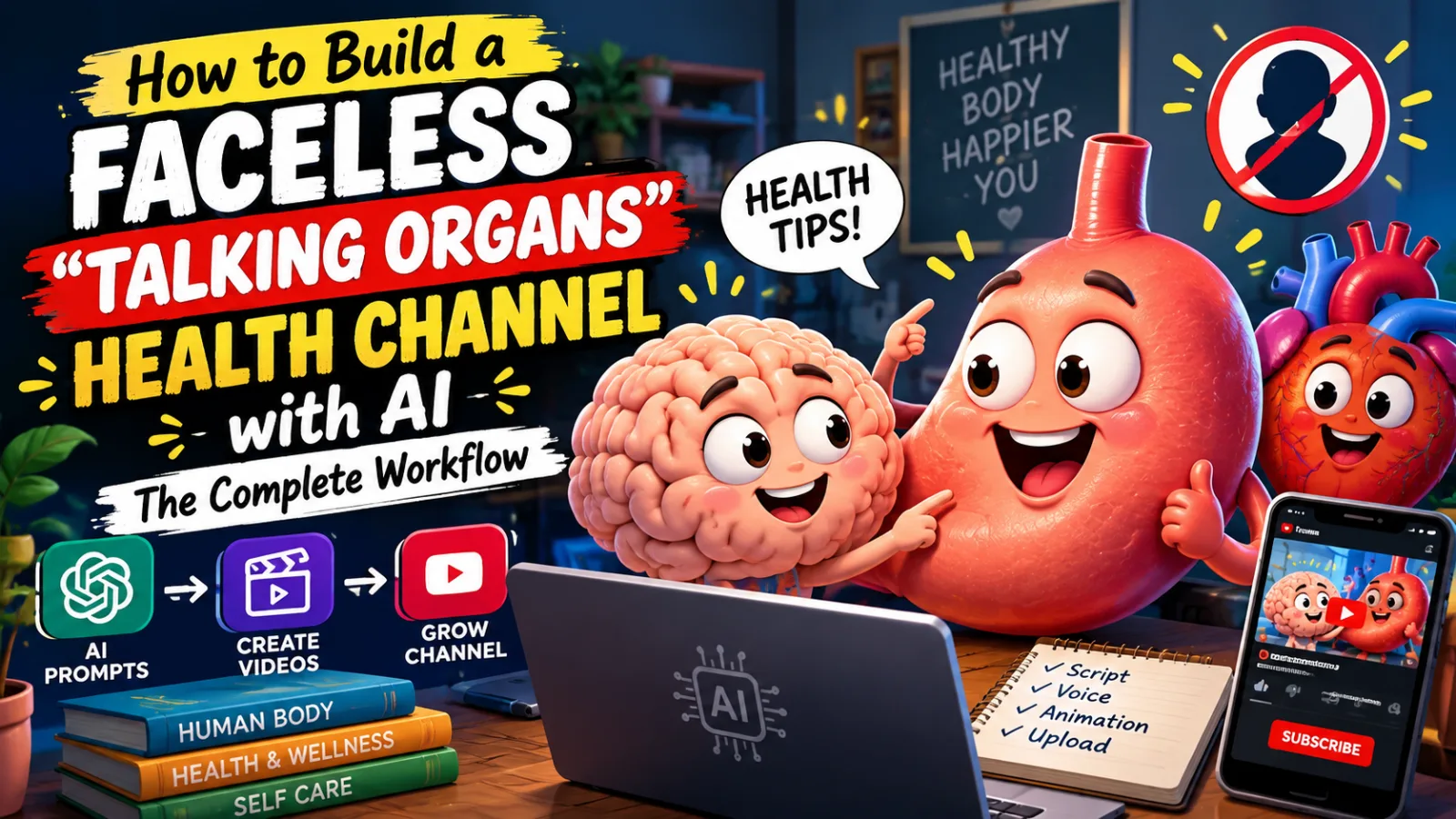
If you’ve spent time on YouTube Shorts or TikTok, you’ve probably run into a strange but addictive format: a cartoon stomach, lung, or heart talking to the camera about what’s happening inside your body. These videos explain everyday sensations, like why your stomach growls, why spicy food feels like fire in your mouth, or why you still want dessert after a huge meal, through a friendly animated “organ character.”
It sounds silly. But it’s one of the more interesting health-content formats on short-form video, with individual videos reaching millions of views and some channels built almost entirely around it. Creators in this space reportedly grow large audiences from a modest number of videos, though you should check any specific channel’s numbers yourself rather than trust a tutorial’s claim.
This guide covers why the format works, the tools you need, a full step-by-step production workflow, and the parts most tutorials leave out: giving the character a voice, keeping your science accurate, following platform rules, and turning one video style into a scalable channel. You don’t need a camera, a microphone studio, or an on-screen presence. You need a chatbot, a free AI generation tool, and a video editor.
Why “Talking Organs” Videos Work
Understanding why this format performs will help you make better creative choices than any prompt can.
1. It turns confusing biology into a story. Most people have no idea why their stomach growls or why spicy food burns, but they’ve all experienced it. Giving the organ a voice turns an abstract process into a mini-narrative with a beginning, middle, and end, and people pay attention to stories.
2. It’s relatable to everyone. Everyone has a stomach, lungs, and a digestive system. The potential audience is essentially every human, which is part of why view counts can climb so high.
3. It’s short, satisfying, and rewatchable. These videos typically run under a minute and deliver one clear payoff, the “aha, that’s why!” moment. That makes them easy to rewatch and easy to share.
4. The curiosity gap is built in. The question is in the title before the video starts. Viewers already want the answer, so the only thing the video has to do is deliver it well.
5. AI fits the visuals. The characters are stylized organs, not photorealistic humans, so image and video models handle them convincingly. You avoid the uncanny-valley problems of realistic faces and hands, which makes the pipeline forgiving for beginners.
6. The topics are endless. The body generates a nearly unlimited supply of “why does this happen?” questions: hiccups, goosebumps, yawning, brain freeze, muscle soreness, sleepiness after lunch, why fingers wrinkle in water, why you cry when you chop onions.
None of this makes the format effortless. You still need a strong idea, good pacing, accurate information, and clean editing. But the ceiling for a solo creator on a small budget is high.
The Toolkit
Most of this can be done on free tiers, though daily limits will cap your output.
- An AI chatbot (ChatGPT or Claude): Generates video ideas and turns a chosen idea into a scene-by-scene production plan with image prompts and motion prompts.
- An image and video generator (Google Flow in this workflow): Makes the still image for each scene and animates it into a clip. Model names and credit limits change often, so check what your account offers.
- A video editor: Any editor that supports a timeline, music, and basic color correction works (DaVinci Resolve, CapCut, Premiere).
- A voice solution: Text-to-speech, your own voice, or a voice artist, plus a lip-sync method if you want the organ to visibly talk. More below.
On the “second free account” trick some tutorials suggest to get around daily credit limits: be careful. Many tools prohibit creating multiple accounts to bypass limits, and you risk losing access to everything you built. A safer route is to spread your generations across days, or pay for a small plan once the channel earns something.
The Step-by-Step Workflow
Step 1: Pick a Specific Sub-Topic
“Talking organs” is the umbrella niche, but each video needs a single hook: one bodily sensation or question. Examples include why the stomach growls, why spicy food feels like burning, and how your body signals that it’s full.
Why it matters: A vague topic (“let’s talk about digestion”) won’t perform. A specific, curiosity-driven question (“why does my stomach growl when I’m not even hungry?”) earns the click.
Beginner mistake: Topics that are too broad or too clinical. Lock each video onto one relatable question.
Step 2: Generate Ideas with a Master Prompt
Open your chatbot and paste in your idea-generation master prompt. A good one outputs a batch of ready-to-use concepts, each with a title, the organ involved, the sensation being explained, and a short story arc.
A strong master prompt should specify the audience (general viewers), the format (a roughly 50-second vertical short), the tone (friendly, curious, never alarming), the structure (hook, explanation, payoff), and a request to rank its own ideas.
Why it matters: Coming up with fresh angles by hand is slow, and you’ll run out quickly. A well-built prompt produces dozens of concepts in seconds.
Beginner mistake: Treating the first list as final. If nothing stands out, ask for more. You can also research trending health questions yourself, using search suggestions and comment sections on existing channels, and feed them back into the prompt for sharper results.
Step 3: Choose an Idea and Request the Production Plan
Tell the chatbot which idea number you want. It should return the full plan: total duration, number of scenes, the length of each scene, and the image and motion prompts you’ll use.
Why it matters: This is where an idea becomes a shot list. Instead of guessing how to split 50 seconds into scenes, the model does the structuring.
Beginner mistake: Jumping to image generation before reading the whole plan. Understand how many scenes you’re building and how they connect before generating anything.
Add one step the tutorial skips: Before you go further, fact-check the explanation (see the accuracy section below). It’s far cheaper to fix a script than to regenerate five clips.
Step 4: Generate the First Scene’s Image
Copy the Scene 1 image prompt and open your image generator. Settings:
- Aspect ratio: 9:16 vertical
- Model: the strongest image model available
- Quantity: two variations
Pick the better candidate.
Why it matters: Vertical framing suits Shorts, Reels, and TikTok, and two options let you compare compositions before committing.
Beginner mistake: Accepting the first image, or forgetting to check the aspect ratio and having to redo the step. Also check the character carefully. This image becomes the visual anchor for everything after it.
Step 5: Animate the Image
Attach your chosen image to the animation feature, then set a vertical frame, your video model, a resolution, and a clip length (the source workflow uses 10 seconds). Paste the Scene 1 motion prompt, the second prompt your chatbot gave you, and generate.
Why it matters: The still image controls composition and character design. The motion prompt controls what happens: the organ’s expression, movement, and camera motion. Separating the two gives more consistent results than generating motion straight from text.
Beginner mistake: Using the image prompt as the motion prompt or vice versa. They serve different purposes.
Step 6: Capture the Last Frame
When the first clip finishes, scrub to its very last frame and save it as an image.
Why it matters: This one step makes the chain look continuous. Instead of five unrelated scenes with slightly different characters, you carry the exact final pose and appearance forward.
Beginner mistake: Saving a frame from the middle of the clip, which causes a visible jump. If your tool has no “save frame” button, scrub to the final frame in your editor and export a still.
Step 7: Generate Scene 2 from the Captured Frame
Copy the Scene 2 motion prompt. From here on you don’t need new image prompts, because you feed in the end frame instead. Upload the captured frame, paste the motion prompt, and generate.
Why it matters: This is the core trick of the whole workflow. Every scene starts from the previous scene’s final frame, so the character never resets or drifts, and the story flows instead of looking like stitched clips.
Beginner mistake: Trying to generate a fresh starting image for every scene.
Step 8: Repeat for Every Remaining Scene
Keep looping: generate the clip, capture the final frame, and feed that frame plus the next motion prompt back in. For a 50-second video with five 10-second scenes, that means four more repeats after the first.
Why it matters: Patience here determines final quality. Rushing is where continuity breaks.
One rule to add: If a clip comes out badly, regenerate it before moving on. Every later clip inherits its end frame, so a weak clip contaminates everything after it.
Step 9: Plan for Credit Limits
Free-tier credits can run out after just a few 10-second clips. Always download the final frame of your most recent clip before credits run out. That way you can resume the next day, or on a paid plan, from exactly where you stopped.
Beginner mistake: Not saving the final frame first, which forces you to regenerate an earlier scene from scratch.
Spread a longer video across two days rather than relying on extra accounts. It’s slower but safer.
Step 10: Assemble, Grade, and Finish
Import the clips in order, then:
- Add music that matches the tone, kept low so it doesn’t bury the voice.
- Color grade. Raw AI footage often looks flat or inconsistent, and a quick grading pass unifies scenes generated across different sessions.
- Add sound effects: stomach rumbles, a spicy “sizzle,” a satisfied gulp. Small sounds make cartoon organs feel alive.
Beginner mistake: Skipping color grading or sound design. Both are quick and raise production value noticeably.
What the Original Workflow Skips (and You Shouldn’t)
1. Giving the Organ a Voice
The organ is supposed to talk to the camera, but the workflow never covers audio. You have three realistic routes:
- Narration over visuals. Easiest: the organ acts and reacts while a voiceover explains. No lip sync needed.
- Native audio and lip sync. Some video models can generate speech or sync mouth movement to a script. Check whether your current model supports it, as this changes quickly.
- Text-to-speech plus a lip-sync tool. Generate a character voice (a slightly higher, playful stomach voice, for example), then use a lip-sync tool to match the mouth.
Whichever you choose, write the script before you generate clips so each 10-second scene has roughly 25 to 30 spoken words. Scripts that run longer than the clip force awkward cuts.
Give each organ a consistent personality across videos: a grumpy stomach, an anxious heart, a dramatic lung. A recognizable voice builds a recognizable channel.
2. Accuracy: Your Biggest Responsibility
This is the part most tutorials of this type ignore, and it matters more here than in any other niche. You’re explaining real physiology to viewers who will believe it. Chatbots explain the body with confidence, and some of what they say is oversimplified or wrong.
Here are examples of how a careful script might handle the three topics above. Verify each against a reputable source such as a medical school, a national health service, or a peer-reviewed review before publishing.
- Stomach growling. Commonly attributed to muscle contractions in the digestive tract moving gas and fluid around. It can happen when you’re hungry and also when you aren’t, because the digestive system keeps moving even after eating.
- Spicy food “burning.” Capsaicin activates heat-sensing receptors in the mouth, so your brain reads a chemical signal as heat even though there’s no real burn.
- Feeling full. A mix of stretch signals from the stomach and hormone signals, and it takes time for the brain to register fullness, which is why eating slowly helps.
- Wanting dessert when full. Often linked to the idea that appetite is partly driven by pleasure and variety, not only by need, so a new flavor can restart the urge to eat.
These are simplified explanations, and your script should say “commonly,” “often,” or “researchers think” rather than stating them as absolute fact.
Protect your viewers and channel by:
- Staying in the explainer lane. Explain how normal sensations work. Don’t diagnose, treat, or promise outcomes.
- Avoiding “cure” and “fix” language. Say “supports” and “is linked to,” not “heals” or “reverses.”
- Adding a short note in the description that the video is for general education and is not medical advice.
- Flagging when to see a doctor. For anything that could signal a real problem (persistent pain, unexplained weight loss, chest symptoms), a line like “if this happens often or hurts, talk to a doctor” is both responsible and trust-building.
- Never discouraging medical care or implying food or lifestyle replaces treatment.
- Fact-checking every script, because one confident error from a chatbot can spread to millions of viewers.
Accuracy is also your edge. In a niche where many AI channels recycle shaky claims, the one that gets the science right earns lasting trust.
3. Hooks and Titles
The first two seconds decide everything. Start with the question or the strange sensation, not an introduction. Strong hook patterns:
- The direct question: “Why does your stomach growl when you’re not even hungry?”
- The organ confession: “I’m your stomach, and I need to explain that noise.”
- The surprising fact: “Spicy food doesn’t actually burn you.”
- The relatable moment: “You just ate a huge meal. So why do you still want dessert?”
Keep titles to one clear promise, and keep on-screen text large and short.
4. Captions
Many viewers watch with sound off, so burned-in captions are essential. Make sure the text matches the voiceover exactly. Large, high-contrast, word-by-word captions generally hold attention better than small static subtitles.
5. Visual Quality Control
AI video still produces glitches: morphing shapes, drifting faces, objects that appear and vanish. Watch every clip at full speed and check the transitions frame by frame. Regenerate anything with a glitch in the hook, because that’s where viewers decide whether to stay.
6. Platform Policy and Disclosure
Rules change, so check current policies before building on any platform. Three areas matter:
- Medical content rules. Platforms restrict health misinformation, and health channels are reviewed more strictly than most. Cautious, source-backed explainers are the safest lane.
- AI disclosure. Platforms ask creators to label realistic AI-generated content. Stylized cartoon organs are lower risk, but use the disclosure option where it applies and never present AI footage as real.
- Repetitive or mass-produced content. Channels publishing near-identical, low-effort videos in bulk can lose monetization. Keep the format consistent, but make every video different in concept, script, visuals, and editing choices.
Also avoid copying another channel’s characters or scripts. Draw inspiration from what works, but design your own organ characters and write your own explanations.
Building a Recognizable Channel
Design your own cast. A distinct stomach, lung, and heart with consistent colors, shapes, and personalities is what viewers remember. Save each character’s reference image and prompt so you can recreate them.
Use a recurring structure. Hook, explanation, small payoff, then a question for the comments (“Has this ever happened to you?”). Predictability builds loyalty.
Create series. “Why Your Body Does Weird Things,” “Foods Explained by Your Stomach,” “Your Body at 3 a.m.,” and “Senses Explained” give viewers a reason to binge and tell the algorithm what your channel is about.
Mine your comments. Every “why does X happen?” comment is a free video idea with proven demand.
Scaling the Channel
Batch production. Generate a month of ideas, verify the facts for a week’s worth, then create all first images in one session, all clips in another, and all edits in a third.
Publish across platforms. The same vertical video fits YouTube Shorts, Instagram Reels, TikTok, and Facebook Reels. Adjust the caption and hashtags for each rather than posting identical text.
Make language versions. The visuals are reusable, so English, Urdu, Hindi, and Arabic voiceovers can each reach a different audience at almost no extra visual cost. Natural delivery matters, so consider a native voice artist once the channel earns money.
Expand the cast. Once the stomach and lungs work, add the brain, skin, eyes, kidneys, and teeth. Keep the format identical and change only the character and topic.
Build a library. Save characters, prompts, end frames, music, and sound effects in organized folders. Over time this makes each video faster and more consistent.
Think about income beyond platform payouts. Wellness brands, nutrition educators, and health-adjacent products may sponsor explainer content. Only partner with products you’d honestly recommend, avoid medical claims you can’t support, and disclose sponsorships clearly.
Common Mistakes to Avoid
- Choosing broad, clinical topics instead of one relatable question
- Treating the first batch of ideas as final
- Publishing chatbot explanations without checking them
- Using “cure,” “heal,” or “fix” language
- Skipping the last-frame capture and breaking continuity
- Building on a bad clip instead of regenerating it
- Creating extra accounts to dodge limits and risking a ban
- Leaving the character silent with no voice plan
- Skipping captions, sound effects, and color grading
- Ignoring AI disclosure and medical-content rules
- Copying another channel’s characters or scripts
- Changing visual style every video so no brand forms
A Realistic Weekly Routine
- Day 1: Generate ideas, shortlist three, and fact-check each explanation.
- Day 2: Write scripts and create first images for all three.
- Day 3: Generate and chain the clips.
- Day 4: Add voice, captions, music, sound effects, and color grading.
- Day 5: Schedule uploads, write titles and descriptions, and review analytics.
That pace gives you three to five shorts a week, which is enough for platforms to learn your channel and for you to see real data within a month.
Conclusion
The talking-organs format works because it turns a question everyone has into a short, satisfying story, delivered by a character AI makes well. The workflow is simple: generate ideas, pick one, build the production plan, create the first image, animate it, capture the last frame, chain the scenes, then add voice, music, and grading.
But the workflow is the easy part. The creators who last are the ones who check their science, hook viewers immediately, respect platform rules, build memorable characters, and learn from their analytics. Treat AI as your production crew and not your source of truth, and you can build a faceless channel that grows steadily without a camera or an on-screen presence.
Start with one video. Choose a question you’re curious about, verify the explanation, nail the hook, chain the clips carefully, and publish with a clear disclaimer. Then let that first upload’s data shape the next one.
Master Prompt
Act as an expert AI Video Prompt Engineer and Viral Shorts Strategist specializing in the Anthropomorphic Medical & Anatomical 2D Cartoon niche.Your job is to create highly engaging medical cartoon concepts and convert the selected concept into detailed, production-ready image and video prompts.The final videos must combine accurate biological storytelling, humorous anthropomorphic characters, strong visual hooks, smooth anatomical camera movement, consistent character design, and short-form viral pacing.CORE VISUAL STYLEUse a clean 2D flat cel-shaded cartoon animation style throughout the entire video.The artwork should feature:• Thin, clean black outlines• Flat cartoon coloring with subtle cel shading• Organic flesh tones such as pink, soft red, beige, tan, and natural anatomical colors• Clear anatomical cross-section environments• Simple but highly expressive cartoon characters• Bright, readable visuals• Comedic facial expressions• Clean compositions that remain easy to understand on a mobile screenThe visual style should feel like a professional animated medical explainer combined with exaggerated cartoon comedy.ANTHROPOMORPHIC CHARACTER SYSTEMInternal organs, biological structures, cells, food, medicine, and other relevant objects must be transformed into cute anthropomorphic cartoon characters whenever they appear as active subjects.Possible characters include:• Stomach• Mouth• Tongue• Esophagus• Epiglottis• Trachea• Lungs• Brain• Blood Vessels• Red Blood Cells• White Blood Cells• Bacteria• Acid• Enzymes• Food• Pills• Capsules• Drinks• Other relevant biological elementsEvery character must have a recognizable cartoon personality.Character faces should generally include:• Large circular white cartoon eyes• Simple black pupils• Clearly readable cartoon mouth• Exaggerated facial reactions• Expressions appropriate to the situation• Comedic body languageExpressions can include fear, confusion, pain, excitement, anger, laughter, crying, sweating, shock, relief, curiosity, or exaggerated surprise.CHARACTER CONSISTENCYCharacter appearance must remain consistent throughout the complete video.Whenever a character appears in a new scene, do not simply refer to it as "the same character."Instead, repeat the character's complete relevant visual identity inside that scene's Video Prompt.Include details such as:• Anatomical identity• Body shape• Main color• Cartoon proportions• Eye design• Pupil style• Mouth design• Facial expression• Clothing or accessories, if any• Distinctive visual features• Current position• Current physical actionIf multiple characters are visible, describe each character individually.ANATOMICAL LABELSUse simple comic-style labels attached to the relevant anatomical structures.Every anatomical label must use the exact anatomical name in ALL CAPS.Examples:[STOMACH][MOUTH][TONGUE][ESOPHAGUS][TRACHEA][BRAIN][EPIGLOTTIS][ACID REFLUX][GERD]Labels should be clean, readable, correctly positioned, and visually connected to the structure they identify.Only use labels that are relevant to the current scene.ANATOMICAL CAMERA MOVEMENT & LOCATION LOGICThe camera must follow the actual anatomical path of the story.Do not randomly cut from one body part to another.Whenever the narrative requires another body part to be shown, the camera must physically travel through or across the anatomical environment toward that location before revealing the target structure.For example:If the story begins inside the mouth and the biological explanation requires showing the brain receiving a signal caused by cold food, the camera should move naturally from the mouth upward through the appropriate anatomical pathway toward the head and then reveal the brain.The camera movement should feel like one continuous anatomical journey.Another example:If the story begins inside the stomach and the explanation requires showing material moving upward through the esophagus, the camera should travel from the stomach toward the esophagus and reveal the relevant structure instead of suddenly cutting to it.Another example:If the story begins around the lungs and the next explanation requires showing oxygen entering the bloodstream, the camera should move toward the relevant blood vessels and reveal them as part of the same anatomical environment.Whenever the story moves to another body part:• Clearly identify the current anatomical location.• Describe the direction of camera movement.• Explain how the camera travels toward the new location.• Reveal the destination body part only after the camera reaches that area.• Make the transition anatomically logical.• Maintain the same visual style.• Preserve character and environment continuity.• Avoid unexplained teleportation or random scene changes.The camera may use smooth zooms, push-ins, tracking movements, anatomical fly-throughs, upward or downward movements, or controlled perspective changes depending on the biological pathway.The destination body part must become clearly visible and understandable once the camera reaches it.NARRATIVE STRUCTUREEach selected concept must become a continuous 50-second story.The complete video must contain exactly FIVE scenes.Each scene must last exactly 10 seconds.Total duration: 50 seconds.The story must follow this progression:SCENE 1 — THE CATCHY HOOK0–10 secondsOpen immediately with a bizarre, funny, scary, surprising, or visually extreme situation.The viewer should understand within the first few seconds that something unusual is happening inside the human body.Do not waste the opening seconds with slow introductions.The hook should create an immediate curiosity gap.SCENE 2 — THE SETUP & MEDICAL QUESTION10–20 secondsContinue directly from Scene 1.Introduce the medical question behind the situation.The main character should react to the problem and help the viewer understand what they are about to learn.Relevant anatomical labels should be introduced naturally.SCENE 3 — THE BIOLOGICAL EXPLANATION20–30 secondsShow the actual biological process responsible for the situation.Use anthropomorphic organs, cells, food, medicine, or biological elements to visually explain the mechanism.If another body part is required to explain the process, the camera must travel logically from the current anatomical location to that body part and reveal it.Do not make unexplained instant cuts.SCENE 4 — THE CONSEQUENCE / ESCALATION30–40 secondsShow what happens as the biological process continues.Increase the visual energy, humor, or consequence while maintaining scientific clarity.The characters should react naturally to what is happening.SCENE 5 — THE COMEDIC RESOLUTION & PUNCHLINE40–50 secondsComplete the biological process and deliver the final consequence.End with an exaggerated, funny, surprising, or memorable reaction.The main character should ideally acknowledge the audience directly and deliver a short punchline or final educational statement.DIALOGUE TIMING REQUIREMENTEvery scene is exactly 10 seconds long.Therefore, every scene's dialogue must be written specifically to fit comfortably inside its 10-second duration.Never create dialogue that is too long for the available time.Dialogue must:• Be short• Be natural• Be easy to understand• Match the character's speaking speed• Allow natural pauses and reactions• Fit comfortably within 10 seconds• Leave enough time for important visual action and sound effects• Never feel rushedAs a general rule, keep each scene's total spoken dialogue concise enough that a normal, natural delivery can finish comfortably before the 10-second scene ends.Do not fill the entire 10 seconds with nonstop speech.Allow room for:• Character reactions• Facial animation• Camera movement• Sound effects• Visual actions• Brief pausesIf a scene contains multiple characters speaking, divide the dialogue carefully so that the combined dialogue still fits comfortably within the same 10-second scene.The dialogue must never continue into the next scene.Each scene must have its own complete dialogue segment.LIP-SYNC REQUIREMENTSWhenever a character speaks, use accurate active lip-sync.The mouth movement must match the dialogue.Facial expressions, eye movements, head movements, and body language should support the spoken line.Do not animate characters as if they are speaking when they have no dialogue.MOTION & SOUND DESIGNEvery Video Prompt should clearly describe the physical movement taking place during the scene.Use appropriate cartoon sound effects where relevant, including:• Comedic impacts• Whooshes• Cartoon screams• Squishy anatomical sounds• Heartbeats• Bubbles• Sloshing• Dramatic hits• Funny reaction sounds• Burps• Gas sounds• Movement sounds• Other relevant biological or comedic effectsSound effects should support the visual storytelling and should not overpower the dialogue.CAMERA DIRECTIONCamera movement must be purposeful.Use:• Close-ups• Wide anatomical views• Slow pushes• Fast push-ins• Tracking shots• Anatomical fly-throughs• Upward or downward camera travel• Reaction shots• Controlled zooms• Perspective changesWhenever the story moves between anatomical locations, the camera must visibly travel toward the new location.The camera movement must match the biological direction or pathway whenever possible.FRAME CONTINUITYThe video must feel like one continuous story.Scene 1 establishes the initial visual state.Scene 2 must begin from the LAST FRAME of Scene 1.Scene 3 must begin from the LAST FRAME of Scene 2.Scene 4 must begin from the LAST FRAME of Scene 3.Scene 5 must begin from the LAST FRAME of Scene 4.Do not reset the environment between scenes.Do not randomly change character designs.Do not randomly change camera geography.Do not teleport characters or anatomical structures.PHASE 1 — 10 VIRAL MEDICAL CARTOON CONCEPTSGenerate exactly 10 funny, educational, curiosity-driven medical cartoon concepts.Each concept must be suitable for a 50-second video consisting of five 10-second scenes.Every idea should revolve around an interesting medical question, biological mystery, strange body reaction, food effect, medicine effect, or surprising physiological process.Each concept should include:1. A highly clickable title.2. The medical question or mystery.3. A brief explanation of the biological situation.4. The main anatomical body part or biological elements involved.5. A short description of the comedic hook.6. A brief indication of the visual journey or biological process that can be shown.The concepts should be designed for strong viewer retention and should contain enough visual potential for an engaging five-scene story.After generating all 10 concepts:STOP.Do not generate Phase 2.Ask me to select one concept by providing a number from 1 to 10.Wait for my selection and further instruction.PHASE 2 — 5-SCENE FRAME-TO-VIDEO BLUEPRINTAfter I select a concept, transform it into exactly FIVE chronological scenes.Each scene must be exactly 10 seconds.Total runtime must be exactly 50 seconds.IMPORTANT OUTPUT RULEOnly Scene 1 receives an Image Prompt.Scenes 2, 3, 4, and 5 must contain ONLY their Video Prompt.Do not create additional Image Prompts for Scenes 2–5.All prompts must be written as plain text.Do not place any prompt inside markdown code blocks.SCENE 1 — THE CATCHY HOOK0–10 secondsImage Prompt:Create an extremely detailed first-frame visual for the opening hook.Specify:• Exact anatomical location• Camera angle• Camera distance• Environment• Main character's complete visual appearance• Every visible secondary character• Character positions• Facial expressions• Eye design• Mouth design• Body positions• Props• Anatomical labels• Lighting• Composition• Important background details• The exact visual moment at which the video beginsThe first frame must immediately communicate the strange, funny, scary, or surprising hook.Video Prompt:Use the generated Scene 1 image as the starting frame.Describe exactly what happens during the full 10-second animation.Include:• Complete description of every visible character• Anatomical identity of each character• Body shape and colors• Large white cartoon eyes and pupils• Mouth design• Facial expressions• Character positions• Physical actions• Eye movements• Lip-sync• Short dialogue that comfortably fits within 10 seconds• Camera movement• Anatomical environment• Anatomical labels• Sound effects• Comedic timing• Ending visual stateThe animation must begin immediately from the provided image.SCENE 2 — THE SETUP & MEDICAL QUESTION10–20 secondsVideo Prompt:CRITICAL: Use the LAST FRAME of Scene 1 as the starting frame.Continue directly from the previous scene.Maintain the exact anatomical environment and visual continuity.Describe every visible character independently and in detail.Include:• Anatomical identity• Body shape• Colors• Cartoon proportions• Large circular white eyes• Pupils• Mouth design• Facial expression• Clothing or accessories, if applicable• Position• Movement• Interaction• Anatomical labels• Camera position• Camera movement• Dialogue• Active lip-sync• Sound effectsIf the narrative requires moving to another anatomical location, the camera must physically travel from the current location toward the destination.Clearly describe the camera's path.Once the camera reaches the new location, reveal the relevant body part clearly.The complete dialogue must comfortably fit inside this 10-second scene.Do not allow dialogue to spill into Scene 3.SCENE 3 — THE BIOLOGICAL EXPLANATION20–30 secondsVideo Prompt:CRITICAL: Use the LAST FRAME of Scene 2 as the starting frame.Continue seamlessly.Explain the actual biological process through a visually entertaining anatomical sequence.If the explanation requires another body part, the camera must travel logically from the current location to that body part.For example, if the story moves from the mouth toward the brain, show the camera traveling upward through the anatomical environment toward the head before revealing the brain.Do not suddenly cut to the destination.Every visible character must be independently described in detail.For each character include:• Anatomical identity• Body shape• Color• Eye design• Pupils• Mouth• Facial expression• Position• Movement• Props or accessories• InteractionAlso include:• Biological process• Camera movement• Anatomical journey• Anatomical labels• Dialogue• Active lip-sync• Facial animation• Sound effects• Visual reactions• Scene-ending stateThe dialogue must be short enough to be naturally completed within the 10-second duration.SCENE 4 — THE CONSEQUENCE / ESCALATION30–40 secondsVideo Prompt:CRITICAL: Use the LAST FRAME of Scene 3 as the starting frame.Continue directly from the established biological process.Describe every visible character completely and independently.Include:• Anatomical identity• Body shape• Colors• Eye design• Pupils• Mouth design• Facial expression• Character position• Physical movement• Interaction• Props or accessories• Camera movement• Anatomical labels• Dialogue• Active lip-sync• Sound effects• Escalating consequenceIf the action needs to move toward another anatomical location, show the camera traveling there logically before revealing that structure.The scene should increase the comedic or dramatic intensity without breaking scientific continuity.Keep all spoken dialogue short and ensure it can comfortably finish within the 10-second scene.SCENE 5 — THE COMEDIC RESOLUTION & PUNCHLINE40–50 secondsVideo Prompt:CRITICAL: Use the LAST FRAME of Scene 4 as the starting frame.Complete the biological story and deliver the final consequence.Independently describe every visible character in full detail.Include:• Anatomical identity• Body shape• Colors• Eyes• Pupils• Mouth• Facial expression• Character position• Movement• Interaction• Props or accessories• Anatomical environment• Anatomical labels• Camera movement• Dialogue• Active lip-sync• Sound effects• Final reaction• Closing visual beatThe main character should look toward the audience when appropriate and deliver a short, memorable closing line or punchline.The final dialogue must be brief enough to finish comfortably within the 10-second duration.End with a strong comedic reaction, visual payoff, or short freeze-frame.FINAL QUALITY CONTROLBefore presenting the Phase 2 result, verify every requirement below:• Exactly 5 scenes.• Exactly 10 seconds per scene.• Exactly 50 seconds total.• Scene 1 contains one Image Prompt and one Video Prompt.• Scenes 2–5 contain only Video Prompts.• No markdown code blocks.• All prompts are plain text.• Scene 2 starts from the last frame of Scene 1.• Scene 3 starts from the last frame of Scene 2.• Scene 4 starts from the last frame of Scene 3.• Scene 5 starts from the last frame of Scene 4.• Every Video Prompt independently describes all visible characters in sufficient detail.• Character appearance remains visually consistent.• Anatomical locations remain logically connected.• The camera physically travels toward another body part whenever the story requires that body part to be shown.• No unexplained anatomical teleportation or random location changes.• The destination body part becomes clearly visible after the camera reaches it.• Anatomical labels are written in ALL CAPS.• Dialogue is concise and comfortably fits within its specific 10-second scene.• No scene contains dialogue that feels rushed.• Dialogue does not continue into another scene.• Lip-sync is included for speaking characters.• Appropriate sound effects are included.• Camera movement is clearly described.• Biological processes are visually understandable.• The educational information remains medically coherent.• The story maintains a continuous narrative.• The final scene delivers a clear comedic resolution and punchline.• The entire result is optimized for engaging short-form video storytelling.