
How to Make AI Bird Nest-Building Videos: The Complete Workflow for Reels and Shorts
Realistic Bird Nest Building Videos with AI
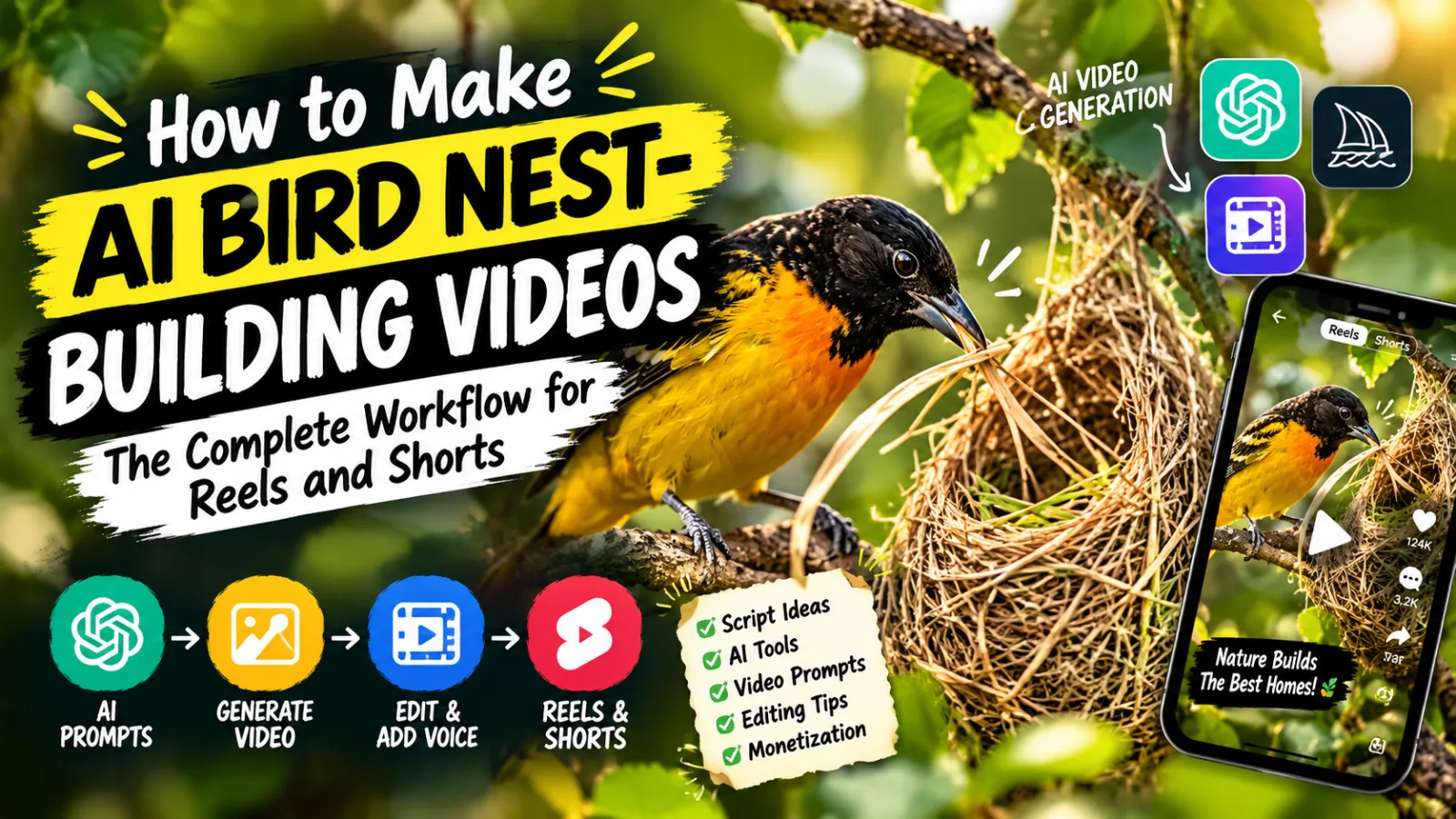
Scroll through Facebook Reels or YouTube Shorts and you may notice an odd trend: birds building elaborate nests, filmed in close-up detail, as if a wildlife crew had hidden in the bushes for weeks. In many of these videos, none of it is real. The bird, the twigs, the weaving motion, and the golden afternoon light are all generated by AI.
Accounts in this format have reportedly grown fast, with individual videos reaching millions of views. Treat any specific growth claim with caution, because early spikes in a new format often cool off once the novelty fades and platforms adjust. What does hold up is the psychology behind it. People find it deeply soothing to watch something get built piece by piece until it’s finished.
This guide is a production walkthrough. You’ll learn how to pick a bird, structure a nest-building sequence into scenes, turn that structure into AI video prompts, chain multiple clips into one seamless video, and polish the result. It also covers the parts most tutorials skip: honest labeling of AI content, species accuracy, platform rules, and building a channel that lasts longer than a trend.
You don’t need a camera, a hide, or weeks of waiting in a field. You need a chatbot, an AI video tool, and a video editor.
Why Nest-Building Videos Work
Understanding why this format performs will help you make better creative decisions than copying steps blindly.
Progress is satisfying to watch. Humans are drawn to visible progress, which is why time-lapse cooking, renovation reels, and carpet-cleaning clips are so hypnotic. A nest going from scattered twigs to a finished, cozy structure gives the viewer a small, complete emotional arc in under a minute: struggle, effort, resolution.
Nature content has a broad, friendly audience. Wildlife videos rarely start arguments in the comments, they suit every age group, and they tend to be advertiser-friendly, which matters if you plan to monetize.
AI removes the hardest real-world obstacles. Filming a real bird building a nest takes expensive long lenses, a hide, patience, and luck. AI compresses that into an afternoon at your keyboard. That’s a different production method, the way animated documentaries use illustration instead of a camera crew. The ethical condition is that you’re honest about it, which we’ll cover below.
Recognition drives engagement. Viewers click on birds they know. When someone sees a robin, a cardinal, or a sparrow, the “I know that bird” reaction keeps them watching and encourages shares.
The format is repeatable. Every video follows the same arc (sparse, half-built, nearly complete, finished), but each bird, habitat, and set of materials changes the visuals. That gives you structure and variety together.
Ambient audio helps retention. Birdsong, rustling leaves, and wind are calming and make viewers more likely to let a video play to the end.
The Toolkit
Nothing here requires a paid plan to start, though paid tiers give faster generation and higher resolution.
- An AI chatbot (ChatGPT or Claude): Your planning stage. It produces the bird list, location options, and scene-by-scene prompts.
- An AI video generator (Google Flow in this workflow): Generates clips from prompts and accepts a reference image alongside the text, which is how you keep visuals consistent between clips. The source workflow uses the Omni Flash model. Model names and limits change often, so check what your account offers.
- A video editor (CapCut, DaVinci Resolve, Premiere, or a free mobile editor): For capturing end frames, stitching clips, color grading, and sound.
- A sound library: For bird calls, wind, rustling leaves, and ambience. Use properly licensed or royalty-free sources.
The skill isn’t in owning expensive software. It’s in understanding the order in which these tools hand work to each other.
The Step-by-Step Workflow
Step 1: Generate a Bird List
Paste your master prompt into the chatbot and have it return a list of bird species, around 15 options. The source workflow uses species native to English-speaking countries so the audience recognizes them.
Why it matters: If your audience has never seen the bird, you lose the “oh, I know that bird” effect that drives engagement and shares.
Beginner mistake: Picking a bird at random. Some species have far more visually interesting nest-building behavior than others. A weaver bird stitching a hanging nest is much more compelling than a bird simply laying a few twigs.
Tip: Don’t limit yourself to the chatbot’s list. Think about your own audience. If your viewers are in South Asia, the Baya weaver, house sparrow, bulbul, and magpie robin are species your audience actually sees. If you target English-speaking countries, robins, wrens, orioles, and swallows work well.
Step 2: Choose a Habitat-Accurate Location
Once you’ve picked a bird by number, the prompt returns about five real habitat options where that species actually nests, such as a garden hedge, a woodland edge, or a porch beam. Pick one.
Why it matters: Birdwatchers and nature fans are knowledgeable and quick to comment on errors. Accuracy builds trust and keeps the content from looking like a gimmick.
Step 3: Generate the Four-Scene Structure
After you lock in a bird and location, the chatbot generates four sequential scenes:
- Scene 1: nest 0 to 33% complete
- Scene 2: nest 33 to 66% complete
- Scene 3: nest 66 to 100% complete
- Scene 4: the reveal, with the bird resting in the finished nest
Each scene is broken into 10 shot prompts, one second of motion each, so each scene becomes a 10-second clip.
Why it matters: The second-by-second breakdown makes the footage feel continuous and intentional instead of like four random generations.
Beginner mistake: Pasting one big paragraph instead of the individual shots. Current AI video tools handle tightly scoped, short motion descriptions better than a sprawling instruction.
Step 4: Set Up Your Project
Open your video tool and start a new project:
- Aspect ratio: 9:16 for Shorts and Reels, or 16:9 for long-form. For long-form, you can combine roughly 7 to 8 birds’ footage into a 3 to 4 minute video.
- Model: the model you’ve chosen (Omni Flash in the source workflow).
- Resolution: 720p.
- Clip length: 10 seconds, matching your 10-shot scene structure.
Why it matters: These settings keep every clip consistent. 720p balances speed and quality, and social platforms compress video anyway.
Step 5: Generate the First Clip
Copy all 10 shots from Scene 1 into the prompt box and generate. You get the first 10-second clip, with the nest 0 to 33% complete.
Play it back and check that the motion and pacing look natural. Fixing one scene now is much easier than discovering a problem after three more scenes are built on it.
Step 6: Capture the End Frame
This step separates smooth, continuous videos from choppy ones.
Download the finished Scene 1 clip and open it in your video editor. Go to the very last frame and export it as a still image (most editors have “export frame” or “save still”).
Why you shouldn’t grab the frame inside the generator: Scrubbing or zooming inside the tool often degrades frame quality. If you feed a low-quality end frame into the next scene as a reference, the quality loss compounds and your next clip looks worse. Downloading the clip and pulling the frame in an editor avoids this.
Beginner mistake: Saving a frame from the middle of the clip, which creates a visible jump at the next scene.
Step 7: Generate Scene 2 with a Reference Image
Get the 10 shots for Scene 2 from your chatbot. In the video tool, attach the end-frame image as a reference (“ingredient”) alongside the text prompt, keep the same project settings, and generate.
This is the technical core of the continuity trick. Anchoring each new clip to the last frame of the previous one keeps the bird, the nest, the lighting, and the background consistent instead of jumping between generations.
Beginner mistake: Forgetting to re-attach the reference, or attaching an earlier scene’s frame instead of the most recent one. Double-check which frame you’re using each time.
One rule to add: If a clip comes out badly, regenerate it before moving on. Every later clip inherits its end frame, so a weak clip contaminates everything after it.
Step 8: Repeat for Scenes 3 and 4
Repeat the same loop for Scene 3 (66 to 100% complete) and Scene 4 (the reveal, with the bird settling in). Each time: get the shots, capture the previous clip’s end frame in your editor, attach it as a reference, and generate.
You’ll end up with four 10-second clips that flow into a single 40-second sequence.
Step 9: Edit, Color Grade, and Add Sound
Import the clips in order and:
- Boost the audio. AI-generated sound often comes through quiet, so raise the built-in audio level.
- Color grade. Increase vibrance and saturation slightly and add a modest contrast boost. This does a lot of visual work. Flat AI footage looks richer and more cinematic afterward.
- Layer ambience. Add bird calls, wind, rustling leaves, and forest ambience beneath the AI audio. It sells the scene more than most creators expect.
For a long-form video, repeat the process for each bird and arrange the sequences back to back before exporting.
What the Original Workflow Skips (and You Shouldn’t)
1. Be Honest About AI: Labeling and Ethics
The source tutorial aims to make the result “feel like real nature footage,” but never mentions disclosure. This is the most important gap, because realistic AI wildlife is exactly the kind of content platforms ask creators to label.
Here’s what to do and why:
- Use the platform’s AI-content label on every upload where it applies. YouTube, Meta, and TikTok all ask creators to disclose realistic synthetic media, and they can add labels themselves if you don’t.
- Add a line in the caption or description: “AI-generated nature animation. Not real footage.” It takes five seconds.
- Don’t present videos as real wildlife footage, and don’t claim a “rare sighting” or “filmed in the wild.” Fake claims like these are what get channels flagged and viewers angry.
- Expect some comments from people who didn’t realize it was AI. Pin a short clarification and reply politely. Channels that are open about AI usually keep their audience better than ones caught hiding it.
This isn’t only about rules. A channel built on a deception that surfaces later loses trust all at once. A channel that says “AI nature art” from day one has nothing to lose.
2. Accuracy: Get the Species Right
AI will happily generate a wrong nest. Check each species before you publish.
- The tutorial’s own example needs correcting. The European Bee-eater doesn’t build a woven twig nest. It digs a tunnel into a sandy or earthen bank and nests in a chamber at the end. A “bee-eater building a twig nest” video would be inaccurate, and birdwatchers would say so.
- Check the nest type: cup nests (robins, thrushes), woven hanging nests (weavers, orioles), mud nests (swallows, house martins), cavity nests (woodpeckers, tits), burrow nests (bee-eaters, kingfishers), and scrapes on the ground (plovers, nightjars).
- Check the materials: grass, twigs, mud, moss, spider silk, feathers, or hair. Robins, for example, line their cups with mud, and a clean grass-only cup would be wrong.
- Check who builds it. For many species, one sex does most of the building. Don’t show both birds constructing it if that’s not realistic.
- Check the season and region. A bird nesting in snow, or a species shown outside its range, is an obvious error.
- Check the body details: beak shape, leg count, wing shape, and plumage. AI often adds extra toes or blends two species.
A good habit is to verify each bird against an ornithology source, such as a national birding society or a university bird guide, before generating anything. A short fact check is far cheaper than regenerating four clips.
3. Species Selection Strategy
Choose birds on three criteria: visual drama, audience recognition, and nest-building clarity.
- High-drama builders: weaver birds (hanging woven nests), swallows (mud pellets), hummingbirds (spider-silk cups), and orioles (hanging baskets).
- Familiar garden birds: robins, sparrows, wrens, and bulbuls give instant recognition.
- Regional favorites: for South Asian audiences, the Baya weaver is outstanding. Its intricate hanging nests are one of the most photogenic nest builds in nature, and it suits this format perfectly.
A note on the idea that targeting English-speaking countries earns the highest ad rates: audience location does affect ad rates, but they vary by season, category, and platform, and they aren’t guaranteed. Don’t pick species solely for a rate you can’t control. A strong, recognizable subject with an engaged audience is worth more than a theoretical CPM.
4. Hooks, Titles, and Retention
The format has a built-in arc, but the first two seconds still decide whether people stay. Open on the most striking image, such as the bird carrying a long strand of grass, a close-up of a beak weaving, or the empty branch before the first twig. Skip logos and slow fade-ins.
Titles that tend to work:
- The wonder angle: “Watch a Weaver Bird Build a Nest from Scratch”
- The time-lapse angle: “A Robin Builds Her Nest in 40 Seconds”
- The satisfaction angle: “The Most Satisfying Nest Ever Built”
- The curiosity angle: “How Does a Tiny Bird Weave a Hanging Nest?”
Keep on-screen text minimal. One short line at the start and a simple closing line is enough. The visuals and ambient sound carry the video.
5. Visual Quality Control
AI video still produces glitches in this format: twigs that vanish, wings that blur or merge, beaks that change shape, nests that grow or shrink between cuts. Before you publish:
- Watch every clip at full speed, then frame by frame at each transition.
- Check that the nest actually progresses from one scene to the next (it shouldn’t shrink).
- Check that the bird’s species markings stay consistent.
- Regenerate anything where the bird looks distorted in the first three seconds.
6. Platform Policy and Monetization
Rules change, so check current policies before building a business on them. Three areas deserve attention:
- AI disclosure, covered above.
- Repetitive content. Platforms have tightened rules on channels that publish near-identical, mass-produced videos. A four-scene template with different birds can look repetitive. Vary the habitats, camera angles, lighting, materials, and nest types, and add your own editing, sound, and commentary so each video is clearly its own.
- Reused-content rules. Don’t copy another channel’s prompts, videos, or titles. Study what works and build your own take.
Also remember that monetization eligibility depends on original, authentic contribution. A channel that adds real value (accurate facts, thoughtful editing, short educational captions) is safer than one that simply posts outputs.
Building a Channel That Lasts
Anyone can follow the steps. A channel lasts because of identity and added value.
Add a layer of education. A caption like “Weaver birds knot grass strands with their beaks” or a short fact in the description turns a pretty clip into content people save and share. Make sure every fact is verified.
Build a recognizable look. Use a consistent color grade, lighting mood, and sound style so viewers recognize your videos instantly.
Create series. “Nests of the World,” “Garden Birds Build,” “Weavers and Their Architecture,” and “Spring Nesting Season” give viewers a reason to binge and tell the algorithm what your channel is about.
Use the long-form option. The tutorial’s idea of combining 7 to 8 birds into a 3 to 4 minute video is a smart one. Long-form gives better watch time and ad placement, and it can be released as a compilation of your best shorts.
Mine comments. Every “do you have a video of X bird?” comment is a free idea with proven demand.
Scaling the Channel
Batch production. Plan a month of birds, fact-check them all in one session, then generate all first clips, then all second clips, and so on. Staying inside one step at a time is faster than finishing a video start to finish.
Publish across platforms. The same vertical video fits YouTube Shorts, Facebook Reels, Instagram Reels, and TikTok. Adjust captions and hashtags for each platform rather than posting identical text everywhere.
Make regional versions. The visuals are reusable, so you can change only the caption language and the featured bird. A South Asian version with local species and Urdu or Hindi captions reaches an audience that English-first channels ignore.
Expand into related formats. Once nest building works, try other nature processes with the same structure: a spider spinning a web, bees building a honeycomb, a beaver building a dam, a bird feeding its chicks, or a seed growing into a tree. The arc stays the same, and you reuse your editing and sound workflow.
Build a library. Save prompts, reference frames, ambient sound packs, and color grade presets in organized folders so every future video is faster.
Think about income beyond platform payouts. Nature and wildlife content suits outdoor brands, bird feeders, garden products, eco-tourism, and calming-audio apps. Only partner with products you’d honestly recommend and disclose sponsorships clearly.
Common Mistakes to Avoid
- Hiding that the footage is AI-generated
- Presenting videos as real wildlife or a “rare sighting”
- Choosing a species with a nest type that doesn’t fit the format (bee-eaters, for example)
- Publishing without checking habitat, materials, and nest type
- Pasting one long paragraph instead of the second-by-second shots
- Grabbing the end frame inside the generator instead of the editor
- Attaching the wrong reference frame to a scene
- Building on a bad clip instead of regenerating it
- Letting the nest shrink or change between scenes
- Skipping color grading and layered ambient sound
- Making every video look identical and risking a repetitive-content flag
- Chasing a theoretical ad rate over audience fit
- Ignoring analytics
A Realistic Weekly Routine
- Day 1: Choose three birds, fact-check species, nest type, and habitat.
- Day 2: Generate the scene structure and the first clips for all three.
- Day 3: Capture end frames and chain the remaining scenes.
- Day 4: Edit, grade, add ambient sound, and add a caption with a verified fact.
- Day 5: Add AI labels, schedule uploads, write titles and descriptions, and review analytics.
That pace gives you three to five videos a week, which is enough for platforms to learn your channel and for you to collect real data within a month.
Conclusion
Bird nest-building videos work because they give viewers a small, complete story of effort and reward, set in a calming, family-friendly world. The workflow is clear: pick a species, structure the build into four scenes of ten one-second shots, generate each clip, capture the end frame in a proper editor, chain the scenes with reference images, and finish with color grading and layered sound.
But the workflow is the easy part. The creators who last are the ones who label their content honestly, get the biology right, vary their videos, add real value, and study their analytics. Treat AI as your production crew and not a way to pass off fake footage as real, and you can build a nature channel that grows steadily without a camera, a hide, or a single day in the field.
Start with one bird. Choose a species whose nest you can verify, generate the four scenes, chain them carefully, add ambient sound, and publish it with an AI label and a short, accurate caption. Then let that first upload’s data guide the next one.