
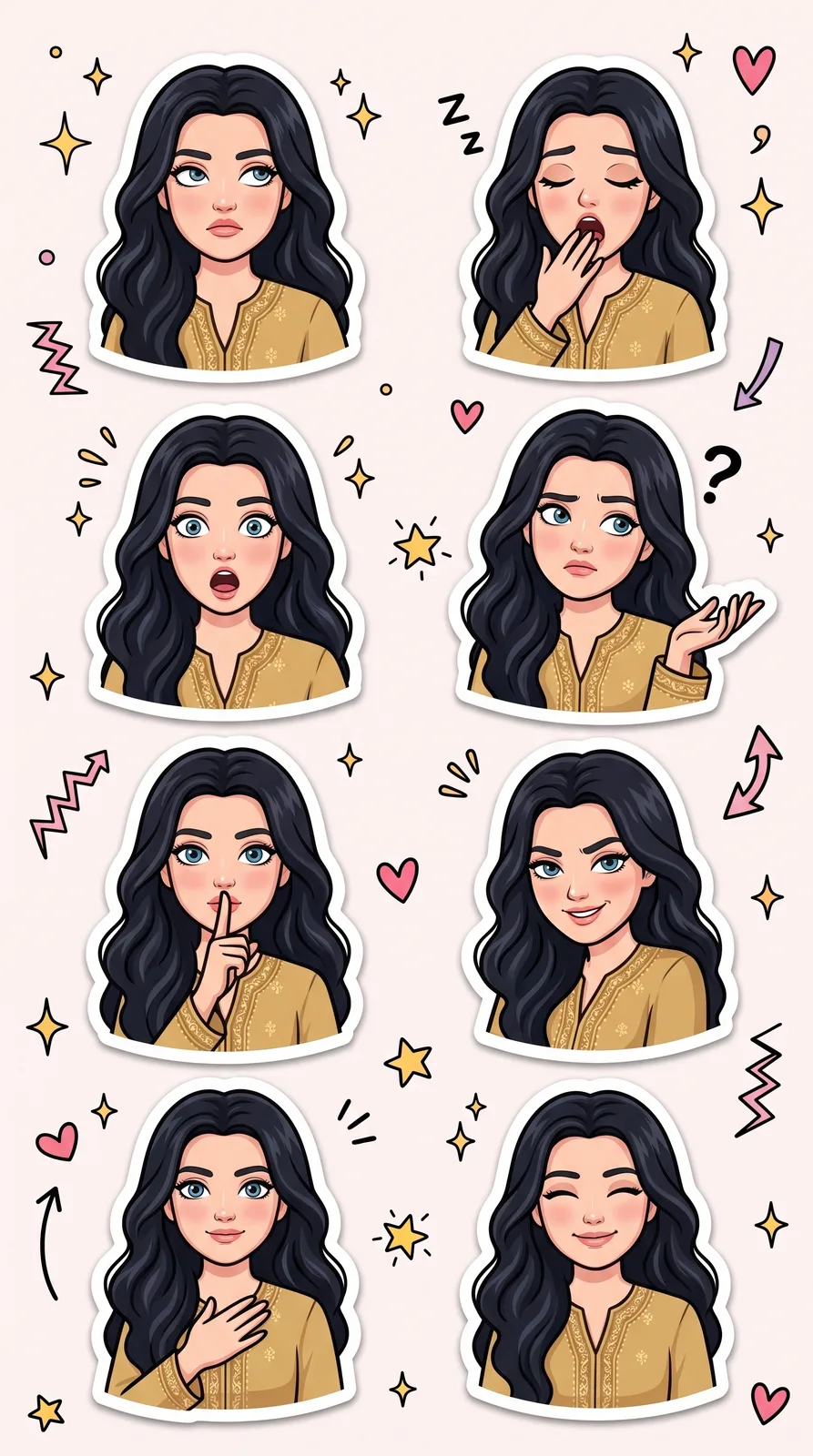
Cute Cartoon Sticker Sheet AI Prompt | Turn Any Character into 8 Expressive Stickers
Using the attached character image as the reference, create a fun sticker-sheet style illustration that turns the character into 8 cartoon stickers. Layout: - Show 8 versions of the same character in a clean grid layout, side by side - Arrange them like a sticker pack / sticker sheet - Keep enough spacing between each sticker so they feel separate and easy to see Character style: - Convert the character into a cute, expressive cartoon version - Preserve the key identity and recognisable facial features of the original character - Make the style playful, polished, vibrant, and highly shareable Expressions / poses: Create 8 different stickers with funny and exaggerated expressions such as: Eye Roll,Sleepy,Shocked,Questioning,Shush,Sly Grin,Respect,RelaxedHappySticker treatment: - Each character sticker should have a bold white cut-out border - Make each one feel like an individual sticker - Add subtle shadows if needed to give the sticker-sheet feel Background / page design: - Keep the page fun and lively - Add playful doodles around the stickers, such as stars, arrows, sparkles, zigzags, smileys, hearts, swirls, or mini comic-style accents - Overall page should have a fun, youthful, energetic vibe - Keep the background clean so the stickers stand out Visual direction: - Cute cartoon sticker pack - Expressive, funny, vibrant - Clean composition - High detail, polished finish - Social-media-friendly design Avoid: - Cluttered layout - Tiny unreadable details - Losing resemblance to the original character - Dark or dull color palette
How to Use and Adapt This Prompt
This Image formula is optimized for GPT Image. You can run it directly or customize the subject, atmosphere, and styling to match your project.
- Select your AI engine: Switch between the supported models above to get the optimal syntax and parameters for your chosen tool.
- Customize the subject: Replace descriptive elements with your own characters, environments, or branding requirements while keeping the stylistic modifiers intact.
- Tune composition and lighting: Add camera lens details (e.g., 35mm film, bokeh, high aperture) and lighting styles (e.g., chiaroscuro, golden hour, studio diffusion) to guide the AI towards photorealistic depth.
Prompt Engineering & Optimization Tips
- •Aspect Ratios: In Midjourney and Flux, append flags such as
--ar 16:9for landscape or--ar 9:16for mobile wallpapers and video backgrounds. - •Style Consistency: Keep seed values fixed when generating multiple complementary scenes for storyboards or branding assets.
- •Editorial Standard: Every prompt in FindPromps is curated to follow safe, high-quality, and non-infringing generative AI standards.