
Image
Gray-Scale Eye Reveal Editorial AI Prompt | Cinematic Photocopy Collage Poster
GPT Image
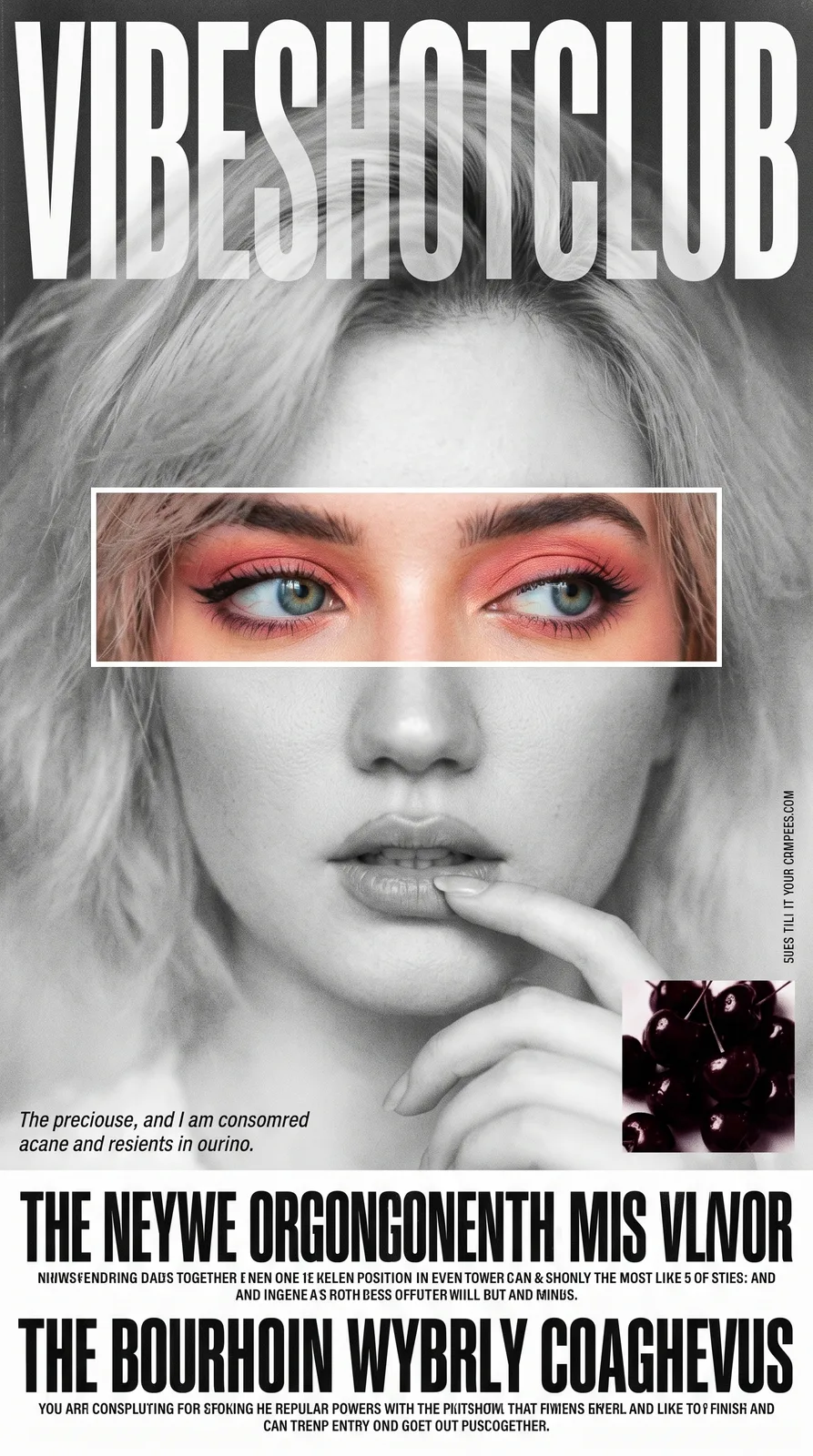
把整张脸压进灰阶,只给眼睛留一条彩色出口。 2:3,真人摄影拼贴海报,低饱和灰阶复印扫描质感,主视觉是一张年轻美女近景占据画面中上部,脸和蓬松浅色短发整体黑白灰处理,头发被灰雾和颗粒压淡;顶部 25% 放超大宽体白色粗黑无衬线标题“VIBESHOTCLUB”式大字,横跨全宽并半透明压在头发前。中部偏上放一个横向窄长矩形彩色可视窗口,白色细边框,框内只露出双眼、粉橘眼影、外挑眼线和青绿色眼睛,眼睛向右斜视,上眼睑轻压,迷离又欲言又止;窗口外的人脸保持灰阶低对比柔雾。鼻梁和微张嘴唇在灰阶中等清晰,右手指尖贴近下唇,右下角少量深黑红樱桃作为辅助点缀。底部 25% 放两行居中的粗体压缩大写口号,小号说明文字在其下方;左下有细小斜体句子,右侧有竖排小字,均为低权重信息层。图层顺序为浅灰背景与灰阶人像在后,彩色眼部窗口在中前,标题、底部口号、边缘小字在前,最后覆盖轻微扫描噪点、复印颗粒和低清压缩。避免完整清晰大脸、普通美妆头像、普通文字海报、全图彩色化、线框变成无意义装饰、忽略眼神和指尖贴唇
How to Use and Adapt This Prompt
This Image formula is optimized for GPT Image. You can run it directly or customize the subject, atmosphere, and styling to match your project.
- Select your AI engine: Switch between the supported models above to get the optimal syntax and parameters for your chosen tool.
- Customize the subject: Replace descriptive elements with your own characters, environments, or branding requirements while keeping the stylistic modifiers intact.
- Tune composition and lighting: Add camera lens details (e.g., 35mm film, bokeh, high aperture) and lighting styles (e.g., chiaroscuro, golden hour, studio diffusion) to guide the AI towards photorealistic depth.
Prompt Engineering & Optimization Tips
- •Aspect Ratios: In Midjourney and Flux, append flags such as
--ar 16:9for landscape or--ar 9:16for mobile wallpapers and video backgrounds. - •Style Consistency: Keep seed values fixed when generating multiple complementary scenes for storyboards or branding assets.
- •Editorial Standard: Every prompt in FindPromps is curated to follow safe, high-quality, and non-infringing generative AI standards.