
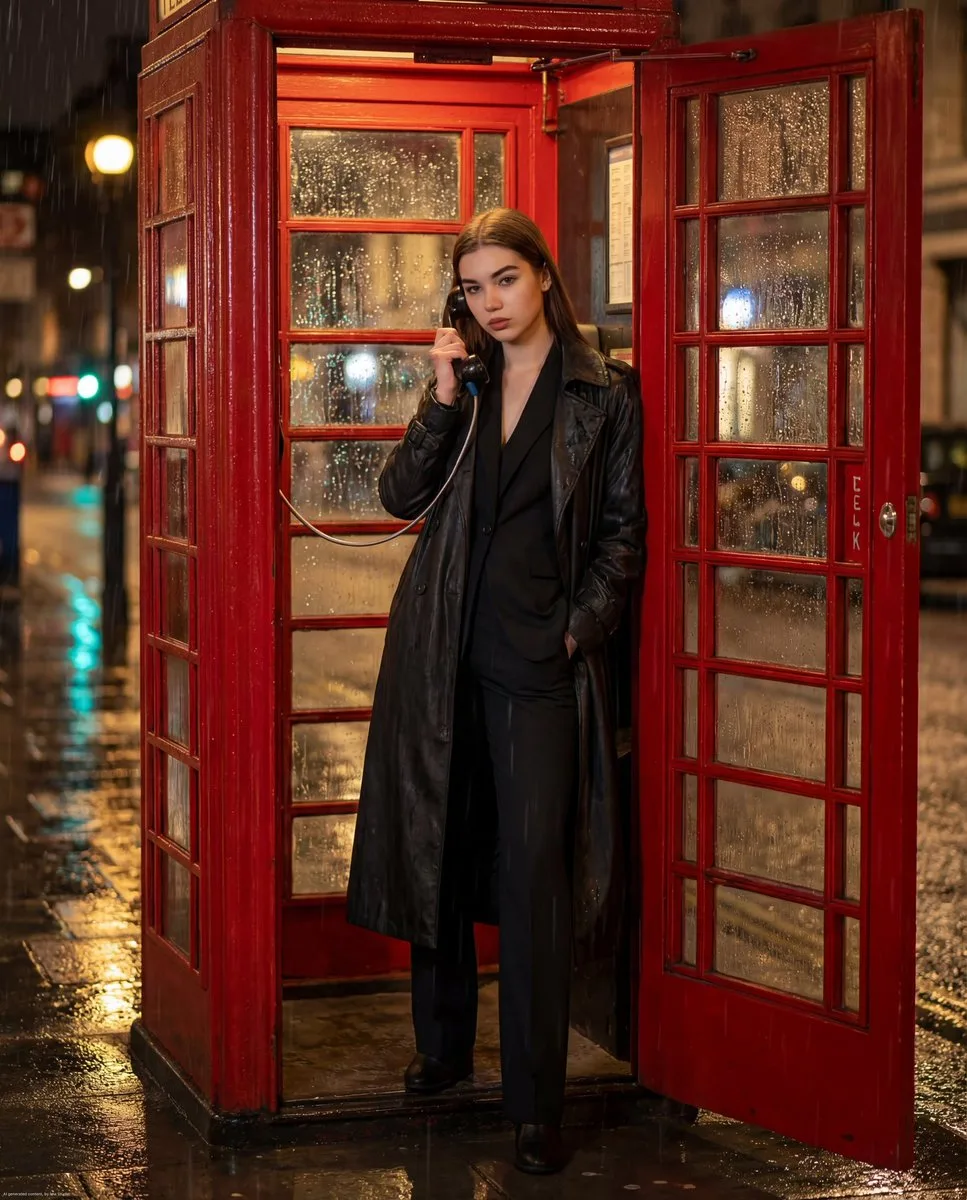
Midnight in London | A Cinematic Fashion Portrait Inside the Iconic Red Telephone Booth
{ "type": "image_generation_prompt", "style": "ultra-photorealistic, cinematic, high-end fashion editorial", "aspect_ratio": "1:1", "resolution": "high resolution, maximum realism", "scene": { "time": "night", "weather": "rainy", "location": "urban London street" }, "environment": { "primary_setting": "inside a classic red British telephone booth", "ground": "wet pavement reflecting city lights", "atmosphere": [ "visible raindrops under soft street lighting", "subtle fog in the background", "blurred headlights", "cinematic bokeh lights" ] }, "subject": { "gender": "female", "appearance": { "physique": "fit, elegant, confident presence", "expression": "serious, confident, charismatic", "pose": { "full_body_visible": true, "stance": "standing inside the telephone booth", "right_hand": "holding the old-fashioned phone receiver", "left_hand": "casually inside coat pocket" } }, "clothing": { "outfit": "tailored black suit", "outerwear": "long dark trench coat slightly wet from rain", "style": "elegant, cinematic, fashion editorial" } }, "lighting": { "type": "moody cinematic street lighting", "effects": [ "dramatic contrast", "realistic rain reflections on glass panels", "soft highlights on wet surfaces", "natural reflections from city lights" ] }, "camera": { "framing": "full-body shot from head to toe", "composition": "centered subject inside telephone booth", "focus": "sharp focus on subject, soft blur in background", "style": "cinematic photography" }, "mood": { "tone": "dark, elegant, cinematic", "aesthetic": "high-end fashion editorial with urban atmosphere" }, "constraints": [ "no cartoon or illustration", "no unrealistic lighting", "no distortion", "no watermark", "no text" ], "output_goal": "Create an ultra-photorealistic cinematic night scene of a confident woman standing inside a classic red British telephone booth in rainy London, with dramatic lighting, realistic reflections, and a high-end fashion editorial aesthetic." }
How to Use and Adapt This Prompt
This Image formula is optimized for GPT Image. You can run it directly or customize the subject, atmosphere, and styling to match your project.
- Select your AI engine: Switch between the supported models above to get the optimal syntax and parameters for your chosen tool.
- Customize the subject: Replace descriptive elements with your own characters, environments, or branding requirements while keeping the stylistic modifiers intact.
- Tune composition and lighting: Add camera lens details (e.g., 35mm film, bokeh, high aperture) and lighting styles (e.g., chiaroscuro, golden hour, studio diffusion) to guide the AI towards photorealistic depth.
Prompt Engineering & Optimization Tips
- •Aspect Ratios: In Midjourney and Flux, append flags such as
--ar 16:9for landscape or--ar 9:16for mobile wallpapers and video backgrounds. - •Style Consistency: Keep seed values fixed when generating multiple complementary scenes for storyboards or branding assets.
- •Editorial Standard: Every prompt in FindPromps is curated to follow safe, high-quality, and non-infringing generative AI standards.