
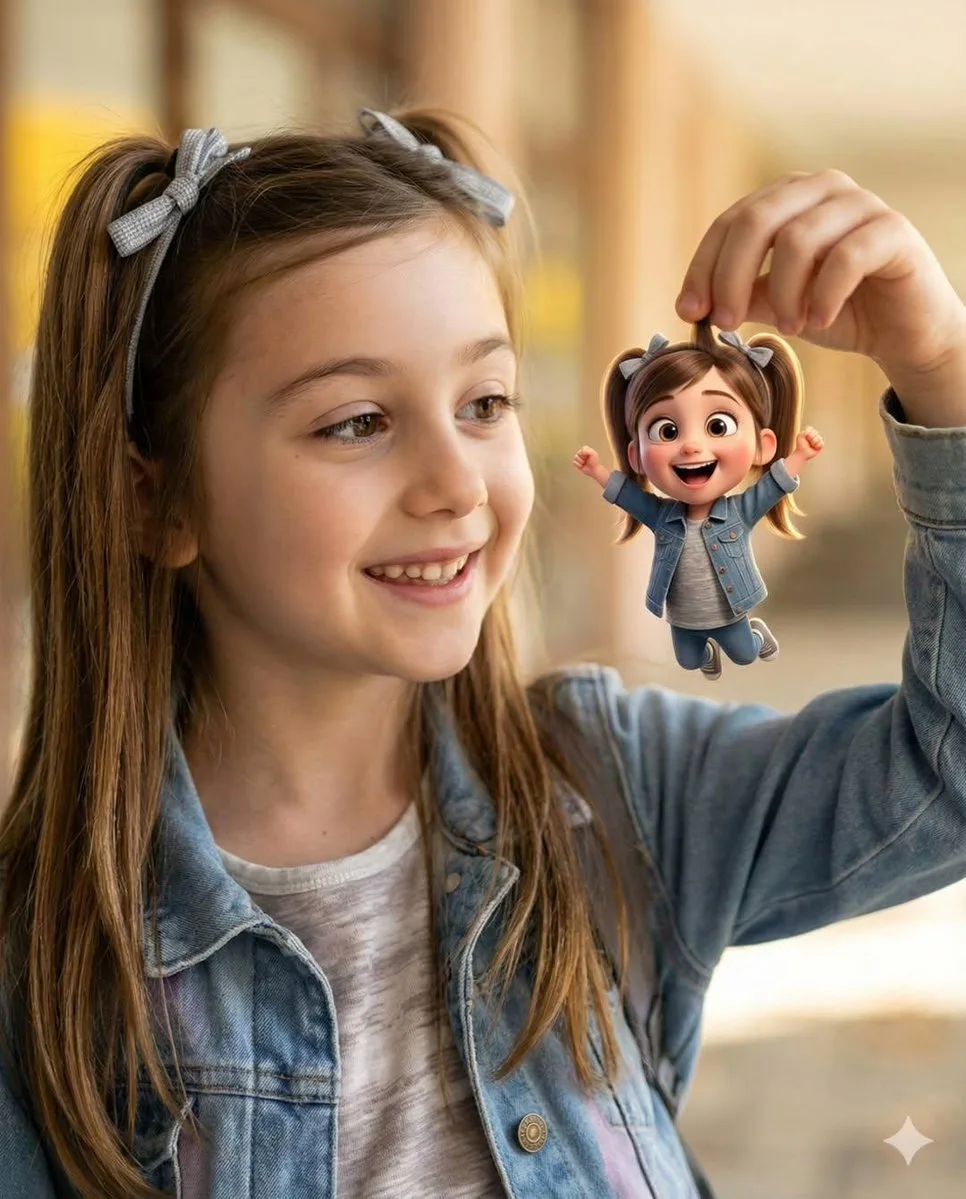
Tiny Me, Big Magic | A Whimsical Pixar-Inspired Portrait
{ "Objective": "Create a heartwarming, whimsical portrait blending photorealistic realism with a tiny Pixar-style animated character", "PersonaDetails": { "PrimarySubject": { "Type": "Young girl", "Expression": "Bright, joyful smile", "Hair": { "Style": "Long light-brown hair", "Accessories": "Cute ribbon bows" }, "Wardrobe": { "Outerwear": "Casual denim jacket", "Top": "Soft neutral-colored shirt" } }, "SecondarySubject": { "Type": "Tiny 3D cartoon version of the girl", "Scale": "Miniature, held delicately between fingers", "Style": "Pixar-style 3D character", "Proportions": "Oversized expressive eyes, rounded features", "Hair": "Pigtails matching the real girl", "Wardrobe": "Denim outfit matching the real subject", "Pose": "Arms raised joyfully" } }, "Composition": { "Framing": "Close-up to medium portrait", "Interaction": "Clear playful interaction between girl and miniature character", "DepthOfField": "Shallow depth of field", "Focus": "Ultra-sharp focus on both faces" }, "LightingAndBackground": { "Lighting": "Warm natural daylight", "Background": { "Style": "Soft golden bokeh", "Mood": "Dreamy, magical" } }, "ArtDirection": { "StyleFusion": [ "Photorealistic child portrait photography", "Pixar-style 3D animated character" ], "Aesthetic": "Magical realism with playful scale contrast", "TextureDetail": "Ultra-detailed skin, fabric, and 3D materials" }, "MoodAndTone": { "Mood": "Heartwarming, joyful, whimsical", "EmotionalFeel": "Wonder, innocence, playful imagination" }, "PhotographyStyle": { "Genre": "Cinematic lifestyle portrait photography", "LensFeel": "Portrait lens with creamy bokeh", "ImageQuality": "8K ultra-high realism" }, "NegativePrompt": [ "uncanny valley", "scary doll", "low-quality 3D", "harsh lighting", "oversaturated colors", "blurry focus", "flat expression" ], "ResponseFormat": { "Type": "Single image", "Orientation": "Portrait", "AspectRatio": "2:3" } }
How to Use and Adapt This Prompt
This Image formula is optimized for GPT Image. You can run it directly or customize the subject, atmosphere, and styling to match your project.
- Select your AI engine: Switch between the supported models above to get the optimal syntax and parameters for your chosen tool.
- Customize the subject: Replace descriptive elements with your own characters, environments, or branding requirements while keeping the stylistic modifiers intact.
- Tune composition and lighting: Add camera lens details (e.g., 35mm film, bokeh, high aperture) and lighting styles (e.g., chiaroscuro, golden hour, studio diffusion) to guide the AI towards photorealistic depth.
Prompt Engineering & Optimization Tips
- •Aspect Ratios: In Midjourney and Flux, append flags such as
--ar 16:9for landscape or--ar 9:16for mobile wallpapers and video backgrounds. - •Style Consistency: Keep seed values fixed when generating multiple complementary scenes for storyboards or branding assets.
- •Editorial Standard: Every prompt in FindPromps is curated to follow safe, high-quality, and non-infringing generative AI standards.