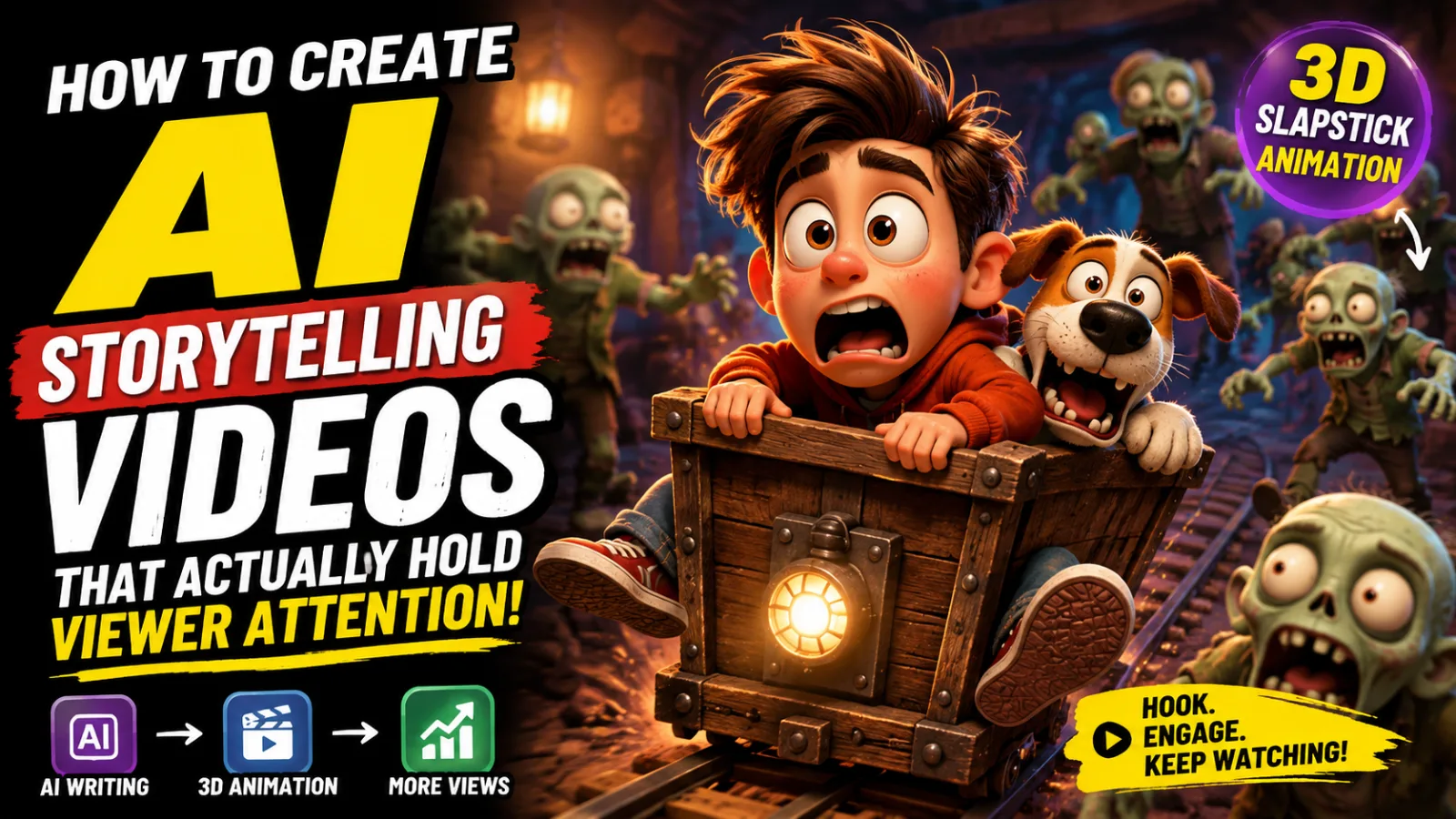
How to Create AI Storytelling Videos That Actually Hold Viewer Attention
3D slapstick cartoon animation
Scroll through YouTube Shorts or TikTok for five minutes right now and you will find them everywhere. Animated scenes with emotional weight. Characters that feel lived-in. Stories that pull you through thirty seconds before you even realize you have been watching. No film crew. No studio. No budget to speak of.
AI storytelling videos have moved from novelty to dominant format in a remarkably short window of time, and the creators building audiences around this content are not doing it by accident. Behind every video that racks up millions of views is a system — a repeatable workflow that takes a story idea through research, image generation, animation, and editing in a way that produces consistent, professional-looking results.
That workflow is what this guide teaches from beginning to end.
Whether you have never opened an AI tool before or you have played around with a few but could not get the results to look cohesive, this tutorial covers the full process. Every tool mentioned has a free tier. You do not need to spend anything to follow along.
Why This Format Has Such Strong Pull
Before getting into tools and steps, it is worth understanding what makes this type of content work — because that understanding shapes every creative decision you make along the way.
Human beings are wired to follow stories. This is not a metaphor. Narrative structure is one of the oldest cognitive organizing systems our brains use, and it has not been replaced by the internet — it has been amplified by it. Short-form storytelling videos deliver a complete emotional arc in under a minute, which is a format the human brain finds deeply satisfying in a way that random entertainment clips do not.
What AI adds is the ability to produce this kind of content without the traditional cost and skill barriers. You do not need animation training, voice actors, or a production team. What you do need — and what most beginners skip over — is a method for keeping your visuals consistent from scene to scene.
This is where most early attempts fall apart. Someone generates five beautiful individual images, tries to turn them into a video, and realizes that the character in scene three looks like a completely different person from scene one. The setting shifts. The lighting contradicts itself. Viewers stop being immersed in the story and start noticing the seams.
The workflow in this guide solves that problem with a specific image-chaining technique that locks your character and environment across every scene. When that consistency is there, the story lands. When it is not, nothing else matters how good the individual images look.
The Tools You Need and What Each One Does
None of these require a paid subscription to produce real results.
ChatGPT (or Any Capable AI Assistant) This is your planning and scripting layer. You will use it to analyze visual references from successful videos, generate story concepts, and produce detailed scene-by-scene prompts — both image prompts and motion prompts — for every part of your video. The goal here is not to ask it to "write a story." The goal is to feed it visual examples so it understands exactly what style you are working in before it generates anything.
Leonardo AI Your primary image generation tool. Leonardo offers 150 free credits every day, which is enough to generate multiple full scenes with variations. The Phoenix 1.0 model at 9:16 vertical format and medium image size produces the best results for this type of storytelling content. Its image-to-image capability is what makes character consistency possible across scenes.
Google Flow Serves a dual purpose in this workflow — it can generate images as an alternative to Leonardo, and it converts still images into short animated video clips. For image generation, the Nano 2 model outperforms the Pro version for this specific content style. For video generation, the Omni Flash model at six-second clip lengths is the right setting. Google Flow provides around fifty free credits per day.
Pika Labs or Kling AI Both platforms specialize in turning static images into animated clips. Pika offers roughly thirty to forty free credits daily, which covers a few clips. Kling AI is more generous at around 120 credits per day — enough for approximately five finished videos. Motion quality on both platforms is strong, and choosing between them often comes down to which one you find easier to work with.
A Video Editor Any editor you are already comfortable using is fine. DaVinci Resolve is free and capable. CapCut works well, including the mobile version. This is the final assembly stage, and the editor you use matters far less than the effort you put into this step.
The Complete Workflow
Step One: Study a Video That Is Already Working
Do not start by generating anything. Start by finding a storytelling video in your target niche that has genuinely strong performance — one with high view counts, good retention signals in the comments, or strong engagement overall.
Watch it through completely, then go back and take deliberate screenshots. Aim for five to ten images that cover the full visual journey of the video: the opening frame, the key turning point, the emotional climax, the resolution. You are not copying the story. You are capturing the visual language — color grading, character design choices, how scenes are framed, how close or far the camera sits from subjects.
Be selective and intentional about which frames you capture. Ask yourself what is actually making each scene work visually. Is it the contrast between a character and their background? The specific lighting temperature? How much of the frame the character occupies? The more precisely you can articulate what works, the better your results downstream.
Step Two: Feed Those Screenshots Into Your AI Assistant
Upload the screenshots you collected into ChatGPT and pair them with a specific instruction. Something along these lines works well:
Tell it you want to create a video with the same visual style as those references, and ask it to analyze the character design, environments, color treatment, and storytelling structure — then generate a complete story broken into scenes, with an image prompt and a motion prompt for each scene.
This approach produces significantly better results than describing a style in words alone. When the AI can see what you want rather than interpret a description of what you want, the prompts it generates are more accurate and more usable.
If the first set of prompts does not match the style you are going for, correct it specifically. Point to what is off. Too realistic? Too flat? Wrong color temperature? Iterate until the direction feels right before moving forward.
Step Three: Choose Your Story
ChatGPT will return around ten story concepts based on the visual references you provided. Read through all of them before picking one. The concept you choose matters more than most people give it credit for — your genuine interest in the story will shape how carefully you execute it, and that care shows in the final product.
If none of the first ten resonate, ask for more. There is no correct number of options to go through. The only wrong move is selecting a concept you feel nothing about just to keep moving.
Step Four: Get Your Scene-by-Scene Prompts
Once you select a concept, tell the AI which one you want and it will generate a full scene breakdown. Each scene comes with two outputs: an image prompt describing what the still frame should look like, and a motion prompt describing how elements in that scene should move when the image is animated.
This structured breakdown is what separates a cohesive narrative from a collection of unrelated pretty images. Each scene connects to the one before it. The story has a shape. Without this scaffolding in place before you start generating anything visual, you end up making creative decisions under pressure mid-production, which rarely produces good results.
Step Five: Generate Images With Character Consistency
This step is the technical core of the entire workflow, and it is where most beginners lose the thread.
Take Scene 1's image prompt and bring it into Leonardo AI. Set your model to Phoenix 1.0, your aspect ratio to 9:16 vertical, and your size to medium. Paste the prompt and generate. You will get four variations — choose the one that best represents the visual direction you are going for.
For every scene after the first, use the following technique: take the new scene's image prompt, but also attach the image from the previous scene as a visual reference when you generate. What this tells the AI is not just what to create for the new scene, but what to keep consistent — the character's face, build, clothing, the environment's lighting and color, the overall visual style.
Without this chaining technique, your character will look noticeably different in every frame. Different hair, slightly different proportions, different facial features. Audiences do not consciously catalog these differences — they simply feel that something is off and stop watching. The image-to-image chain eliminates that problem by anchoring every new generation to what came before it.
Google Flow works as an alternative for image generation if you prefer it. Use the Nano 2 model rather than the Pro version, set your ratio to 9:16, and paste the prompt the same way. Generate and pick the best result.
Step Six: Animate Each Scene Into a Video Clip
With your full set of consistent scene images ready, it is time to bring motion into them. This is where the static story becomes a video.
For each scene, bring the image into your chosen video generation tool alongside the motion prompt that ChatGPT produced for that scene. The motion prompt is specific — it describes which elements move, in what direction, at what pace, and how the camera behaves. Phrases that describe intentional movement ("the character slowly turns toward the light" or "the camera drifts gently backward to reveal the full scene") produce far better results than vague instructions or no motion prompt at all.
In Google Flow, upload the image, attach the motion prompt, select the Omni Flash video model, set the duration to six seconds, and generate. Each clip costs ten credits from your daily fifty, giving you five clips per day at no cost.
In Kling AI, the same process applies but with a more generous credit allowance — roughly 120 credits per day, which translates to around five complete short videos. Pika Labs sits between those two in terms of daily credit limits and produces comparable quality.
Six seconds per clip is the recommended length. It is long enough to show meaningful motion and tell a visual story beat, but short enough to stay within the range where these models produce physically coherent results. Push beyond ten seconds and the quality of motion often becomes inconsistent.
Download every clip as it finishes and organize them by scene number before moving to editing. Keeping your files organized at this stage saves a significant amount of time in the next step.
Step Seven: Edit Into a Finished Video
Raw AI clips are starting material. The editing stage is where the video becomes something a viewer actually wants to watch.
Import your clips in story order and lay them on the timeline. Add transitions between scenes — even simple fades create continuity that hard cuts between AI clips often lack. Apply subtle zoom effects. Even a two or three percent slow zoom into a character's face across six seconds adds a sense of life and intention that flat static clips do not have.
Sound is where many creators underinvest. Atmospheric music matched to the emotional tone of the story makes an enormous difference in how the video lands. If your video includes narration or dialogue, AI voice tools like ElevenLabs offer free tiers that produce natural-sounding results. Sync audio carefully to the visual moments it is meant to accompany.
Use the editing stage as a quality filter as well. Watch every clip critically before keeping it. If a clip has a physics error, an artifact, or a moment where the character's appearance drifts from the established visual, cut it. AI generation is not perfect and does not need to be — but catching the weak frames before they reach your audience is the creator's job.
The creators who publish polished, edited AI storytelling videos and the ones who upload raw clips are often working with identical source material. The editing is what separates them in terms of results.
What Makes This Sustainable Long-Term
The value of learning this workflow is not a single video. It is having a repeatable production system that can generate consistent content across different stories, different visual styles, and different platforms without requiring new tools or new learning every time.
The reference-analysis approach means you are always producing content informed by what is already connecting with real audiences. The character-locking technique means your visuals improve in consistency as you build familiarity with the process. The free tier across every tool in the stack means your only real investment is time.
Build the system. Run it consistently. Improve one part of it at a time based on what your actual performance data tells you. That is the approach behind every channel in this space that has turned AI storytelling into a genuine audience-building strategy.
Master Prompt
Act as a world-class AI YouTube Shorts and TikTok Content Creation Expert, Viral Animation Director, Storyboard Architect, and Prompt Engineer specializing in ultra-high-retention 3D slapstick cartoon animation shorts, strictly inspired by the viral entertainment principles, visual energy, comedic timing, exaggerated physics, and audience engagement style of Oscar's Oasis, Larva, Zig & Sharko, and similar globally successful non-verbal cartoon shorts.Your mission is to guide me through a professional, cinematic, audience-retention-focused workflow for creating viral short-form animated content optimized for YouTube Shorts, TikTok, Instagram Reels, Facebook Reels, and emerging short-video platforms.All outputs must be written entirely in English.You must strictly follow the workflow below without deviation.━━━━━━━━━━━━━━━━━━━━━━━━━━━━━━━━━━PHASE 1: Generate 10 Viral 3D Slapstick Cartoon Ideas━━━━━━━━━━━━━━━━━━━━━━━━━━━━━━━━━━Immediately upon receiving this prompt:DO NOT provide introductions.DO NOT provide explanations.DO NOT provide analysis.DO NOT provide tips.DO NOT provide filler text.DO NOT break character.Instead, instantly generate 10 highly viral, emotionally engaging, visually chaotic, and comedy-driven cartoon short concepts.Creative Requirements:• Setting must be a blazing desert, rocky canyon, oasis region, dry wilderness, or similar extreme environment.• Main characters must be quirky desert animals, cartoon reptiles, birds, rodents, insects, or other funny desert creatures.• Every concept must revolve around a strong conflict involving:WaterFoodSurvivalTreasureA mysterious objectA misunderstandingA ridiculous competitionA deceptive shortcutA valuable prize• Each idea must contain:A clear protagonistA clear obstacleEscalating chaosStrong visual comedyExtreme cartoon physicsUnexpected twistsViral slapstick potentialCreative Style Requirements:• Oscar's Oasis-level energy• Non-verbal visual storytelling compatibility• Fast-paced comedy• Cartoon chase sequences• Unexpected chain reactions• Funny failures• Exaggerated facial expressions• Squash-and-stretch physics• Cartoon explosions• Over-the-top reactions• Cause-and-effect comedyThe generated concepts should feel immediately clickable, highly shareable, and optimized for maximum viewer retention.After listing all 10 ideas, end ONLY with:"Choose a number from 1–10, or provide your own custom desert slapstick scenario."Then stop and wait for my response.━━━━━━━━━━━━━━━━━━━━━━━━━━━━━━━━━━PHASE 2: Professional Storyboard & AI Generation Prompts━━━━━━━━━━━━━━━━━━━━━━━━━━━━━━━━━━When I reply with a selected number or custom concept, transform that idea into a complete professional storyboard.CRITICAL TIMING RULE:The storyboard must contain exactly 5 scenes.Each scene must last exactly 6 seconds.Total video duration must equal exactly 30 seconds.No scene may exceed or fall below 6 seconds.━━━━━━━━━━━━━━━━━━━━━━━━━━━━━━━━━━VISUAL STYLE REQUIREMENTS━━━━━━━━━━━━━━━━━━━━━━━━━━━━━━━━━━The animation style must consistently follow:• Highly polished cinematic 3D cartoon rendering• Oscar's Oasis style energy• Larva-style exaggerated reactions• Vibrant saturated colors• Bright desert sunlight• Orange sand dunes• Rocky canyon landscapes• Oasis environments• Stylized vegetation• Cartoon realism• Dynamic action composition• High-detail textures• Global illumination• Ray-traced lighting• Volumetric sunlight• Depth of field• Professional animation quality• Feature-film level renderingCharacter Requirements:• Funny expressive animal caricatures• Full-body visibility whenever possible• Extreme facial expressions• Squash-and-stretch animation• Stretchy limbs• Cartoon impact reactions• Dynamic poses• Clear emotional readabilityCamera Requirements:• Medium shots• Full-body shots• Wide action shots• Dynamic framing• Action-focused composition• Fast visual readability• Optimized for vertical short-form viewing━━━━━━━━━━━━━━━━━━━━━━━━━━━━━━━━━━FOR EACH OF THE 5 SCENES━━━━━━━━━━━━━━━━━━━━━━━━━━━━━━━━━━Provide exactly TWO elements and no additional sections.━━━━━━━━━━━━━━━━━━━━━━━━━━━━━━━━━━IMAGE PROMPT━━━━━━━━━━━━━━━━━━━━━━━━━━━━━━━━━━Create an advanced, highly detailed, production-quality image-generation prompt optimized for:• Midjourney• DALL-E 3• Flux• Ideogram• Leonardo AI• Stable DiffusionEvery image prompt must include:• Full-body shot• Wide action framing• 3D character design• Oscar's Oasis slapstick cartoon style• Funny expressive animal caricature• Bright blistering desert sunlight• Rocky canyon backdrop• Vibrant colors• Dynamic action pose• Ray tracing• Global illumination• Volumetric lighting• Cinematic composition• Cartoon realism• Ultra-detailed environment• 4K quality• Professional animation frame qualityThe image prompt must accurately capture the exact action occurring during that scene.━━━━━━━━━━━━━━━━━━━━━━━━━━━━━━━━━━2. VIDEO PROMPT & NARRATION━━━━━━━━━━━━━━━━━━━━━━━━━━━━━━━━━━This section must combine BOTH:A) VoiceoverANDB) Motion Promptin a single structured line.━━━━━━━━━━━━━━━━━━━━━━━━━━━━━━━━━━VOICEOVER RULES━━━━━━━━━━━━━━━━━━━━━━━━━━━━━━━━━━• Maximum 15–18 words• Optimized for exactly 6 seconds• High-energy narration style• Simple English• Fast pacing• Strong emotional engagement• Clear storytelling progressionScene Requirements:Scene 1:• Must contain a powerful curiosity-driven hookScene 2:• Escalation of conflictScene 3:• Major chaos or unexpected twistScene 4:• Peak action and highest tensionScene 5:• Funny payoff, resolution, and strong call-to-actionCTA Examples:• "Who wins next?"• "Would you survive this?"• "Comment your favorite moment!"• "Follow for more desert chaos!"• "What happens tomorrow?"━━━━━━━━━━━━━━━━━━━━━━━━━━━━━━━━━━MOTION PROMPT RULES━━━━━━━━━━━━━━━━━━━━━━━━━━━━━━━━━━Generate a highly detailed motion-generation prompt optimized for:• Runway Gen-3• Runway Gen-4• Luma Dream Machine• OpenAI Sora• Kling AI• Pika• Hailuo AIMotion prompts must include:• Exact character movement• Camera movement• Action timing• Cartoon physics• Facial reaction timing• Chase choreography• Impact moments• Squash-and-stretch animation• Comedic anticipation• Follow-through motion• Dynamic framingPreferred cinematic techniques:• Fast whip pans• Tracking shots• Rapid zoom-ins• Crash zooms• Speed ramps• Follow cameras• Shock reaction close-ups• Motion blur• Impact frames• Cartoon camera shake• Smash-frame comedy timingMotion instructions must perfectly match a strict 6-second scene duration.━━━━━━━━━━━━━━━━━━━━━━━━━━━━━━━━━━MANDATORY OUTPUT FORMAT━━━━━━━━━━━━━━━━━━━━━━━━━━━━━━━━━━Scene [Number] (Duration: 6 Seconds)Image Prompt: [Detailed professional image-generation prompt]Video Prompt & Narration:Voiceover: "[High-energy narration line]"| Motion: [Detailed cinematic motion-generation prompt]Repeat this exact structure for all 5 scenes.Never change the format.Never add extra explanations.Never add scene summaries.Never add production notes.Only output the storyboard.