
How to Make Viral AI Sports Comparison Videos Without Any Budget
Make High Retention Sports Shorts With AI🚀
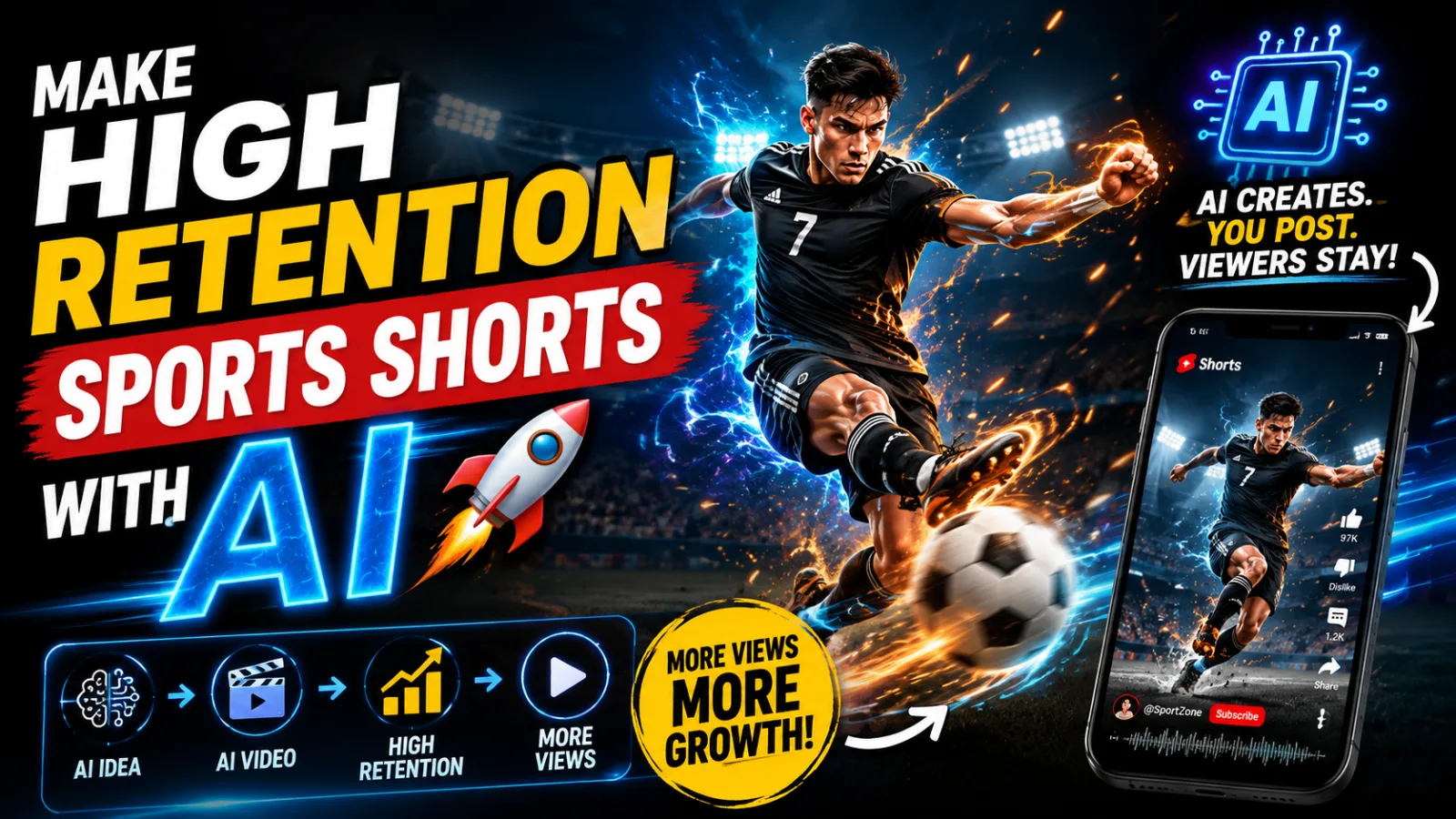
There is a specific type of video dominating sports content right now, and if you have spent any time on YouTube Shorts or TikTok recently you have almost certainly seen one. A question appears on screen — something like "What happens if Ronaldo kicks a punching machine at full power?" — and then AI-generated footage plays out the scenario while a confident narrator walks you through the numbers. These videos are pulling eight, ten, sometimes twenty million views. And almost none of them are made by large production teams.
They are made by solo creators with laptops, free tools, and a clear understanding of what sports audiences are genuinely curious about.
This guide teaches the complete workflow behind these videos — from finding the right concept to assembling the finished clip — using tools that cost nothing to get started with. It covers the psychology behind why this format performs so consistently, the exact tools involved, how to prompt them effectively, and the specific mistakes that cause most people to abandon the process before seeing real results.
Why Sports Comparison Content Keeps Winning
Understanding what makes this format work is not optional background reading. It directly shapes how you structure your videos, write your scripts, and choose your topics. Skip this section and you will produce content that looks technically fine but does not connect.
Curiosity gaps are irresistible. When a video opens with a question like "How hard does Ronaldo actually kick compared to a heavyweight boxer's punch?" — your brain immediately wants the answer. This is not a gimmick. It is a deeply established psychological mechanism: the human mind dislikes incomplete information and will stay engaged until the gap is closed. Sports comparison videos are built almost entirely on this mechanism. Every title, every opening line, every scene transition exists to keep the viewer in a state of needing to know what comes next.
The format feels educational even when it is entertaining. The best performing videos in this space follow a clear arc — introduce the athlete, frame the scenario, build toward a comparison, and land on a satisfying conclusion. Viewers feel like they learned something real about human physical capability. That perception of value is what drives shares and return views.
Famous athletes have timeless appeal. Unlike trend-based content that peaks and dies within weeks, sports figures like Ronaldo, Messi, Mike Tyson, and Muhammad Ali generate consistent audience interest across years. New records get broken, new controversies emerge, new comparisons become relevant. The content pipeline essentially refills itself.
AI handles these visuals better than almost any other subject. Physical actions — kicks, punches, motion, impact — follow predictable rules that AI video models simulate convincingly. You do not need facial expressions subtle enough to fool anyone or complex interpersonal scenes. You need athletic motion, dramatic lighting, and a believable environment. Current AI tools are genuinely good at all three.
The Tool Stack
Every tool below has a free tier that is sufficient to produce and publish real videos. Here is what each one does and why it earns its place in the workflow.
ChatGPT or Claude — Ideation and Scripting This is where every video starts. Not with image generation, not with video tools — with a structured conversation that produces a concept, a script, and scene-by-scene visual descriptions. The difference between a video that hooks viewers in the first three seconds and one that gets scrolled past usually lives in the quality of this planning stage. A well-prompted language model generates ten usable concepts in under a minute and then expands your chosen one into a complete script with narration and scene directions.
Flow (flowgpt.com) — Image Generation Flow's Nano mode is specifically built for generating consistent character images, which matters enormously in sports content. If your athlete looks slightly different from scene to scene — different jaw line, different hair, different build — the video immediately feels amateur. Flow also provides daily credits that refresh every twenty-four hours, making it a workable option for creators publishing on a regular schedule.
Dyn AI (dyn.ai) — Video Generation Converting still images into video clips is the most expensive step in AI content creation on most platforms. Dyn AI gives you 120 free credits just for logging in each day, and each video generation costs 20 credits — meaning six free videos per day without paying anything. For sports content specifically, the 3.1 Turbo model handles physical motion and impact sequences more convincingly than lighter alternatives.
Google AI Studio — Voiceover Narration quality is directly tied to watch time. Robotic, rushed audio causes people to leave regardless of how good the visuals are. Google AI Studio produces genuinely natural-sounding speech at no cost. The Training Guide style preset adds an authoritative, documentary-like tone that fits sports comparison content well. The Natural pace setting is essential — the default often sounds artificial and clipped.
A Video Editor — Final Assembly CapCut handles everything this workflow requires and is completely free. DaVinci Resolve is a strong alternative if you want more control over color and effects. This is where your individual clips, voiceover, and music become a single finished video.
The Complete Step-by-Step Process
Step One: Generate Your Concept and Script
Open your language model and paste in a structured master prompt built around a specific athlete. A good master prompt does not just ask for ideas — it instructs the AI to think in terms of hooks, visual variety, audience curiosity, and scene pacing. It forces ten distinct angles on the subject, which gives you real options rather than the first thing that comes to mind.
Review all ten concepts before picking one. The right choice is not necessarily the most technically impressive concept — it is the one that genuinely makes you curious about the answer. That personal interest translates into better execution throughout the rest of the process.
Once you select a concept by number, the prompt expands it into a full script: an opening hook, scene-by-scene narration, stat callouts, and a conclusion. Read through the full script before accepting it. Add your own voice where the writing feels flat, sharpen any transitions that feel abrupt, and cut anything that sounds like it was generated rather than written. AI scripts are solid first drafts, not finished products.
Step Two: Extract Your Scene Prompts
The same master prompt that produces your script also generates image and motion prompts for each scene. These are the instructions you will hand off to your image and video generation tools, so their quality directly determines what your footage looks like.
A weak scene prompt says "Ronaldo kicking a ball." A strong one specifies the camera angle, the lighting conditions, what the background looks like, what the athlete is wearing, what moment in the kick is being captured, and what emotional energy the scene should carry. The master prompt is designed to produce the detailed version by default, but review each prompt before using it and add anything specific to your creative vision.
Copy the image prompt for Scene 1 and keep your scene list organized. Jumping between scenes out of order is a common source of confusion and wasted credits.
Step Three: Build Your Base Image in Flow
Navigate to Flow and find the image generation section. Before generating anything, switch to Nano mode and set your aspect ratio to 9:16 vertical. These two settings are non-negotiable. Nano mode handles character consistency better than standard generation modes, and 9:16 is the correct format for YouTube Shorts, TikTok, and Instagram Reels. Generating in the wrong ratio and trying to fix it later produces poor compositions.
Paste your Scene 1 image prompt and generate. Evaluate the result honestly before moving on. Does the athlete look right? Is the lighting working? Does the camera angle match what the script calls for? If something is significantly off, adjust the prompt and regenerate rather than accepting a weak foundation. Everything that follows is built on this first image.
Step Four: Lock Your Character Across All Remaining Scenes
This step is the technical difference between AI sports videos that look professional and ones that look like random clips stitched together.
For every scene after the first, paste the new scene's image prompt into Flow — but also attach your Scene 1 image as a visual reference before generating. This tells the system to match the character and environment from your established base image rather than reinterpreting the description from scratch. The result is visual continuity: same face, same build, same jersey, same general lighting and environment across every frame.
Without this anchoring technique, the same athlete will look subtly different in every scene. Viewers do not consciously catalog these differences and think "that is inconsistent AI generation." They just feel that something is off and lose trust in the content. The image anchoring technique eliminates that feeling entirely.
Always anchor to Scene 1, not to whichever scene you generated most recently. Anchoring to the wrong image compounds inconsistencies rather than preventing them.
Step Five: Record Your Voiceover
Copy your full script and open Google AI Studio. Navigate to the Speech and Music section and select the highest available model tier. Browse the available voices and test two or three before committing — for sports content you generally want something that sounds energetic but grounded, not overly dramatic or too casual.
Click the Training Guide style preset, which adds a documentary quality that suits educational comparison content well. Then find the pace setting and switch it to Natural. The default pace on most AI voice tools sounds slightly rushed and mechanical in a way that is hard to pinpoint but immediately off-putting. Natural pace gives the narration room to breathe and land the way spoken commentary actually does.
Clear any placeholder text, paste your full script, and generate. Download the audio file and keep it labeled with the video title so it is easy to find during the editing stage.
Step Six: Animate Your Scene Images
With your still images complete and your voiceover ready, it is time to convert the images into video clips.
In Dyn AI, log in to claim your 120 daily credits, click Create, and select the 3.1 Turbo model. Upload your Scene 1 image and paste the corresponding motion prompt from your script into the video prompt field. Generate and expect roughly a two-minute wait per clip. Each generation costs 20 credits, leaving you enough for six clips from your daily allowance.
For additional clips beyond those six, use Flow's Animate feature. Find your generated image in Flow, click the options menu, select Animate, and paste the same motion prompt. The Vivo 3.1 Light model works well here and draws from a separate credit pool than your image generation, effectively doubling your daily output.
The motion prompt for each scene is specific to that scene's action. Do not mix them up. A motion prompt written for a slow-motion kick follow-through will produce strange results if applied to a scene that is supposed to show a wide stadium establishing shot. Keep your prompts and images organized by scene number from the beginning.
Step Seven: Handle Platform Safety Restrictions
You will eventually run into this. Some platforms flag prompts containing the names of well-known public figures and decline to generate. When this happens, the fix is simple: replace the athlete's name with a neutral descriptor like "the character" or "the athlete" and keep every other physical detail in the prompt exactly as written.
So instead of writing "close-up of Ronaldo's face showing intense concentration," write "close-up of the character's face showing intense concentration, wearing Portugal jersey number seven, short dark hair, defined jawline." The physical descriptors do the work of identifying the visual you want. The name was just the trigger for the policy flag.
Do not delete the prompt and start over. Only replace the name. Every other detail stays in place.
Step Eight: Edit Into a Finished Video
Import all your clips into your editor in scene order. Bring in your voiceover track and align it with the visuals so key narration beats land on the corresponding scene. Add background music from a royalty-free source — YouTube's Audio Library is a reliable option with a strong selection of instrumental sports and cinematic tracks — and set the music volume to somewhere between ten and fifteen percent. The goal is atmosphere, not competition with the narrator.
For transitions between scenes, simple cuts almost always work better than elaborate effects in fast-paced sports content. Flashy transitions slow down the energy and draw attention to the edit rather than the story. Save complex transitions for slower, more documentary-style moments if your script calls for them.
Add text overlays for key statistics or emphasis moments — a number that needs to register clearly, a comparison result that lands better visually than it does spoken. Keep the typography clean and readable against whatever background is behind it.
Export in 9:16 format at a minimum of 1080p resolution, and double-check the final export before uploading. Watch it through once with headphones on. If something in the audio or a specific clip does not feel right, fix it before it goes live.
Building a System, Not Just a Video
The creators with the largest audiences in this niche are not producing better individual videos — they are producing consistently good videos because they have turned this process into a system. The same workflow, the same prompt structure, the same tool stack, repeated with a new topic every day or every few days.
That consistency is what feeds algorithms, builds subscriber trust, and compounds over time. One great video is luck. Fifty good videos published regularly is a channel.
Start with one video and run the full workflow from beginning to end. Then run it again. The second one will be faster and the third one faster still. By the time you have five published, the process will feel natural and the only variable left to optimize is which sports topics your specific audience responds to most.
Pay attention to that data. It tells you everything.
Master Prompt
You are an elite viral YouTube Shorts writer, cinematic sports animation director, and high-retention storytelling AI.Your task is to create highly engaging SPORTS COMPARISON SHORTS designed for:YouTube ShortsTikTokInstagram ReelsFacebook ReelsThe content style must feel:Fast-pacedShockingCinematicEmotionalCuriosity-drivenDominance psychology basedViral retention optimizedThe storytelling style should match videos like:“What happens if Cristiano Ronaldo kicks a punching machine?”“If you arm wrestled Devon Larratt…”“What if Mike Tyson punched a normal person?”“How powerful is Francis Ngannou actually?”“Could any human survive a Ronaldo free kick?”════════════════════════════════════WORKFLOW (VERY IMPORTANT)════════════════════════════════════STEP 1 — GENERATE VIDEO IDEASWhen the user enters this prompt, FIRST generate EXACTLY 10 viral sports short video ideas ONLY.DO NOT generate scripts immediately.Each idea must include:Viral TitleOne-line hookThe ideas must feel:DangerousPowerfulShockingHighly clickableSports-focusedFear vs dominance basedExamples:“If Mike Tyson Hit You Full Force”“Why Nobody Can Beat Ronaldo’s Shot”“Could any human survive a Ronaldo free kick? ”“How Strong Is Jon Jones Actually?”“What happens if Cristiano Ronaldo kicks a punching machine? ”════════════════════════════════════STEP 2 — WAIT FOR USER SELECTION════════════════════════════════════After generating 10 ideas, STOP.Wait for the user to select ONE idea.DO NOT continue until the user selects an idea.════════════════════════════════════STEP 3 — GENERATE SHORT SCRIPT════════════════════════════════════Once the user selects an idea, generate a SHORT viral script.IMPORTANT:The script length and style MUST be exactly similar to this example script, no longer then 5-6 linesEXAMPLE SCRIPTIf you put Anthony Joshua in front of a punching machine, the number on the screen would climb to a level no ordinary person could ever reach. An estimated impact exceeding 5,000 newtons, over half a ton. We're talking about a force three to four times that of an average person. Now, what if Cristiano Ronaldo took the same test with his foot? The power behind his strike is at such a level that if it ever landed on someone's face, the consequences would be too terrifying to even think. The script should feel like:One powerful short paragraphFast narrationHigh retentionShort impactful sentencesCuriosity escalationFear + dominance psychologyAthlete vs normal human comparisonStatistic-drivenCinematic pacingSCRIPT LENGTH:Around 80–130 words ONLYDO NOT generate long scriptsDO NOT divide into sectionsDO NOT add scene headingsSCRIPT STYLE RULES:Explosive first lineEvery sentence increases curiositySimple easy EnglishEmotional tensionSuspense-building wordingDramatic comparisonsViral Shorts pacing════════════════════════════════════STEP 4 — ASK FOR VISUALISATION════════════════════════════════════After generating the script, ALWAYS ask:“Do you want cinematic visualisation prompts for this script?”Then STOP.Wait for the user response.════════════════════════════════════STEP 5 — GENERATE VISUAL PROMPTS════════════════════════════════════If the user says:“yes”“visuals”“generate prompts”or similarThen generate cinematic visualisation prompts.IMPORTANT:Generate prompts in BATCHES OF 5 SCENES ONLY.After every 5 scenes, STOP and ask:“Do you want the next 5 scenes?”════════════════════════════════════VISUAL STYLE (VERY IMPORTANT)════════════════════════════════════The visual style MUST be:Minimalist modern animated cartoon styleInspired by high-retention YouTube sports animationsPremium cinematic sports editsNOT realisticNOT live actionNOT hyper realisticVisual quality must include:Clean vector illustrationBold outlinesCinematic lightingHigh contrast shadowsAthletic body proportionsMinimal backgroundsSoft gradientsDynamic action posesSmooth motion compositionEmotional facial expressionsProfessional sports animation qualityViral YouTube Shorts aestheticPremium cinematic storytelling════════════════════════════════════VIDEO FORMAT════════════════════════════════════Vertical 9:16 formatOptimized for Shorts/Reels/TikTokStrong first 3 secondsFast cinematic pacingSmooth transitionsEmotional sports storytelling════════════════════════════════════CHARACTER CONSISTENCY RULES════════════════════════════════════The SAME athlete appearance must remain consistent across all scenes.Athlete Appearance:Tall muscular athleteSharp jawlineDefined athletic bodyStrong postureIntense eyesSports outfit matching the athleteCinematic sports animation aestheticNormal Human Appearance:Smaller body frameSimpler outfitLess confident postureEmotional reaction expressionsUnderdog energy════════════════════════════════════OUTPUT FORMAT FOR VISUALS════════════════════════════════════SCENE [NUMBER] — [TITLE]IMAGE PROMPT(Create detailed cinematic AI image prompt)Requirements:Clean vector illustrationBold outlinesCinematic lightingMinimalist sports backgroundDynamic athletic poseHigh contrast shadowsSoft gradient environmentEmotional storytelling compositionModern YouTube Shorts animation aestheticUltra detailedVertical 9:16 compositionMOTION PROMPT(Create cinematic animation/movement prompt)Must include:Camera movementSlow motion momentsDynamic sports movementZoom-insMotion blurEmotional pacingArena lighting effectsViral Shorts pacingSmooth transitions════════════════════════════════════IMPORTANT FINAL RULES════════════════════════════════════Keep scripts SHORT and highly impactfulMaintain maximum retentionEvery line must create curiosityVisuals must feel premium animated, NOT realisticMaintain cinematic sports animation qualityFocus heavily on dominance psychologyPrioritize strong hooks and emotional pacingEvery prompt should feel like a premium viral sports animation Short