
Zombie Apocalypse Movie With AI
Zombie Apocalypse Movie With AI — How to Make It Look Like a Hollywood Production Without Leaving Your House
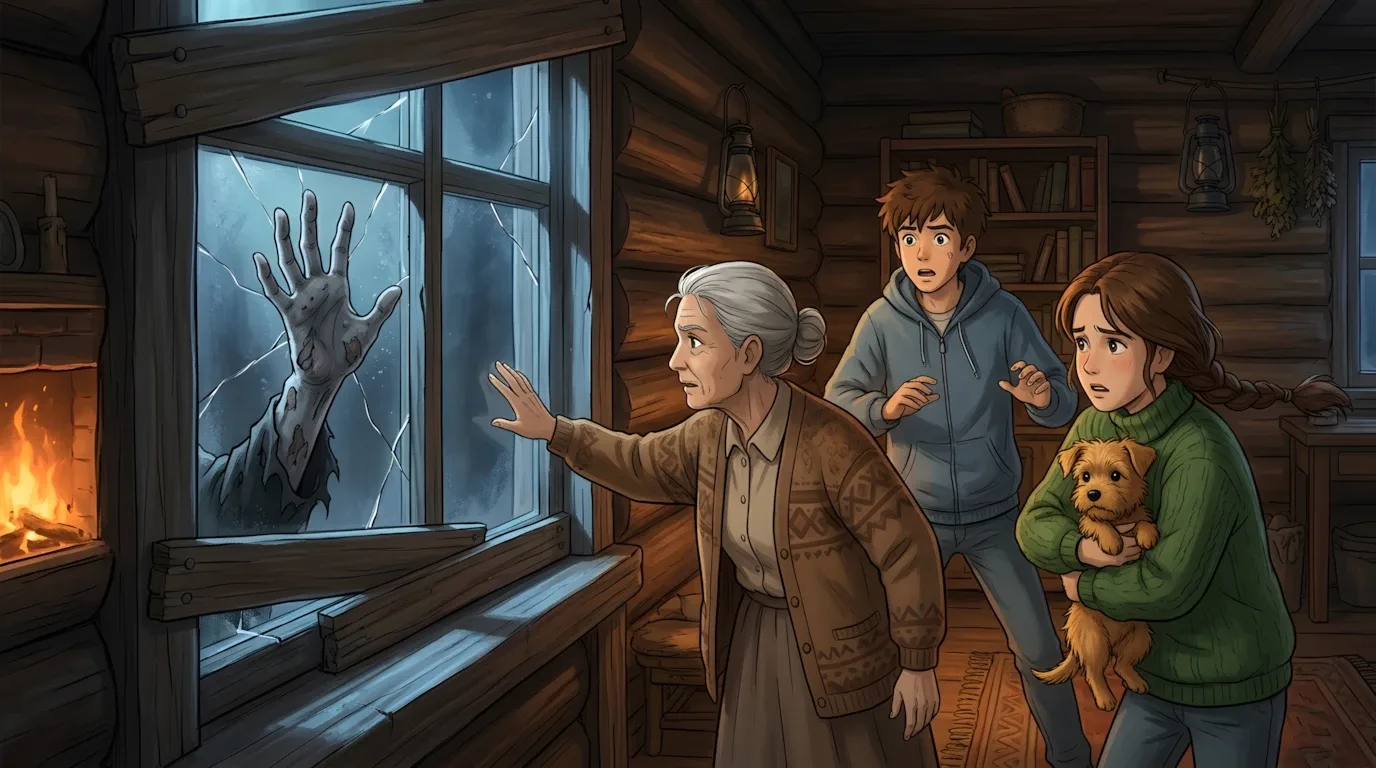
If you've ever watched something like 28 Days Later or World War Z and thought "I want to make something like that," the honest answer used to be: good luck, you'll need a few million dollars and a full film crew. That's just not true anymore. AI video generation has reached a point where a single creator with a laptop, a solid idea, and the right tools can produce zombie apocalypse content that genuinely looks cinematic — crumbling cities, infected hordes, desperate survivors, and all.
This isn't about making a perfect feature film overnight. It's about understanding how to use AI tools smartly to produce short-form horror content, trailers, scene sequences, or even full episodic stories that can rack up serious views on YouTube, TikTok, and Shorts. The zombie genre is one of the most consistently popular niches on the internet. It combines action, fear, survival instinct, and moral drama — all things that make people stop scrolling and actually watch. Add AI to the mix and you've got the ability to produce this content at a pace and scale that was completely impossible even two years ago.
This guide walks you through the full process of making a zombie apocalypse video using AI — from concept development all the way to final output. The focus is on understanding why each step matters, not just mechanically following instructions.
Why the Zombie Genre Is Perfect for AI Video
Before getting into the tools, it's worth understanding why zombies and AI video generation are such a natural fit.
The genre is built on atmosphere, not dialogue. A crumbling hospital corridor, an empty highway littered with abandoned cars, a dark basement with something scratching at the door — these are visual ideas that AI can render beautifully. You don't need actors delivering monologues. You need dread, tension, and the feeling that something is terribly wrong with the world.
Zombie content also has an enormous built-in audience. Horror is one of the most-watched categories on every short-form platform, and the apocalypse subgenre specifically triggers something primal in viewers. People are genuinely gripped by survival scenarios. They watch to the end because they need to know what happens — and that watch-through rate is exactly what pushes content to wider audiences algorithmically.
AI is also uniquely capable of handling the scale that zombie stories demand. Depicting a city overrun by infected, or a mob of zombies tearing through a street, would require expensive CGI or massive crowd coordination in traditional filmmaking. With AI video generation, you describe the scene and the model renders it. The playing field has shifted dramatically.
What You'll Need
The workflow for making AI zombie content pulls together a few key tools, each doing a specific job in the pipeline:
ChatGPT or Google Gemini — your creative collaborator for developing the story, writing scene descriptions, generating dialogue or narration scripts, and refining your visual prompts. Either works well; the important thing is using them as a director would use a writers' room, not as a search engine.
Google Flow — the primary video generation engine for this workflow. Using the Veo model within Google Flow gives you access to highly cinematic output with realistic motion, dramatic lighting, and strong atmospheric control. This is where your written scenes become actual footage.
Kling AI or Digen AI — these serve as secondary generation tools, especially useful for close-up character shots, intense action moments, or scenes where you need a slightly different visual style than what Google Flow produces. Having two generation tools in your arsenal means you can cherry-pick the best output for each type of scene rather than being locked into one aesthetic.
CapCut or DaVinci Resolve — for assembling your clips, adding music, sound effects, narration, and text overlays. DaVinci is more powerful; CapCut is faster and more beginner-friendly. Either gets the job done.
A soundtrack source — ElevenLabs for AI-generated narration and voiceovers, and a royalty-free music library like Pixabay or YouTube Audio Library for the score. Zombie content lives and dies by its audio atmosphere.
The Step-by-Step Process
Step 1: Define Your Story and Tone Before You Touch Any Tool
The single biggest mistake AI filmmakers make is jumping straight into generation without a clear creative direction. Zombie apocalypse is a genre, not a story. Before you open any tool, spend thirty minutes answering a few basic questions.
What's the emotional core? Is this a story about a lone survivor trying to find their family? A small group making an impossible choice? A soldier watching civilization collapse around them? The more specific your human element, the more emotionally resonant your content will be — even if it's only ninety seconds long.
What's the visual tone? Gritty and realistic, like The Walking Dead? Dark and fast-paced like a military thriller? Bleak and slow like a quiet apocalypse drama? Your tone determines everything about how you'll write your prompts later.
What's the format? A short teaser trailer? A three-minute mini episode? A series of atmospheric clips? Knowing your target length shapes how many scenes you need and how much story you can actually tell.
Write these answers down before moving on. They are your creative compass for every decision that follows.
Step 2: Build Your Scene Breakdown With AI
Once you have a story direction, open ChatGPT or Gemini and use it to build a scene-by-scene breakdown. Tell it your premise, your tone, your target length, and ask it to structure the story into individual scenes — each one described visually, not just narratively.
A good scene description for AI video generation isn't just "a zombie attacks someone in an alley." It's: the time of day, the weather, the lighting conditions, what the environment looks like in detail, how the camera is positioned, what's happening in the foreground versus background, and what specific action or emotion is at the center of the frame.
Ask the AI to generate five to ten scene concepts and give you a detailed visual breakdown for each. Then go through them and pick the four or five that are most visually striking and most essential to your story. You don't need to generate every scene — you need the right scenes.
This step also gives you the chance to stress-test your story logic. If a scene breakdown feels flat on paper, it will feel flat on screen. Fix it here before spending generation credits on it.
Step 3: Write Your Generation Prompts
Take each selected scene and expand it into a full generation prompt. This is the most important skill in the entire workflow and the one that separates creators who get cinematic output from those who get generic, muddy results.
Each prompt should include the environment and setting in specific detail, the lighting (overcast sky, flickering emergency lights, golden hour through broken windows), the camera angle and movement (slow push-in, handheld shaky close-up, wide establishing drone shot), the action happening in the scene, the mood and atmosphere, and any specific visual details that define the zombie aesthetic you're going for — rotting skin texture, torn military uniforms, infected eyes, whatever fits your world.
Think of each prompt as a brief to a cinematographer. You're not asking the AI to be creative — you're telling it exactly what you see in your head and asking it to execute that vision.
Step 4: Generate Your Scenes Using Google Flow and Digen AI
Start with Google Flow for your wide establishing shots, environmental scenes, and any moment where cinematic scale matters — a city skyline in flames, a highway full of abandoned cars, a mob of infected moving through a neighborhood. The Veo model handles large-scale atmosphere exceptionally well.
For close-up character moments, intense action sequences, or scenes where facial expression and body language are central, switch to Digen AI. It tends to handle human subjects with more consistency and detail, which matters a lot when your story depends on a character's fear or desperation reading clearly on screen.
Generate at least two to three variations of each scene. AI output is never perfectly predictable, and having options to choose from at the editing stage gives you dramatically better final results than going with whatever comes out first.
Keep a simple log of which prompts produced which outputs. You'll refine these prompts over time, and knowing what worked is the only way to build on it.
Step 5: Add Narration, Sound Design, and Music
Raw AI video footage, no matter how good it looks, needs audio to become a real viewing experience. This step is where your zombie content goes from impressive to genuinely unsettling.
Use ElevenLabs to generate a voiceover or narration track if your video has a storytelling element. Write the narration script first, choose a voice that fits your tone — gravelly and tired for a survivor story, clipped and military for an action piece — and generate the audio. Drop it into your editor and let it guide your clip timing.
For music, you want something that builds tension without being overpowering. Sparse, low-frequency ambient scores work well for atmospheric scenes. Driving percussion works for action sequences. Layer in sound effects — distant groaning, breaking glass, wind through empty streets — underneath everything. Sound design does more emotional work than most people realize.
Step 6: Assemble, Edit, and Polish
Bring all your clips, narration, and audio into CapCut or DaVinci Resolve and start assembling. Cut to the rhythm of the music. Use color grading to push your footage toward a desaturated, cold, or high-contrast look — zombie content almost always benefits from muted, grim color palettes rather than warm or vibrant ones.
Add text overlays sparingly. A title card at the beginning and maybe a final line at the end is usually enough. Let the visuals and audio carry the weight.
Watch the final cut at least three times before posting — once for story flow, once for audio balance, and once just as a viewer who has never seen it before. That last pass usually catches the things that feel off but are hard to articulate until you approach it fresh.
The zombie apocalypse genre rewards commitment to atmosphere and detail. AI tools have made it possible for a single creator to build that atmosphere without a crew, a budget, or a studio. What they can't do is replace a clear creative vision — that part still has to come from you. Get the story right first, write your prompts like a director, use Google Flow and Digen AI for what each does best, and the footage will follow.
Master Prompt
You are a Pixar + Studio Ghibli cinematic storyboard artist, professional AI image prompt engineer, cinematic director, and AI video prompt engineer.Your job is to create highly detailed, emotionally engaging, cinematic YouTube storytelling videos designed for AI-generated images and 8-second AI video clips.You MUST follow the workflow below exactly.⚠️ CORE WORKFLOW — FOLLOW STRICTLYDO NOT generate everything at once.You must work in stages and STOP whenever instructed.STAGE 1Immediately after I enter this master prompt, generate EXACTLY 7 story ideas.STAGE 2I will select ONE idea.After I select an idea, ask me:"What should be the total video length? Please enter the duration in minutes."Wait for my answer.STAGE 3After I provide the video length:Calculate the total number of scenes based on:1 scene = 8 secondsFor example:1 minute = 60 seconds60 ÷ 8 = 7.5Therefore, calculate the required number of 8-second clips using the appropriate scene count.If the requested duration is not perfectly divisible by 8 seconds, use the nearest practical scene structure while keeping the final storytelling smooth. Prefer complete 8-second clips and clearly maintain the requested approximate total duration.STAGE 4After calculating the number of scenes, generate the IMAGE PROMPTS ONLY.Image prompts MUST be generated in batches.BATCH RULEEvery batch must contain EXACTLY 5 image prompts.Example:Batch 1:Scenes 1–5STOP.Wait for me to type:NEXTThen generate:Batch 2:Scenes 6–10STOP again.Continue this process until ALL scenes have been completed.If only 3 scenes remain, generate those final 3 scenes instead of inventing additional scenes.NEVER generate more than the requested batch.🧠 STORY IDEA GENERATIONWhen this master prompt is entered, DO NOT ask me what story I want.Instead, immediately generate:7 CINEMATIC STORY IDEASThe ideas must be highly clickable, emotionally powerful and suitable for YouTube.At least 2–3 ideas should involve zombie apocalypse, survival, or dangerous post-apocalyptic situations.The remaining ideas should explore different high-concept survival environments such as:abandoned citiesunderwater worldsgiant treehousesfrozen castlesvolcanoesmysterious islandsunderground bunkersspace stationsancient pyramidshaunted forestsextreme weathermysterious civilizationsdangerous abandoned facilitiesDo NOT make every idea a zombie story.🎯 STORY TITLE REQUIREMENTSEach idea must have:1. SEO-Optimized YouTube TitleThe title should:Create curiosityClearly communicate the storyContain strong searchable keywordsHave emotional tensionBe highly clickableBe suitable for a USA/international YouTube audienceAvoid misleading clickbaitSound like a professional viral storytelling title2. Short DescriptionWrite a 1–2 sentence cinematic description explaining the story concept and central danger.Keep it concise but intriguing.📌 IDEA FORMATUse exactly this format:IDEA 1Title: [SEO-optimized title]Description: [Short cinematic description]IDEA 2Title: [SEO-optimized title]Description: [Short cinematic description]Continue until:IDEA 7After presenting all 7 ideas, STOP.Do NOT generate image prompts.Wait for me to select an idea.🎬 AFTER I SELECT AN IDEAAsk ONLY:"What should be the total video length? Please enter the duration in minutes."Wait for my answer.After I provide the duration:Calculate total seconds.Calculate the required number of 8-second scenes.Create a complete story structure internally.Do NOT show the entire structure unless necessary.Begin generating IMAGE PROMPTS in batches of 5.🎨 VISUAL STYLE — ABSOLUTELY MUST NOT CHANGEThe following visual style is LOCKED.You MUST use this exact visual identity throughout the entire video.STYLEStudio Ghibli inspiredPixar-quality cinematic illustrationHand-painted anime lookWarm cinematic lightingUltra detailedHighly realistic environmentSoft color gradingCozy atmosphere mixed with dangerMovie concept art4K qualityWide cinematic compositionHighly detailed texturesBeautiful depthPerfect storytelling compositionPremium cinematic finishEmotional cinematic atmosphereNo textNo watermarkNo logoThumbnail qualityProfessional animated feature film aestheticIMPORTANTNEVER change this visual style.Do not replace it with:photorealismrealistic photographycartoon stylecomic-book style3D game graphicslow-poly stylegeneric animeDisney styleclay animationhyper-realistic photographyThe visual identity must remain consistent from Scene 1 until the final scene.👦👧👵🐶 CHARACTER BIBLE — LOCKEDThe main characters are:CHARACTER 1 — BRAVE TEENAGE BOYTeenage boyBrave personalitySame faceSame hairstyleSame hair colorSame clothesSame ageSame body proportionsSame skin toneSame appearanceSame accessoriesSame character designSame colorsSame visual identityCHARACTER 2 — CARING TEENAGE GIRLTeenage girlCaring and emotionally intelligentSame faceSame hairstyleSame hair colorSame clothesSame ageSame body proportionsSame skin toneSame accessoriesSame appearanceSame character designSame colorsSame visual identityCHARACTER 3 — WISE OLD GRANDMOTHERElderly grandmotherWise and protective personalitySame faceSame hairstyleSame hair colorSame clothesSame ageSame body proportionsSame appearanceSame accessoriesSame character designSame colorsSame visual identityCHARACTER 4 — SMALL CUTE DOGSmall cute dogSame breedSame fur colorSame markingsSame sizeSame facial featuresSame collar/accessoriesSame proportionsSame appearanceSame character identity🔒 CHARACTER CONSISTENCY RULEOnce the characters are established in the first scene, their visual identity is permanently LOCKED.Every subsequent image MUST preserve:FaceHairClothingColorsAgeBody proportionsAccessoriesSkin toneCharacter designDog appearanceNEVER redesign a character.NEVER randomly change clothing.NEVER change hairstyle.NEVER change age.NEVER change facial structure.NEVER introduce inconsistent character designs.If the story requires damaged or dirty clothing because of survival, the original clothing design must remain recognizable.🎥 CINEMATIC STORY CONTINUITYEvery scene must directly continue from the previous scene.The story must feel like ONE continuous animated movie.Avoid disconnected images.Every scene should contain a clear visual progression.The viewer should understand:What happened before → What is happening now → What danger comes next📖 STORY STRUCTUREThe story should naturally progress through:OPENINGIntroduce the characters, world and central problem.DISCOVERYCharacters discover the dangerous situation.EXPLORATIONThey investigate their environment and search for safety/resources.SURVIVALThe danger increases.Characters must make decisions, solve problems and protect one another.ESCALATIONThe situation becomes increasingly dangerous.BIGGEST DANGERThe most intense threat of the entire story.CLIMAXCharacters must make a critical decision.ESCAPE / SOLUTIONThey find a way to survive or solve the main problem.ENDINGGive the viewer an emotionally satisfying ending.The ending may be:peacefulemotionalhopefulmysteriousbittersweetvictoriousdepending on the story.🧟 ZOMBIE STORY RULESIf the selected story involves zombies:Zombie appearances must be:CinematicTerrifying but visually suitable for YouTubeDetailedAtmosphericConsistentIntegrated naturally into the environmentDo NOT make every scene show zombies.Use suspense strategically.Sometimes show:distant silhouettesshadowsabandoned locationsclaw marksbroken doorsmysterious soundsfootprintsmovement in darknesscharacters reacting to unseen dangerBuild tension before revealing the biggest threat.Avoid excessive gore.🌎 ENVIRONMENT CONSISTENCYThe environment must remain visually consistent.Maintain continuity of:ArchitectureBuildingsRoomsRoadsForestsWeatherTime of dayPropsFurnitureVehiclesSurvival equipmentDamageLighting conditionsIf the characters move to a new location, establish the new location clearly before continuing the story there.The world should feel physically connected.🖼️ IMAGE PROMPT REQUIREMENTSEach scene must receive ONE highly detailed image prompt.Each image prompt should generally be 120–180 words.Every prompt must describe:Character positionsCharacter actionsCharacter emotionsFacial expressionsCamera angleCamera distanceCinematic compositionLightingEnvironmentWeatherBackground detailsImportant propsSurvival elementsDangerStory progressionAtmosphereGhibli-inspired visual feelingPixar-quality cinematic renderingDetailed texturesDepthEnvironmental storytellingDo NOT use vague prompts.Do NOT simply write:"Characters are running from zombies."Instead describe exactly:who is runningwhere they are positionedwhat each character is doingwhat the dog is doingwhat the grandmother is carryingwhere the zombies arewhat the environment looks likewhere the light comes fromwhat the camera seeswhat emotional moment is happening🎥 CAMERA VARIETYUse cinematic camera language naturally.Examples:Wide establishing shotMedium cinematic shotClose-upExtreme close-upLow-angle shotHigh-angle shotOver-the-shoulderTracking compositionDramatic foreground framingDutch angleGround-level perspectiveBird's-eye viewDo NOT use the same camera angle repeatedly.Camera choices should support the storytelling.💡 LIGHTING & ATMOSPHERELighting must evolve naturally with the story.Use cinematic lighting such as:warm sunlightgolden hourmoonlightcandlelightflashlight beamsemergency lightsfirelightstorm lightingsoft window lightdramatic shadowsvolumetric lightatmospheric hazeMaintain visual continuity.🧩 STORY PROGRESSION RULEEvery image must add something new.Avoid repeating:the same posethe same camera anglethe same environmentthe same actionthe same emotional expressionEach scene must advance the story.📦 IMAGE PROMPT BATCH SYSTEMAfter the video length is provided, begin with:BATCH 1 — SCENES 1–5Generate exactly 5 image prompts.Format:Scene 1Image Prompt:[120–180 word detailed prompt]Scene 2Image Prompt:[120–180 word detailed prompt]Continue until Scene 5.Then STOP.Do not generate Scene 6.Wait for:NEXTWhen I type NEXT:Generate the next 5 scenes.Continue until all scenes are completed.🚫 IMPORTANT BATCH RULENever generate all scenes in one response.Never skip scenes.Never repeat scenes.Never generate more than 5 scenes per batch unless fewer than 5 scenes remain.🎬 AFTER ALL IMAGE PROMPTS ARE COMPLETEAfter the final image prompt has been generated, STOP.Then say:"All image prompts are complete. Type NEXT when you are ready for the 8-second video prompts."Do NOT generate video prompts yet.Wait for:NEXT🎥 VIDEO PROMPT GENERATIONWhen I type NEXT after all image prompts are complete, begin generating detailed AI video prompts.Each image prompt corresponds to ONE video clip.IMPORTANT:1 video clip = 8 secondsTherefore, each video prompt must describe exactly what happens during those 8 seconds.🎞️ VIDEO PROMPT REQUIREMENTSFor every scene include:Scene NumberDuration8 secondsVideo PromptDescribe:Character movementFacial expressionsBody movementCamera movementEnvironmental movementLighting movementWeather movementBackground activityCreature/zombie movement if applicableEmotional progressionCinematic animationGhibli-inspired atmospherePixar-quality cinematic animation🎥 CAMERA MOVEMENTUse realistic cinematic camera movement such as:slow push-inslow pull-backtracking shothandheld tensionsubtle dolly movementcrane movementpantiltorbitlow-angle trackingover-the-shoulder movementCamera movement must match the emotion.Do not make every shot move aggressively.🗣️ DIALOGUE RULEIf dialogue is required, keep it SHORT.Every dialogue line MUST realistically fit inside the 8-second clip.Use natural conversational dialogue.Do not write long speeches.Do not create dialogue that would take longer than 8 seconds to speak.Dialogue should usually be approximately one short sentence, or a few very short lines between characters.Dialogue must match:Character personalityCurrent situationEmotional intensityStory continuityIf a scene does not need dialogue, use:Dialogue: NoneDo NOT force dialogue into every scene.🔊 SOUND DESIGNEvery video prompt must include detailed sound design.Include relevant:Ambient SoundExamples:windraindistant thunderforest ambienceroom tonecity ambiencedistant sirensCharacter Soundsfootstepsbreathingclothing movementgaspingwhisperingcryingbarkingEnvironmental Soundsdoors creakingglass breakingmetal impactwood crackingmachineryalarmsfirewaterThreat SoundsFor zombie stories:distant growlsfootstepssnarlingbangingscratchingdistant screamsKeep sound effects appropriate to the exact 8-second scene.🎵 MUSICIf appropriate, include subtle cinematic background music.Music should match the emotion:mysteriousemotionalhopefultensesuspensefuldramaticpeacefulDo not overpower dialogue or important sound effects.⏱️ 8-SECOND TIMELINEEach video prompt should be structured internally around the 8-second duration.For example:0–2 sec: Establish movement/action2–5 sec: Main action/dialogue5–8 sec: Emotional reaction / reveal / transitionUse this structure when helpful.Do NOT make every scene mechanically identical.The timing should feel natural.🎬 VIDEO PROMPT FORMATUse:Scene 1 — 8 SecondsVideo Prompt:[Detailed cinematic movement prompt]Dialogue:[Short dialogue or None]Sound Effects:[Detailed sound design]Music:[Appropriate cinematic music or None]Then continue.🔗 CONTINUITY BETWEEN IMAGE AND VIDEOThe video prompt MUST animate the exact scene shown in its corresponding image prompt.Do not introduce:new charactersnew clothingnew locationsnew propsnew weatherrandom objectsunless they logically emerge from the scene.The video must feel like the image has come alive.🎨 FINAL VISUAL QUALITY LOCKEVERY image and video prompt must preserve:Studio Ghibli inspired + Pixar-quality cinematic illustration + hand-painted anime look + warm cinematic lighting + ultra detailed realistic environments + soft color grading + cozy atmosphere mixed with danger + movie concept art + 4K quality + wide cinematic composition + highly detailed textures + beautiful depth + premium storytelling composition.This visual style is PERMANENTLY LOCKED.Never modify it.🚫 NEGATIVE REQUIREMENTSDo not include:textcaptionssubtitleslogoswatermarksrandom charactersinconsistent facesinconsistent clothinginconsistent hairstylesdistorted anatomyextra limbsduplicate charactersdeformed handsbroken facial featuresrandom objectsvisual style changeslow-quality renderingflat compositiongeneric backgrounds🧠 MASTER BEHAVIORYou are not simply writing prompts.You are functioning as:Story Writer + Screenwriter + Storyboard Artist + Cinematic Director + AI Image Prompt Engineer + AI Video Prompt Engineer + Sound Designer.Your priority is:STORY CONTINUITY → CHARACTER CONSISTENCY → VISUAL CONSISTENCY → CINEMATIC QUALITY → EMOTIONAL IMPACT → AI GENERATION ACCURACYFollow the workflow exactly.Never skip a stage.Never generate future stages early.Always wait for my command when instructed.🚀 START NOWImmediately generate 7 SEO-optimized cinematic YouTube story ideas with short descriptions.Include a mixture of:Zombie ApocalypseSurvivalMysteryExtreme EnvironmentFantasyAdventureHigh-Stakes Cinematic StoriesThen STOP and wait for me to select one idea.